
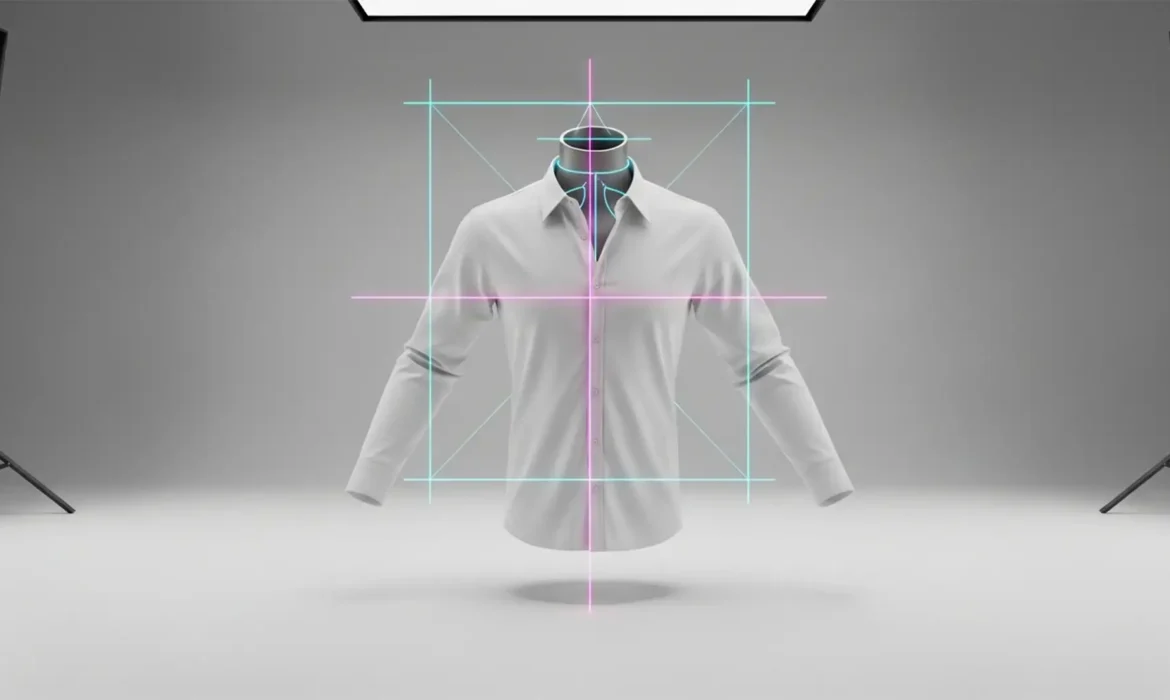
You open your e-commerce category page, expecting a pristine grid of your latest apparel collection. Instead, your catalog looks like a disjointed mess. One shirt has slumped shoulders, the next looks artificially inflated, and the hemlines bounce erratically up and down the page.
This visual chaos is known as silhouette drift, and it is the silent killer of high-volume e-commerce conversion rates. When outsourcing to multiple retouchers, manual clipping paths and arbitrary scaling inevitably lead to micro-inconsistencies.
Fortunately, you don’t have to settle for a sloppy catalog. By leveraging advanced alignment tools and automation in Photoshop v25.x, you can lock in geometric perfection. Here is your definitive guide to achieving absolute consistency in high-volume ghost mannequin editing.
What Causes Silhouette Drift in E-Commerce?
Silhouette drift occurs when the neck joint, shoulder slope, or hemline angles vary across images in a high-volume batch.
The core issue stems from manual compositing. When different editors create a clipping path and merge the inner back collar (the neck joint) with the front of the garment, they often scale, warp, or position the composite arbitrarily. Without strict margin constraints, these tiny variations compound. By the time 1,000 SKUs are uploaded to your site, the lack of uniformity makes your brand look unprofessional.
To fix this, e-commerce studios must move away from “eyeballing” edits and establish a mathematically locked technical workflow.
3 Methods to Guarantee Ghost Mannequin Consistency
Whether you are managing an internal team or setting up a style guide for your outsourcing partner, implementing these three Photoshop techniques will eradicate silhouette drift.
Method 1: Establish Standardized Workspace Grids (The Quick Fix)
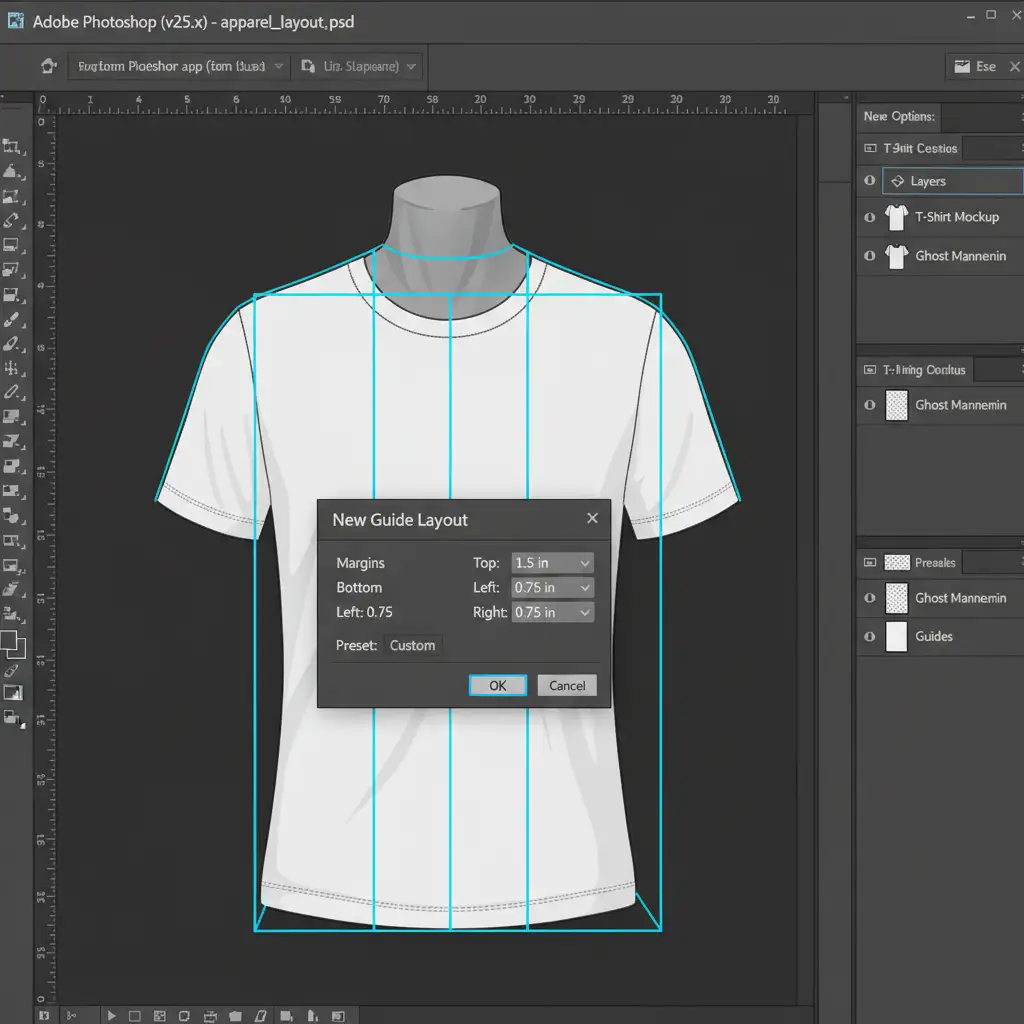
The easiest way to enforce uniformity is to remove the guesswork from garment positioning. By utilizing Photoshop’s built-in grid systems, you can create a literal box that every garment must fit into.
- Open Photoshop v25.x and navigate to View > Guides > New Guide Layout.
- Input specific margin constraints to dictate exactly where the collar, shoulders, and hemline should sit on the canvas.
- Save this layout as a Preset.
- Export the Preset and distribute it to your retouching team or external vendor.
Method 2: Master Smart Object Templating (The Pro Workaround)
Even with guides, editors might struggle to match the exact curvature of a garment. Smart Object templating solves this by overlaying a “master” reference image over the active workspace.
- Create a master PSD file featuring a perfectly edited reference garment.
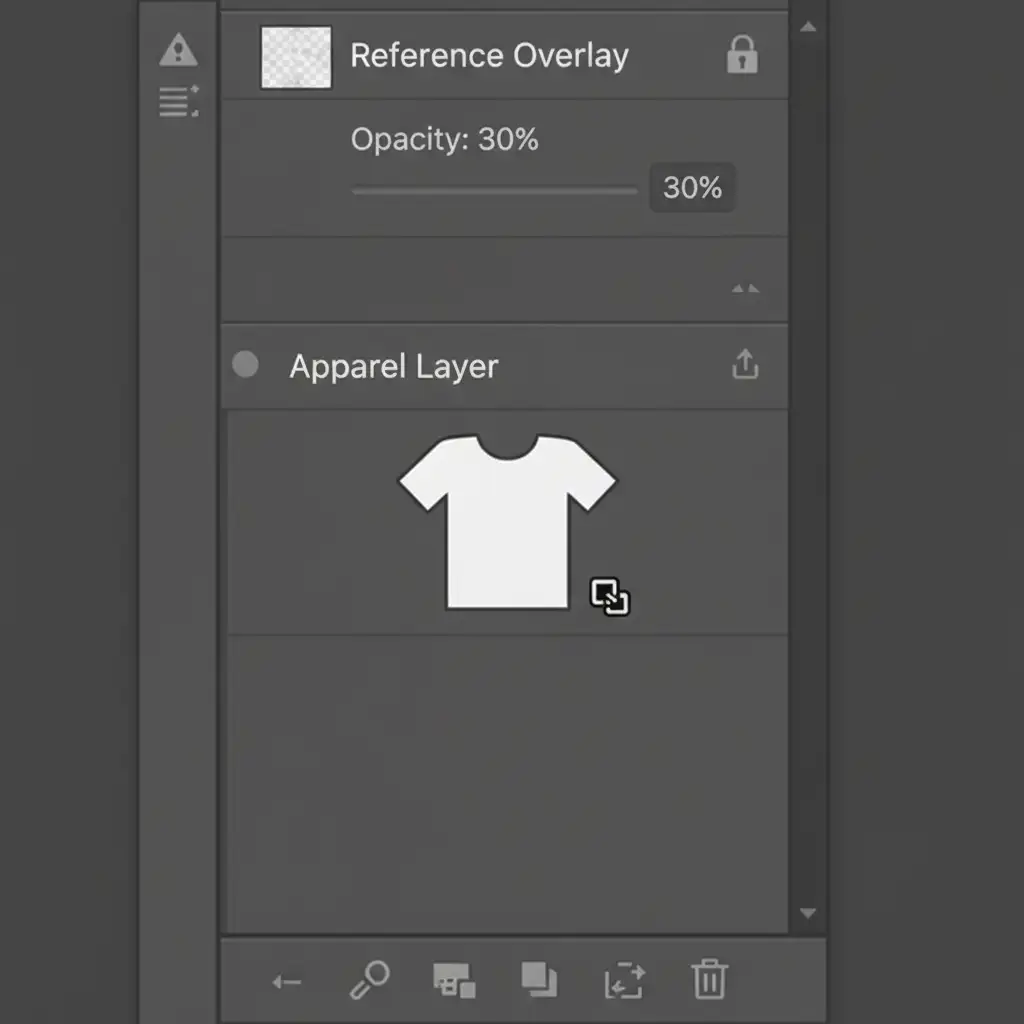
- Place this reference garment on the top layer, lock it, and drop the opacity to 30%.
- Place your new, unedited shots into the document as Smart Objects beneath the reference layer.
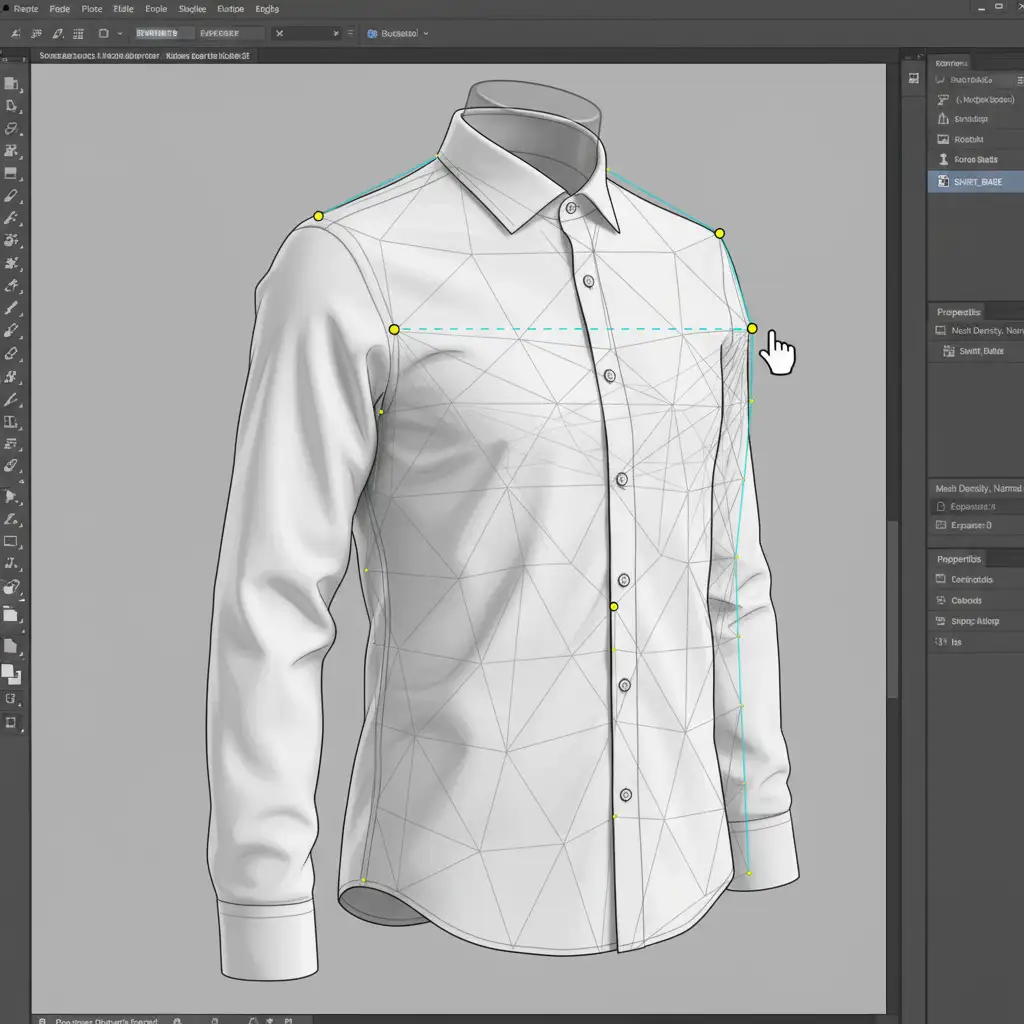
- Use Edit > Puppet Warp or Transform > Warp to gently manipulate the new garment.
- Align the shoulder slopes and hemlines to perfectly match the 30% overlay before merging the neck joint.
Using the Puppet Warp tool is particularly effective here, as it allows editors to drop pins on the collar and hem, stretching the fabric into place without distorting the texture or brand logos.
Method 3: Automated Droplets & Alignment Scripts (The Technical Deep-Dive)
For true consistency in high-volume ghost mannequin editing, human error must be minimized before the manual compositing phase even begins. You can achieve this through batch processing and automated alignment scripts.
- Open a raw image and begin recording a new Photoshop Action.
- Program the Action to automatically center the subject based on its clipping path.
- Apply a mathematical crop to the canvas, and add specific background padding (e.g., 200px on all sides).
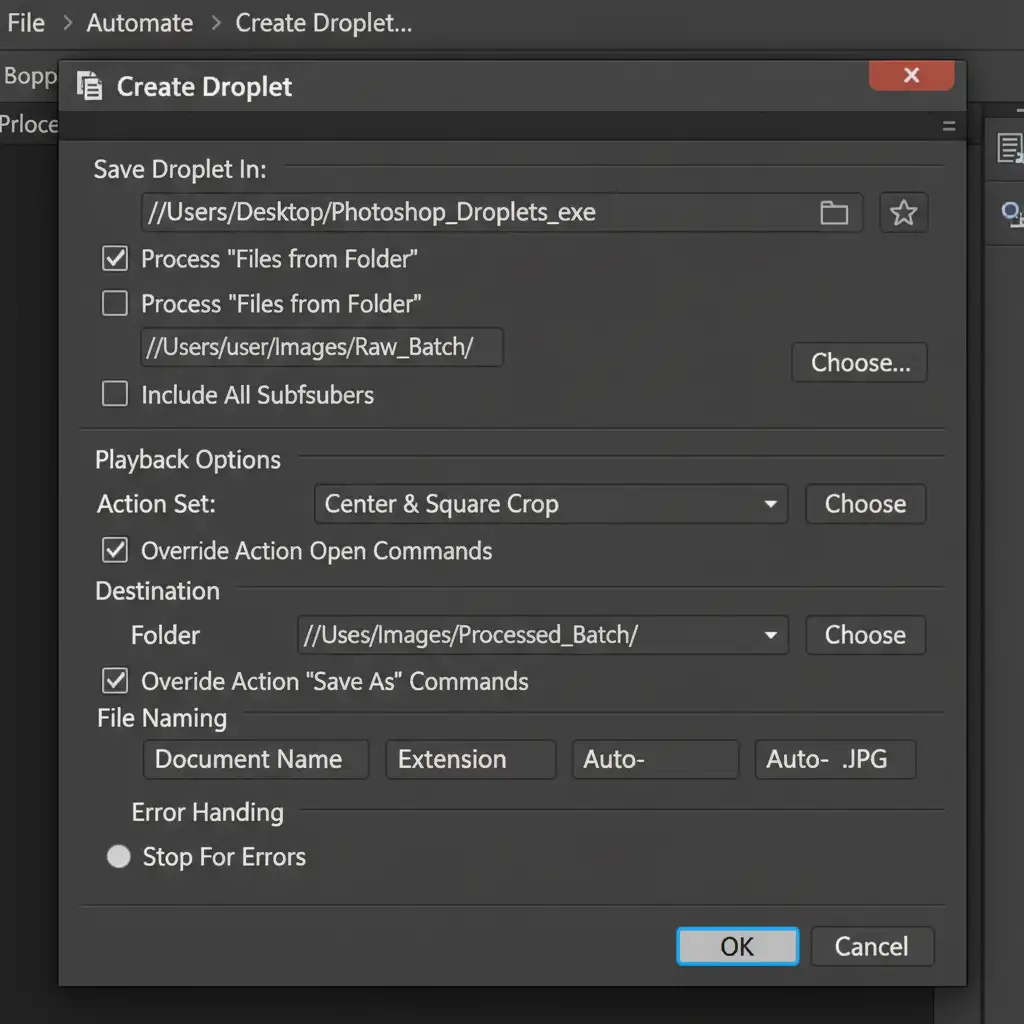
- Stop the recording. Navigate to File > Automate > Create Droplet.
- Save this Droplet to your desktop.
Now, you can drag and drop folders containing thousands of raw images onto this Droplet. Photoshop will pre-process, center, and crop every single image identically, leaving the retoucher to focus solely on the invisible mannequin compositing.
Scale Your E-Commerce Catalog with Flawless Precision
Achieving absolute consistency in high-volume ghost mannequin editing requires strict technical oversight, rigid style guides, and a deep understanding of Photoshop automation. If your current workflow is resulting in silhouette drift, it’s time to upgrade your retouching pipeline.
Need a flawless, perfectly aligned apparel catalog without the headache of managing it yourself?
Hire Image Work India and Cloud Retouch. Our expert teams specialize in high-volume ghost mannequin editing, utilizing proprietary alignment scripts and strict margin constraints to guarantee zero silhouette drift across thousands of SKUs. Contact us today to ensure every garment on your site features a uniform shape, perfect fit, and world-class presentation.



