

You invest thousands in premium product photography, optimize your listing, and start driving sales. Then, you wake up to a nightmare: your high-converting images have been replaced by pixelated, amateur photos uploaded by a rogue seller. Your conversion rate plummets, and Seller Central won’t let you change the photos back.
If you are dealing with an 8541 error or facing a locked listing, you are a victim of Amazon listing hijacking. This happens when the algorithm strips your catalog authority.
This guide provides a technical, step-by-step breakdown on reclaiming Amazon product image contribution rights so you can permanently lock down your visual assets and protect your brand’s revenue.
Understanding Amazon Detail Page Control (DPC)
To fix the problem, you need to understand how Amazon’s catalog node actually works. Amazon uses a system called Detail Page Control (DPC) to determine which seller’s product data is displayed to the customer when multiple sellers list against the same ASIN.
The algorithm automatically assigns a Merchant Winning ID to the “best” contributor. This assignment is based on an invisible hierarchy:
- Retail/Vendor Central contributions
- Brand Registry 2.0+ owners
- High-volume sellers with strong metrics
- Standard third-party sellers
Listing hijacking usually occurs when a rogue seller exploits an orphaned ASIN or uses a higher-tier catalog contribution (like a Vendor Central account) to force their data through. When you try to fix it, you are hit with an 8541 error—a direct Merchant Winning ID conflict. To fix this, you must override the system catalog using advanced hierarchy protocols.
3 Proven Methods for Reclaiming Amazon Product Image Contribution Rights
Here are the three technical workflows to reinstate the rightful brand owner’s photography, ranging from a quick catalog push to a complete system wipe.
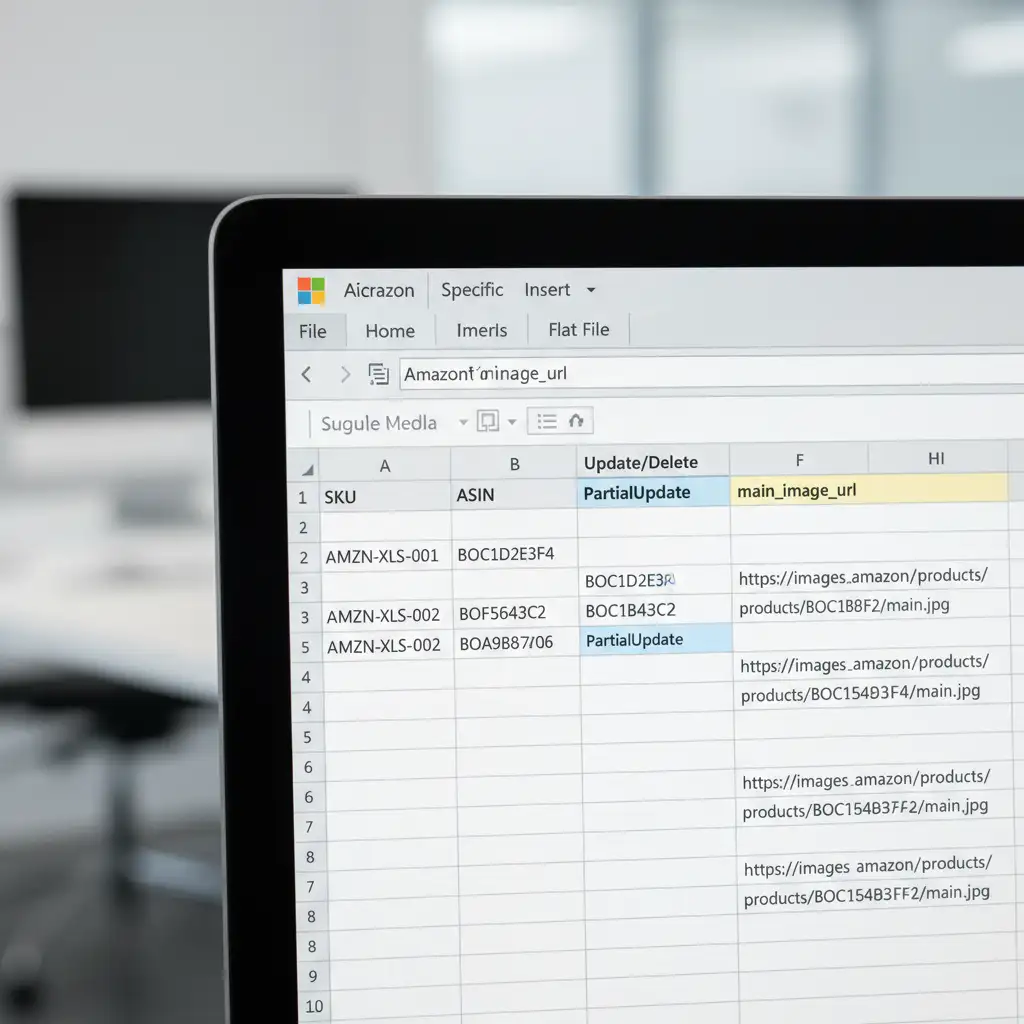
Method A: The Quick Fix – Flat File PartialUpdate
Often, the standard Seller Central edit page lacks the backend authority to override a hijacked image. You need to push the data directly into the catalog node using a Flat File.
- Navigate to Seller Central and download your Category Specific Inventory File.
- Fill in the essential identifiers: ASIN and SKU.
- In the Update/Delete column, type exactly: PartialUpdate.
- Locate the image columns (e.g., main_image_url). Input the secure, hosted HTTPS URLs of your correct product images.
- Upload the file. A PartialUpdate forces the catalog to refresh only the fields you filled out, often bypassing basic DPC locks.
Method B: The Pro Workaround – Brand Registry Support Escalation
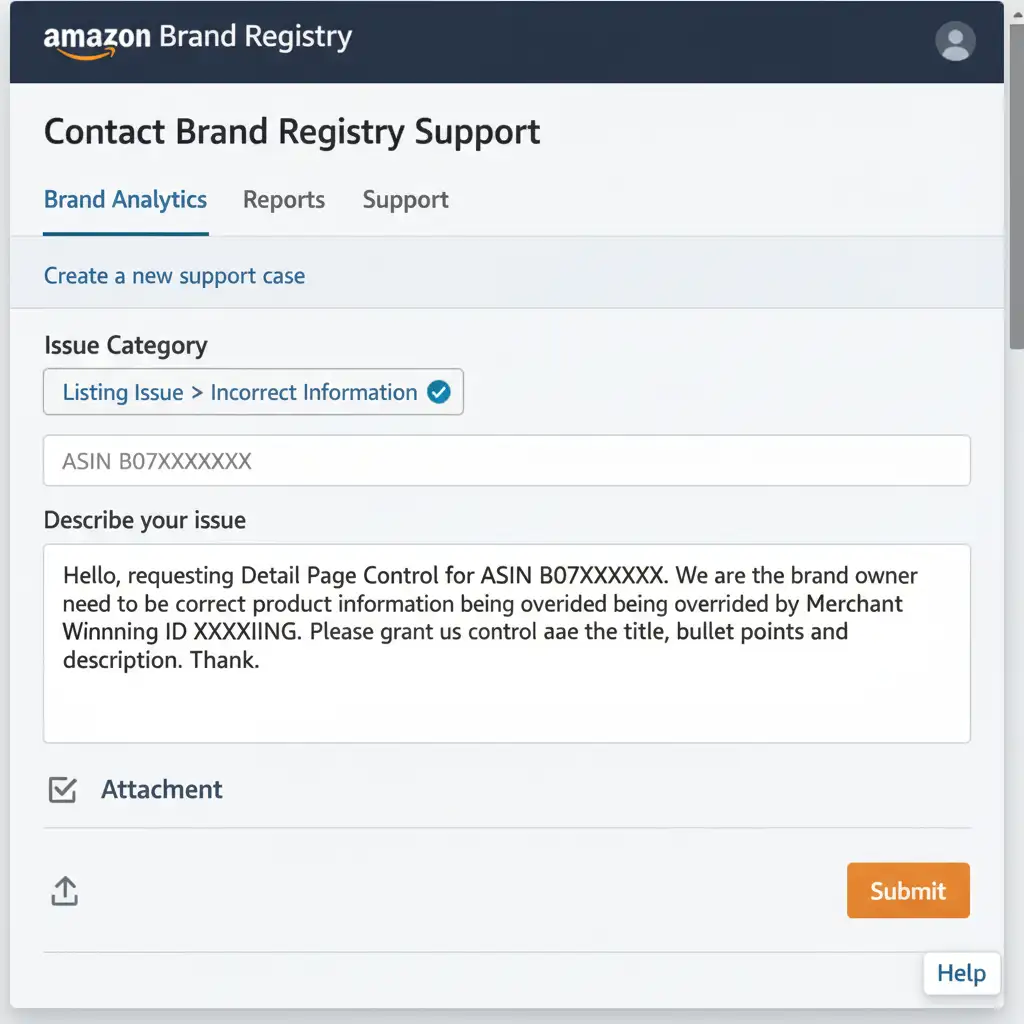
If the Flat File fails, the hijacking seller likely has a higher-tier Merchant Winning ID. You must leverage your Brand Registry 2.0 status to manually pull rank. Standard Seller Support cannot fix this; you must go through the dedicated brand portal.
- Log into brandregistry.amazon.com and open a support case.
- Navigate the exact category path: Listing Issue > Incorrect Information.
- Provide undeniable proof of ownership: A link to your GS1 UPC certificate and a real-world photo of the product in your hand, clearly showing the UPC and Brand name permanently affixed to the packaging.
- Use this exact phrasing in your ticket: “I am the Brand Owner and request Detail Page Control for ASIN [Insert ASIN]. Please remove the incorrect images from the current Merchant Winning ID, as they violate brand standards, and reinstate my uploaded images.”
Method C: The Technical Deep-Dive – Complete Catalog Cleansing
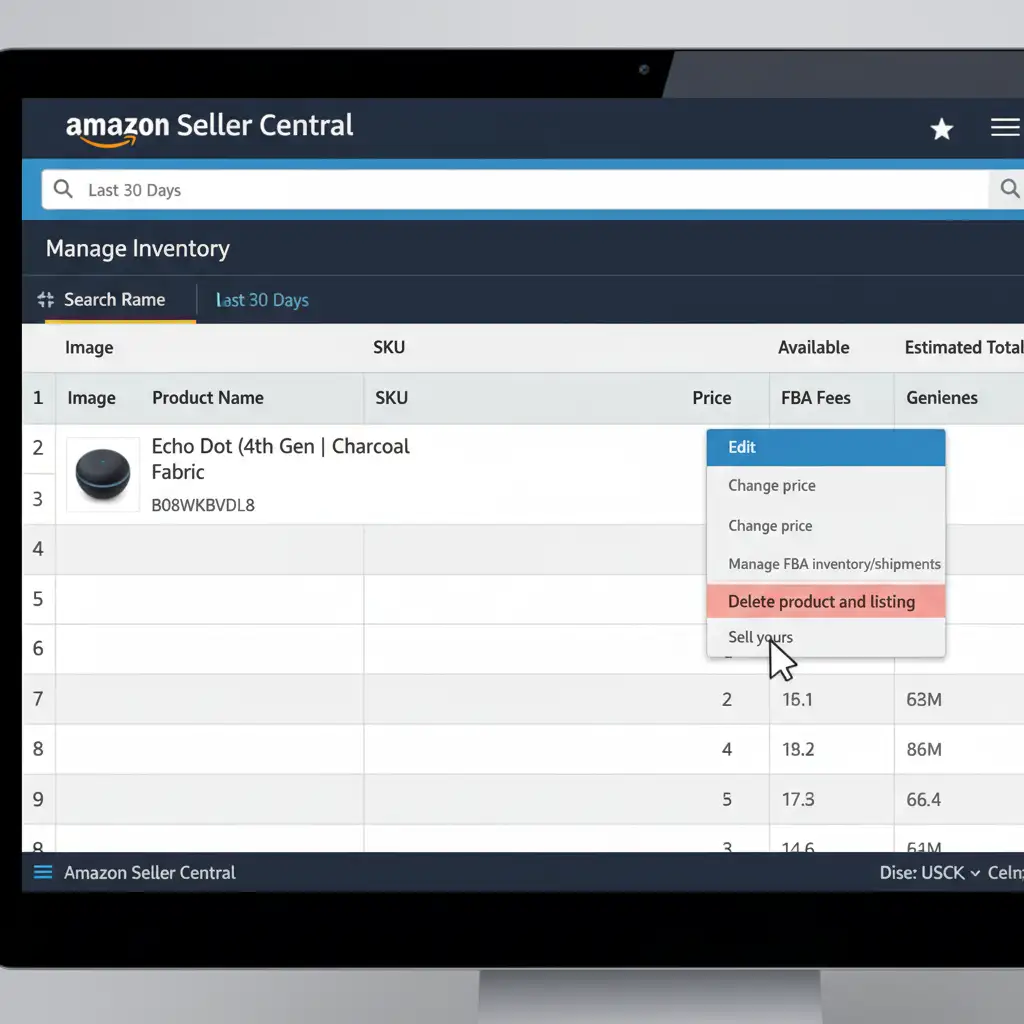
When dealing with deeply entrenched ghost data or severe 8541 errors, you must perform a System Cache Override. This involves temporarily destroying your connection to the ASIN to wipe the slate clean.
- Go to your Manage Inventory dashboard.
- Click the Edit dropdown next to the hijacked ASIN and select Delete product and listing. (Note: This does not delete your FBA inventory or reviews, only your SKU’s connection to the ASIN).
- Wait exactly 24 hours. This step is critical. It takes a full day for Amazon’s system cache to completely clear out the ghost data tied to your Merchant ID.
- After 24 hours, recreate the listing using the exact same SKU and ASIN.
- Upload your correct images during this creation process. This forces Amazon’s catalog node to pull fresh image data from your new upload, effectively overriding the previous contributor’s cache.
Never Lose a Sale to Bad Imagery Again
Reclaiming Amazon product image contribution rights is a technical battle, but it is one you must win. The algorithm rewards listings that convert, and nothing kills conversions faster than low-quality, inaccurate, or hijacked photos.
Once you have successfully executed a System Cache Override or pushed a Flat File to regain Detail Page Control, you need to ensure the images you are locking in are the absolute best in your niche.
Need your Amazon listings to convert at the highest level? AtImage Work India and Cloud Retouch, we specialize in creating Amazon-compliant, highly optimized product photography, lifestyle composites, and infographics that drive massive sales. We understand Amazon’s strict image guidelines and know exactly what visual assets are required to dominate your category.
Don’t let a hijacker ruin your brand’s reputation. Reclaim your listing, and let us upgrade your visual assets today. Contact Image Work India and Cloud Retouch to transform your product photography into your most powerful sales tool.



