

Are you terrified of waking up to massive MLS fines or legal action because of an undeclared virtually staged photo? You aren’t alone. With California’s impending AB 723 law slated for 2026, real estate photographers and editors are facing a massive shift. The law targets deceptive marketing laws by mandating clear, conspicuous disclosure on all digitally altered property photos. Failing to comply means risking your reputation, your clients’ listings, and steep financial penalties across platforms like Zillow and local MLS boards.
Welcome to the definitive AB 723 virtual staging disclosure guide. Below, we break down exactly how to protect yourself and your clients by standardizing your editing workflow in Adobe Photoshop v27.x and Lightroom Classic v13+ without sacrificing image quality.
What is AB 723 and How Does it Impact Real Estate Syndication?
AB 723 is designed to create transparency for homebuyers. In the past, a heavily staged photo could easily pass for physical reality, leading to buyer frustration during in-person viewings. Under the new law, any image pushed through a Zillow API or uploaded to an MLS must clearly indicate if it has been digitally furnished or altered.
For real estate photo editors, this creates a unique challenge: balancing aesthetic appeal with strict AB 723 compliance. You need automated solutions that can handle massive property portfolios without slowing down your turnaround times or ruining the visual impact of the staging.
Here are three tested, professional methods to ensure your virtual staging software workflow meets all MLS regulations.
Method 1: The Quick Fix – Batch Processing Automation for Watermarks
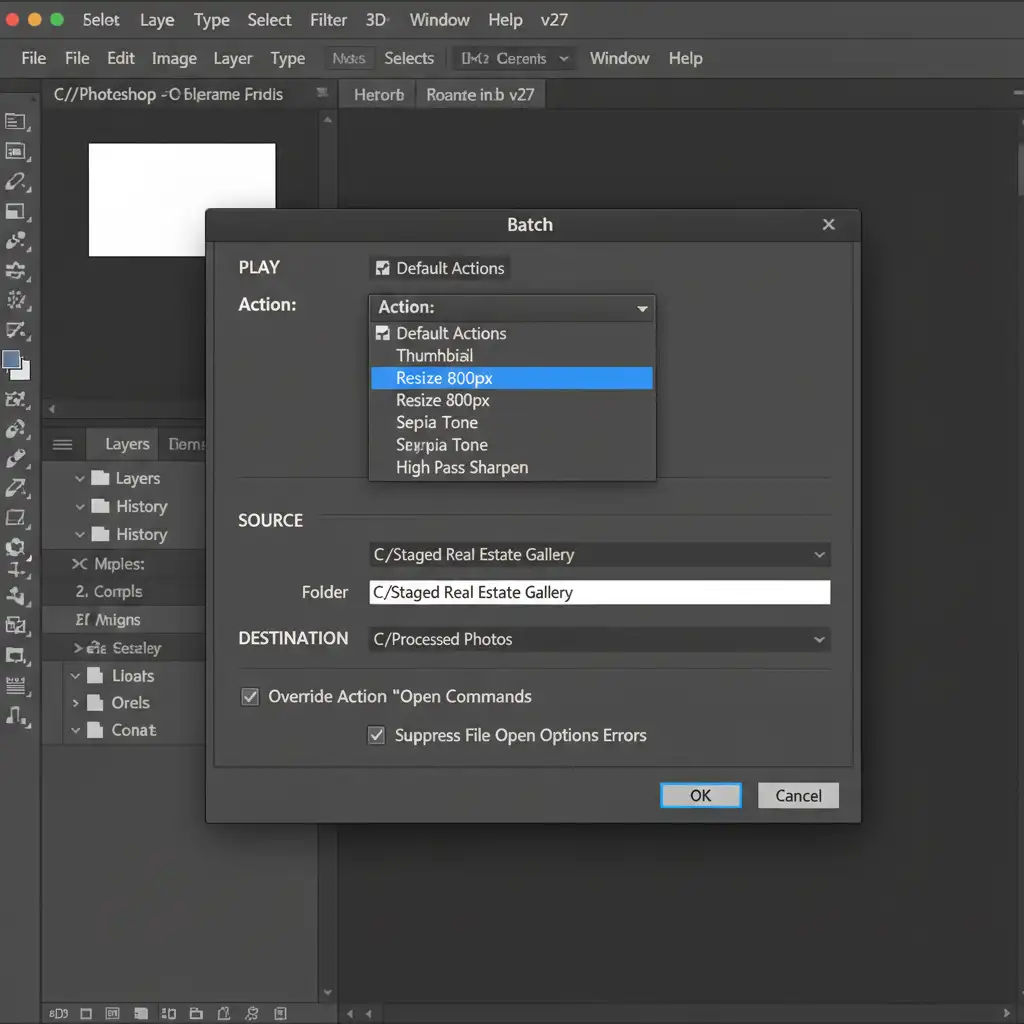
The most straightforward way to comply with AB 723 is by applying a visible, non-obtrusive text watermark to every staged image. However, doing this manually for a 40-image gallery is a massive waste of time. Instead, utilize Photoshop actions and batch processing automation.
The Workflow in Photoshop v27.x:
- Open a virtually staged image.
- Open your Actions panel and hit ‘Record’.
- Create a new text layer in the bottom right corner typing “Virtually Staged”.
- Set the layer to 50% opacity (utilizing opacity watermarking ensures the text is legible but not distracting).
- Stop recording and save the Action as ‘Virtual Staging Watermark’.
- Navigate to File > Automate > Batch, select your new action, and point it to your folder of staged images.
Photoshop will instantly apply the compliant watermark across the entire gallery.

Method 2: The Pro Workaround – IPTC Metadata Injection
Watermarks are great, but what happens if a real estate agent or a syndication platform crops the image, removing your carefully placed text? You could still be held liable.
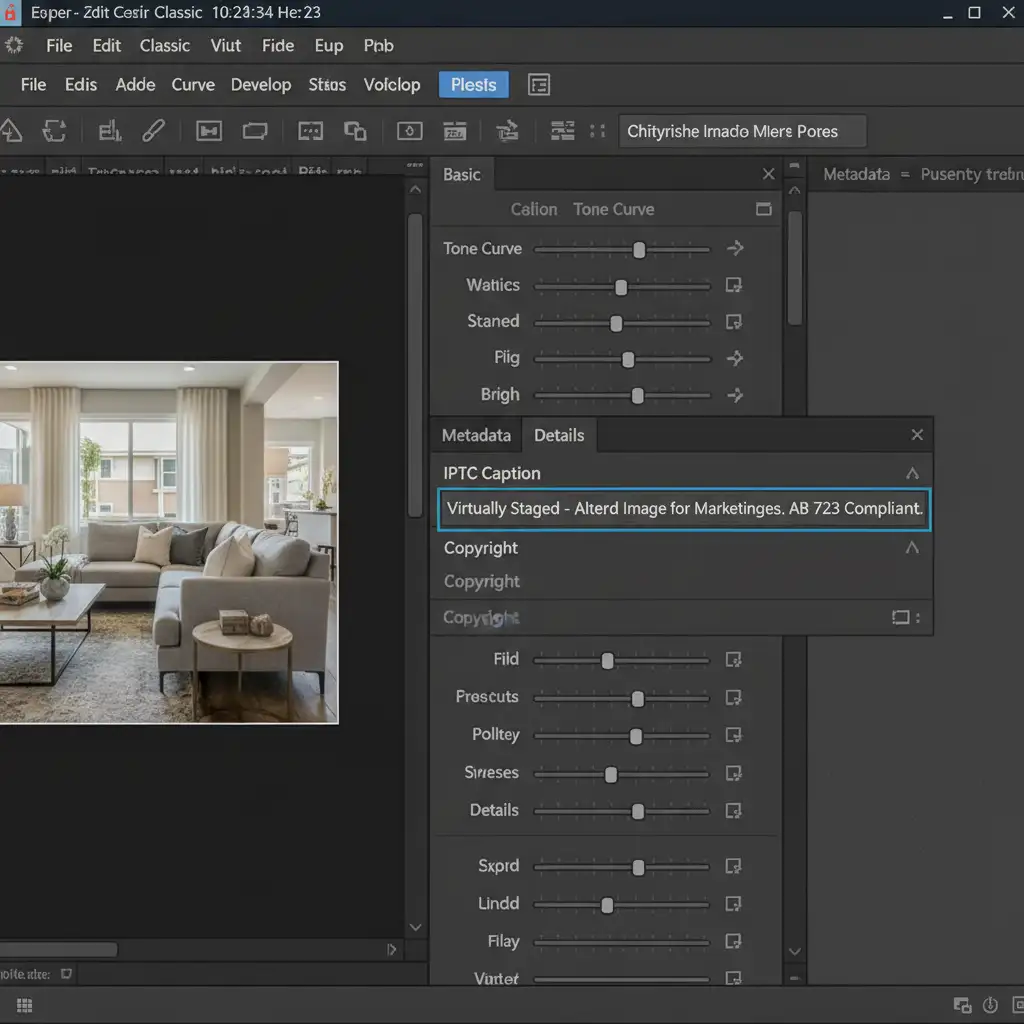
The foolproof, professional workaround is IPTC metadata injection. By embedding the disclosure directly into the file’s code, you ensure digital compliance regardless of how the image is cropped or displayed on third-party sites.
The Workflow in Lightroom Classic v13+:
- Import your final staged images into Lightroom Classic.
- Select all virtually staged photos in the Library module.
- On the right-hand panel, scroll down to the Metadata tab.
- In the ‘IPTC Copyright’ and ‘IPTC Caption’ fields, type: “Virtually Staged – Altered Image for Marketing Purposes. AB 723 Compliant.”
- Export the images, ensuring the “Include All Metadata” option is checked.
This method guarantees that the disclosure travels with the file wherever real estate photo syndication takes it.
Method 3: The Technical Deep-Dive – Side-by-Side File Delivery
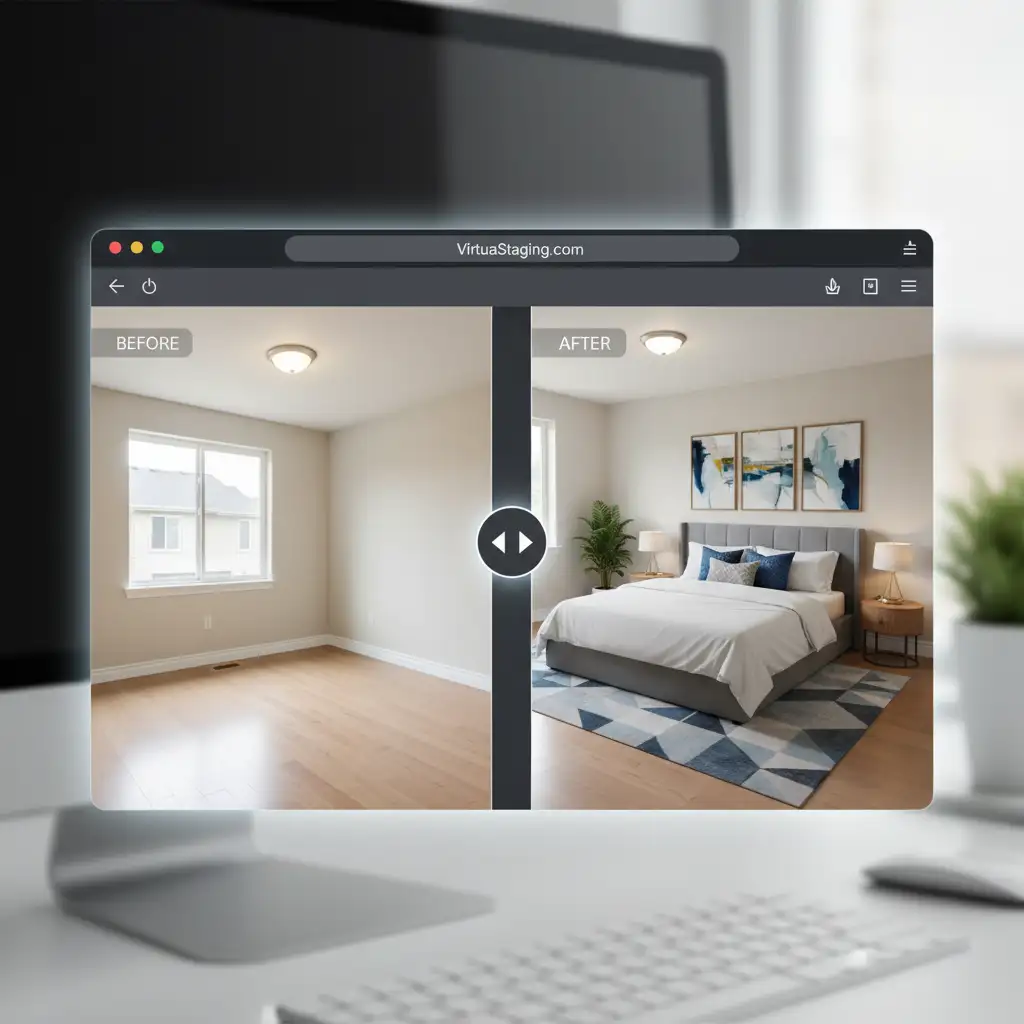
Some strict local MLS boards require the presentation of the “unaltered original” alongside the staged version to completely bypass deceptive marketing laws.
To meet these guidelines, deliver non-destructive side-by-side files.
The Workflow:
- Contact Sheet II: Use Photoshop’s File > Automate > Contact Sheet II to stitch the ‘Before’ (empty room) and ‘After’ (staged room) images side-by-side into a single JPEG.
- Layered TIFFs: Deliver a master TIFF file with the staging on a toggleable top layer. While heavier in file size, this gives the listing agent the ultimate flexibility to prove the underlying physical state of the property.
Outsource Your Compliance to Image Work India & Cloud Retouch
Navigating the technicalities of this AB 723 virtual staging disclosure guide can be overwhelming, especially when you have hundreds of photos to process daily. A single missed watermark or stripped metadata tag could result in thousands of dollars in MLS fines.
You don’t have to manage this alone.
At Image Work India and Cloud Retouch, we specialize in high-quality, legally compliant real estate photo editing. Our expert editors are fully trained in AB 723 compliance, utilizing advanced metadata injection and aesthetically pleasing watermarking to ensure your images drive sales without the risk.
Stop worrying about deceptive marketing laws and get back behind the camera. Contact Image Work India and Cloud Retouch today for expertly crafted, 100% compliant virtual staging services.



