

Are you putting your real estate business at risk every time you upload a listing? With the introduction of California Assembly Bill 723, the rules around digital image manipulation have drastically changed. If you are using virtual furniture staging to sell properties, failing to properly label your edits can now lead to severe legal penalties under new digital deception regulations.
Achieving AB 723 real estate photo compliance isn’t just about slapping a messy text box on your beautiful listing photos. It requires a strategic, dual-layer approach to protect your business while keeping your imagery high-end. In this guide, we will break down exactly how to legally edit and label your furniture staging using Adobe Photoshop v25.x and above.
Understanding AB 723 and Digital Deception in Real Estate
California Assembly Bill 723 was designed to combat digital deception by requiring clear, undeniable disclosure when digital alterations—such as virtual staging, sky replacements, or architectural modifications—are made to images.
For real estate photographers and agents, this means your virtual staging must be legally traceable and visibly marked. Because MLS platforms and social media sites often strip standard EXIF data during image compression, relying on a single method of disclosure is no longer safe.
To guarantee full AB 723 compliance, professionals must utilize a dual-layer strategy: visible watermarking paired with invisible IPTC metadata embedding. Here is how to execute this flawlessly in Photoshop.
The Dual-Layer Compliance Strategy for Photoshop v25.x+
Method A: The Quick Fix (Visible Watermarking)
The most immediate requirement of AB 723 is a visible disclosure. However, you do not want an ugly watermark ruining the visual appeal of your luxury listing. The solution is controlled opacity blending.
- Open your staged image in Photoshop.
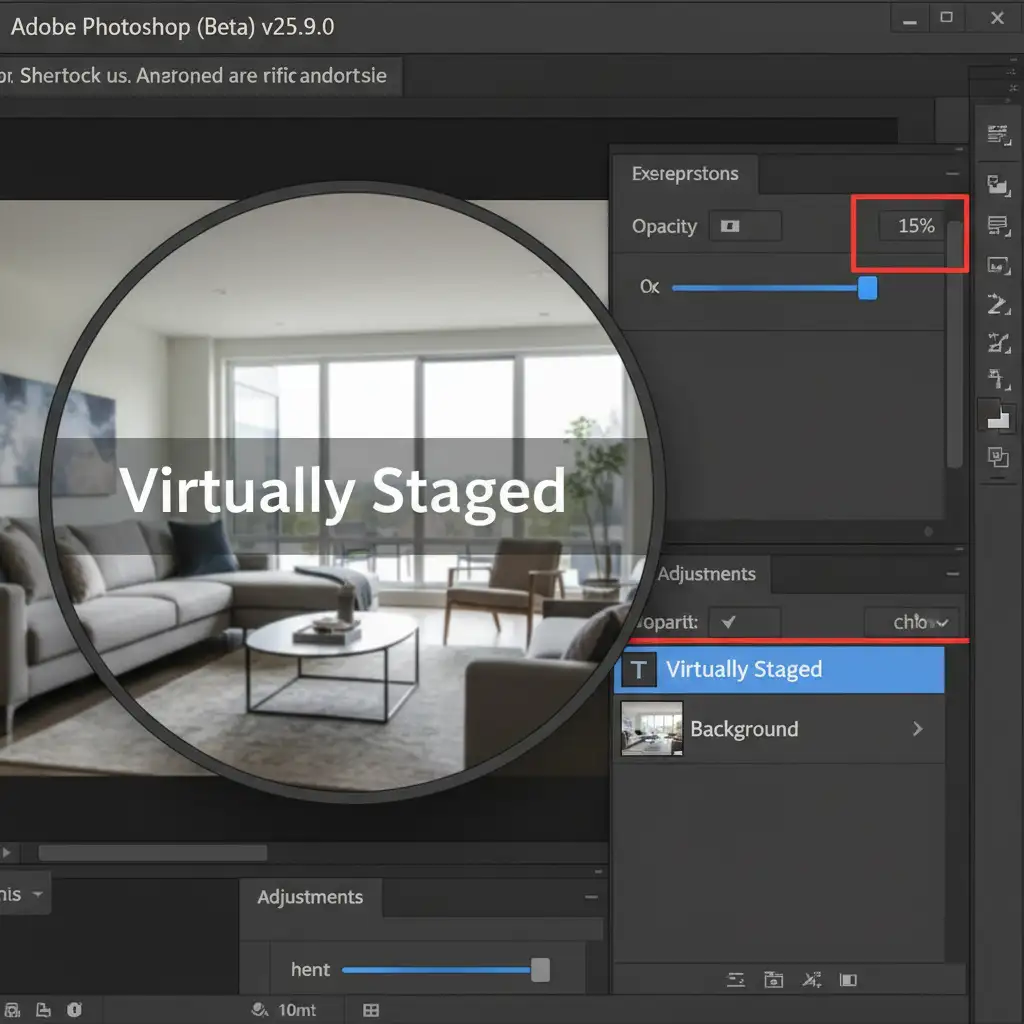
- Select the Type Tool (T) and click the bottom right corner of your canvas.
- Type the exact phrase: Virtually Staged.
- Choose a clean, sans-serif font (like Arial or Helvetica) in white or black, depending on the background.
- Navigate to the Layers panel and reduce the text layer’s Opacity to 15%.
This satisfies the visual requirement by ensuring the text is legible to buyers looking for it, without distracting from the property’s features.
Method B: The Pro Workaround (Invisible IPTC Metadata)
Because visible watermarks can technically be cropped out by malicious third parties, embedding invisible data is your legal safety net. Standard EXIF data is often wiped by real estate portals, but IPTC metadata is specifically designed for copyright and legal tracking, making it much more resilient.
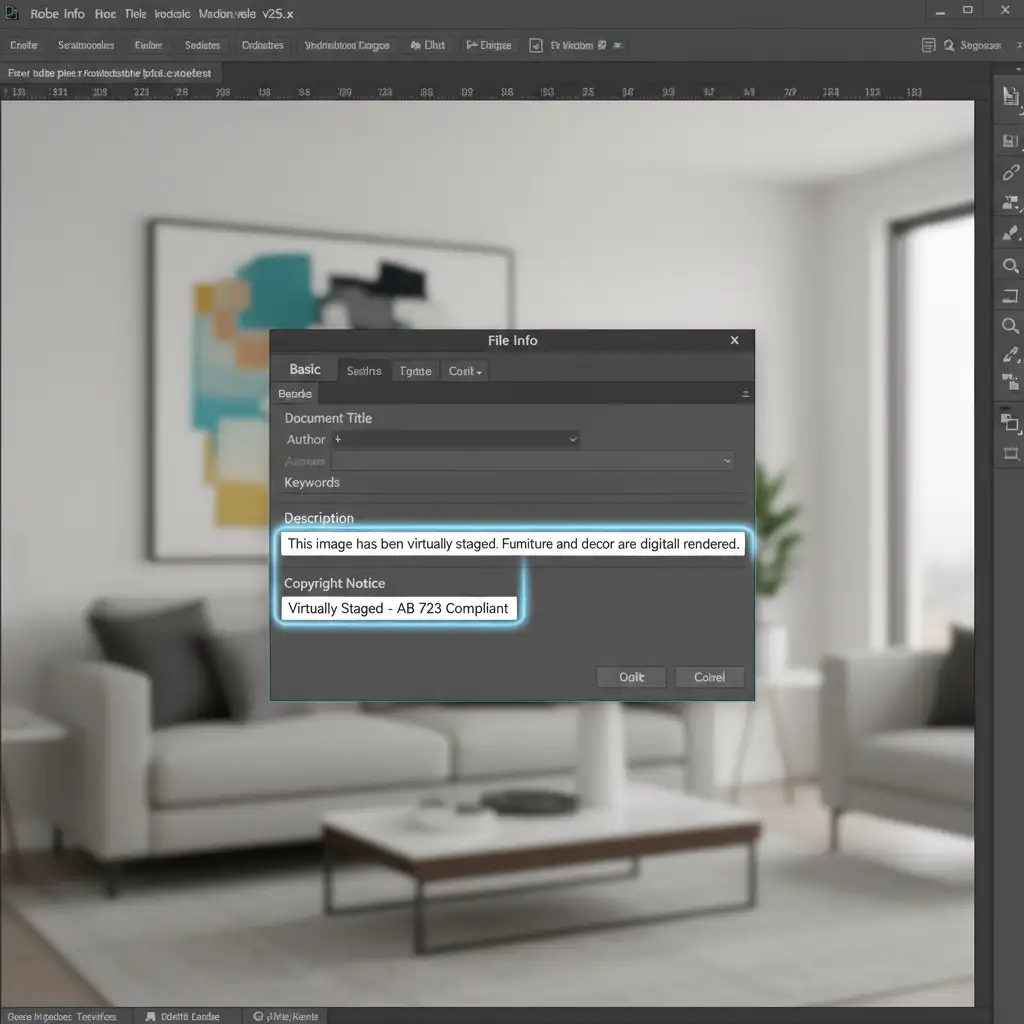
- In Photoshop, go to File > File Info (or press Ctrl+Alt+Shift+I / Cmd+Opt+Shift+I).
- In the File Info dialog box, navigate to the Basic or IPTC tab.
- Locate the Description field and type: This image has been virtually staged. Furniture and decor are digitally rendered.
- Scroll down to the Copyright Notice field and add: Virtually Staged – AB 723 Compliant.
- Click OK and save your image as a JPEG with metadata included.
Method C: The Technical Deep-Dive (Automating Compliance)
If you process hundreds of real estate photos a week, manually adding text and metadata is inefficient. You can automate the entire AB 723 compliance workflow using Smart Objects and batch processing.
- Create a transparent document and design your “Virtually Staged” watermark. Convert this text layer into a Smart Object.
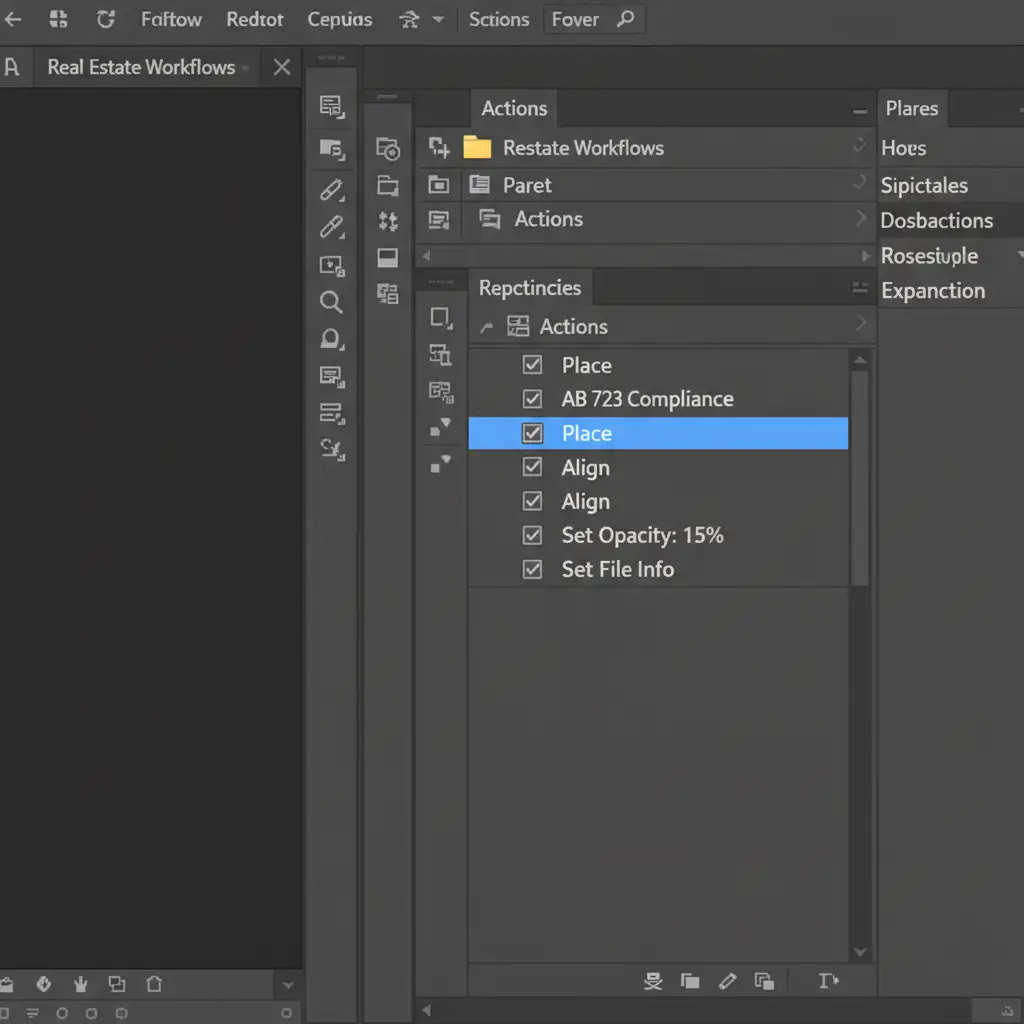
- Open the Actions Panel (Alt+F9 / Opt+F9) and create a new Action named “AB 723 Compliance”.
- Hit Record.
- Place your Smart Object watermark into the document. Using a Smart Object ensures perfect watermark scaling regardless of whether the source image is 2000px or 8000px wide.
- Align the Smart Object to the bottom right corner and set opacity to 15%.
- Go to File Info and insert your IPTC metadata.
- Stop recording.
- Go to File > Automate > Batch, select your new Action, and apply it to an entire folder of staged images.
Protect Your Listings and Your License
Navigating digital deception laws doesn’t have to slow down your property marketing. By combining opacity blending for visible disclosures with robust IPTC metadata embedding, you ensure total AB 723 real estate photo compliance while keeping your property photos looking pristine and professional.
Don’t want to risk a compliance error or waste hours editing metadata? Let the experts handle it.
At Image Work India and Cloud Retouch, we specialize in ultra-realistic, high-end virtual staging that is 100% compliant with AB 723 and all local real estate regulations. Our dedicated retouching teams ensure your images are visually stunning, mathematically scaled, and legally protected with the correct metadata and watermarks built right in.
Protect your business and sell properties faster. Contact Image Work India and Cloud Retouch today for professional, legally compliant virtual staging services.



