
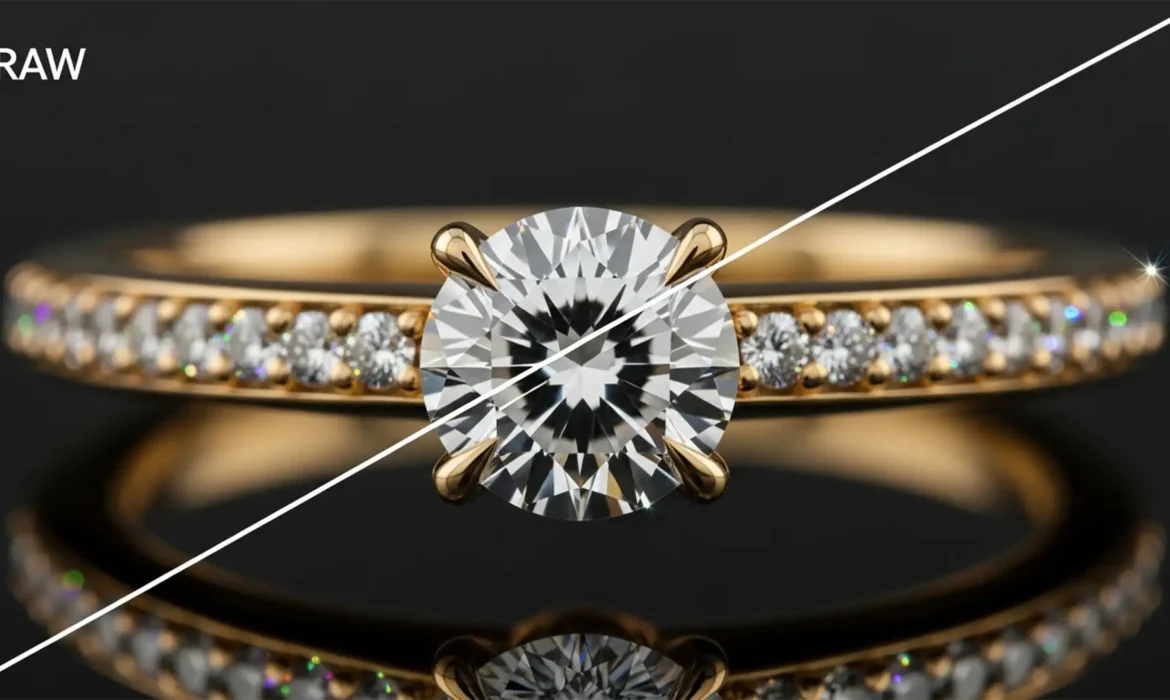
You have just shot 50 flawless frames of a high-karat gold and diamond ring. But when you run the macro focus stacking process, disaster strikes. Thick, ugly purple and green halos wrap around the sharp metallic edges and specular highlights.
This is jewelry chromatic aberration in macro focus stacking, and it instantly ruins the luxury appeal of high-end catalogs. Focus blending algorithms often confuse out-of-focus color fringes with actual edge detail, compounding the error into unmanageable bands. Stop letting halo artifacts destroy your composites. Here is the ultimate technical guide to eliminating color fringing for pristine, commercial-grade jewelry retouching.
Why Focus Stacking Amplifies Color Fringing
In macro photography, dealing with high-contrast subjects like diamonds and polished gold pushes optical physics to its limits. When you capture a sequence of 20 to 50 frames, you are dealing with two distinct optical flaws:
- Lateral Chromatic Aberration: Color fringing that occurs near the edges of the frame due to different wavelengths of light magnifying at slightly different sizes.
- Longitudinal Chromatic Aberration: Fringing that occurs in front of and behind the focal plane (often rendering as purple/magenta in the foreground and green in the background).
When you merge these frames in Photoshop (v25.x+) or Helicon Focus, the software’s algorithms analyze contrast to determine what is “sharp.” Unfortunately, the intense sensor blooming and lens dispersion found on specular highlights trick the software. The algorithm grabs the sharp, out-of-focus color fringes and bakes them into your final composite, creating thick, amplified bands of color.
Here are three professional methods to fix it.
Method 1: The Quick Fix (Pre-Stacking Defringe)
The most effective way to handle chromatic aberration is to neutralize it before the software attempts to blend the frames.
Step-by-Step Camera Raw Correction
- Open your unstacked image sequence in Photoshop.
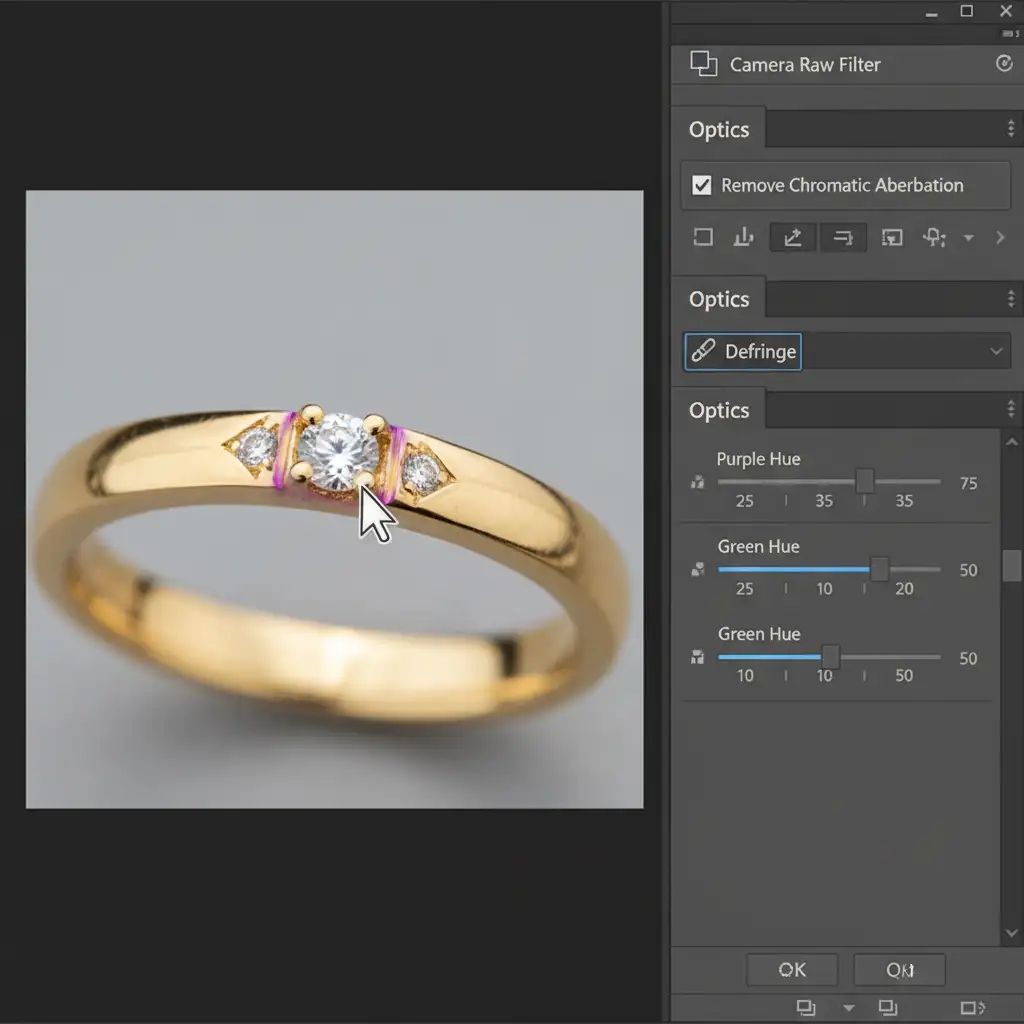
- Launch the Camera Raw Filter (Shift+Ctrl+A).
- Navigate to the Optics panel.
- Check the box for Remove Chromatic Aberration.
- Select the manual Defringe tool (the eyedropper icon) and click directly on the purple and green hues surrounding your metallic edges.
- Sync these settings across all frames before initiating your macro focus stacking sequence.
Method 2: The Pro Workaround (Targeted Masking)
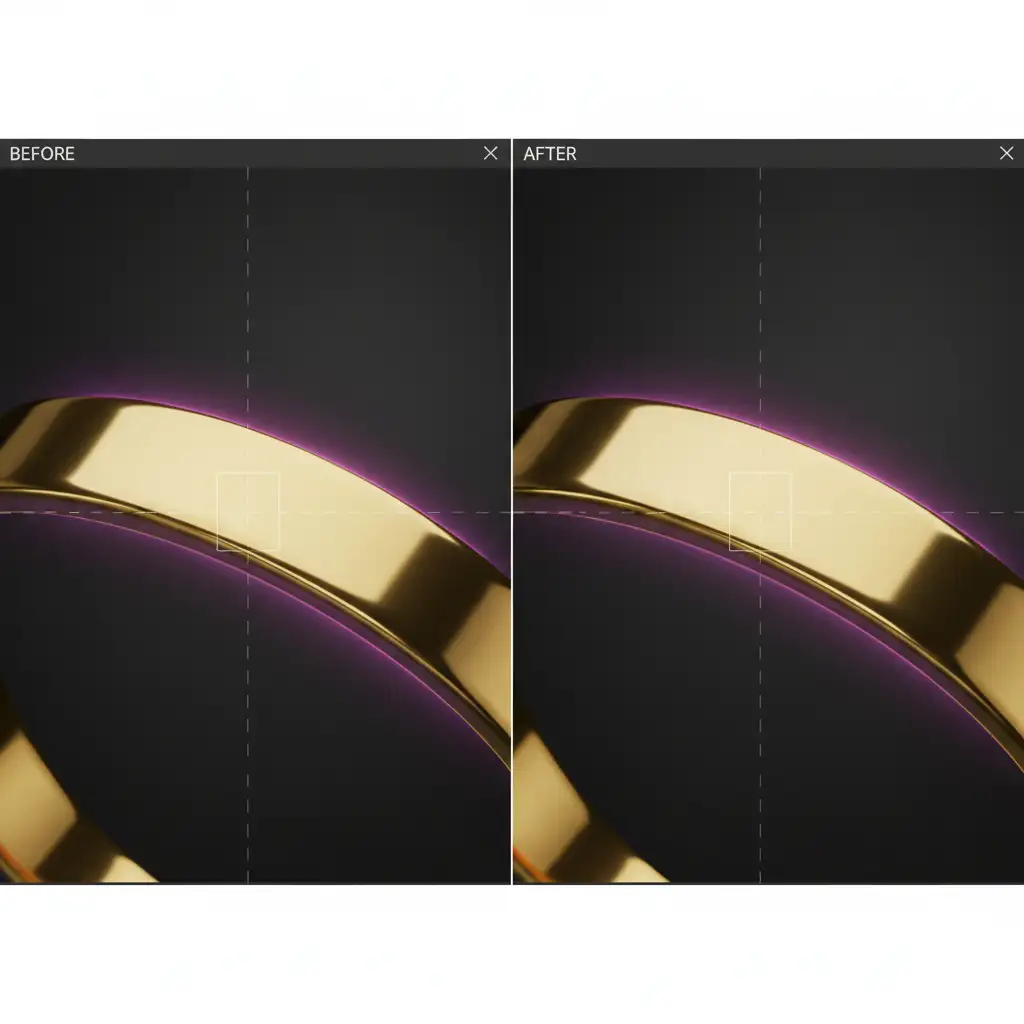
If you have already generated your composite and cannot restack the images, you need to isolate and neutralize the color fringing on the final merged file without destroying the natural color of the gold or gemstones.
Utilizing Hue/Saturation Masks
- Open your final stacked image in Photoshop.
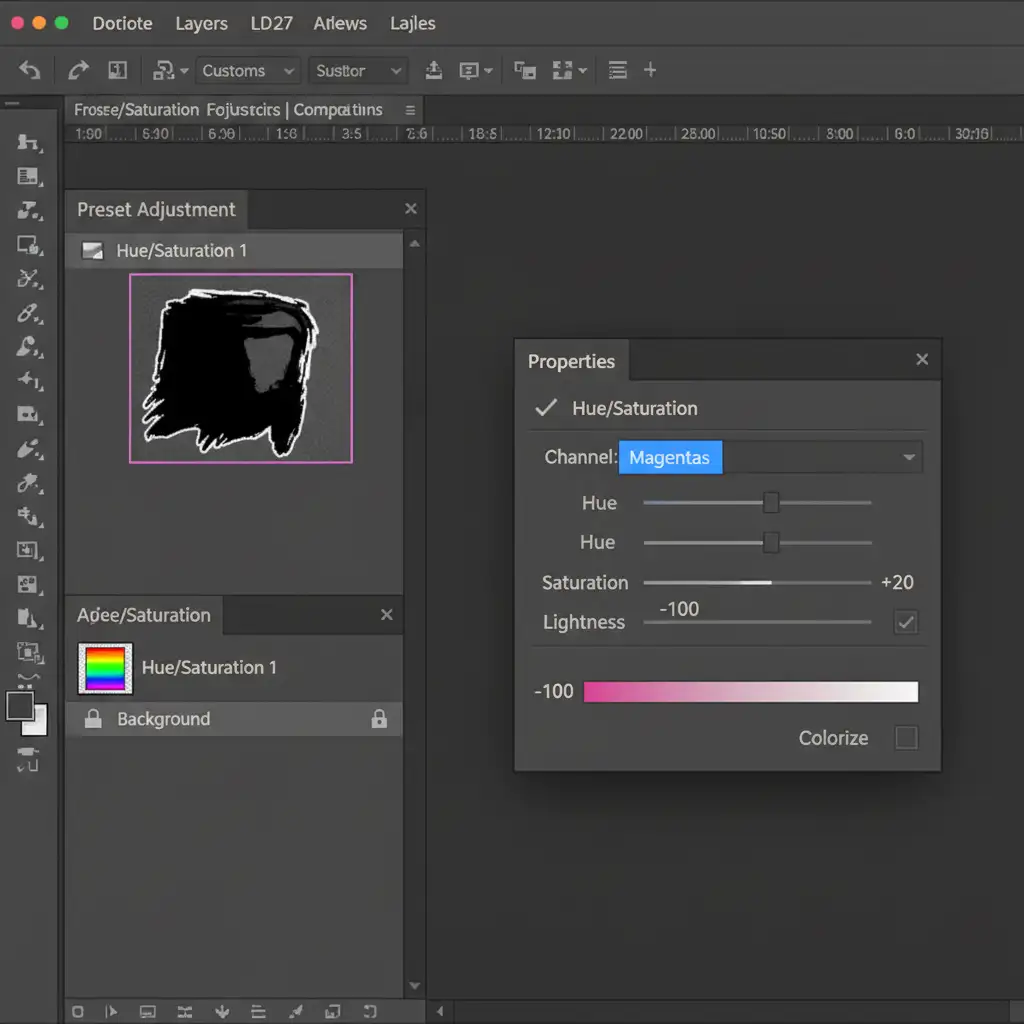
- Create a new Hue/Saturation adjustment layer.
- Change the target channel from ‘Master’ to the specific fringe color (usually Magentas or Greens).
- Drop the Saturation slider to -100.
- Adjust the Lightness slider until the desaturated halo blends seamlessly into the surrounding silver or high-karat gold.
- Select the layer mask, invert it (Ctrl+I / Cmd+I), and use a soft white brush to paint the correction only over the affected metallic edges.
Method 3: The Technical Deep-Dive (Advanced Stacking Algorithms)
For commercial jewelry catalogs, standard Photoshop blending often falls short. High-end retouchers rely on dedicated software to handle complex specular highlights and prevent CA amplification during the merge process.
The Lightroom to Helicon Focus Pipeline
- Pre-Process in Lightroom: Import your RAW files into Lightroom. Apply standard lens profile correction and manual defringing.
- Export as a 16-bit TIFF Composite Base: Export the sequence as 16-bit TIFFs to retain maximum color data and dynamic range.
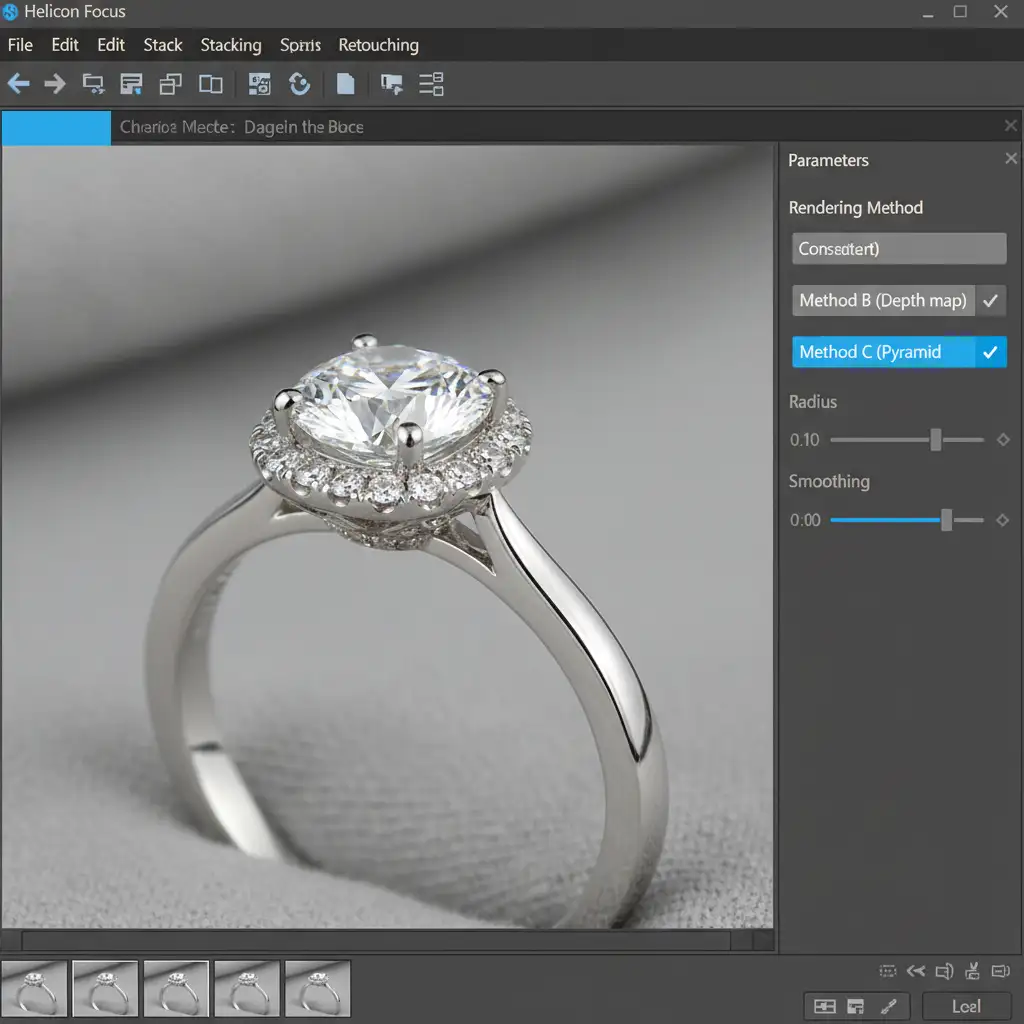
- Stack Using the Helicon Focus Pyramid Method: Open the TIFFs in Helicon Focus. Instead of using the standard Depth map (Method B), select Method C (Pyramid).
Why Method C Works Better
Method C uses a pyramid approach to image representation, which is specifically engineered to handle high-contrast, intersecting subjects. It actively reduces the amplification of halo artifacts and handles intense specular highlights far better than Depth map algorithms, yielding a significantly cleaner final result.
Flawless Jewelry Catalogs Require Expert Precision
Fixing jewelry chromatic aberration in macro focus stacking is a tedious, highly technical process. When you are managing a catalog of hundreds of luxury pieces, spending hours masking out purple halos and tweaking rendering algorithms drains your resources and slows down your time-to-market.
You don’t have to do it alone.
At Image Work India and Cloud Retouch, we specialize in high-end jewelry retouching. Our team of expert retouchers understands the exact science of macro focus stacking, lens profile correction, and advanced color grading. We meticulously eliminate halo artifacts, enhance specular highlights, and deliver pristine, color-accurate composites that make your diamonds and gold look their absolute best.
Stop fighting with color fringing. Let the experts handle your post-production. Contact Image Work India and Cloud Retouch today to elevate your jewelry photography to a world-class standard.



