
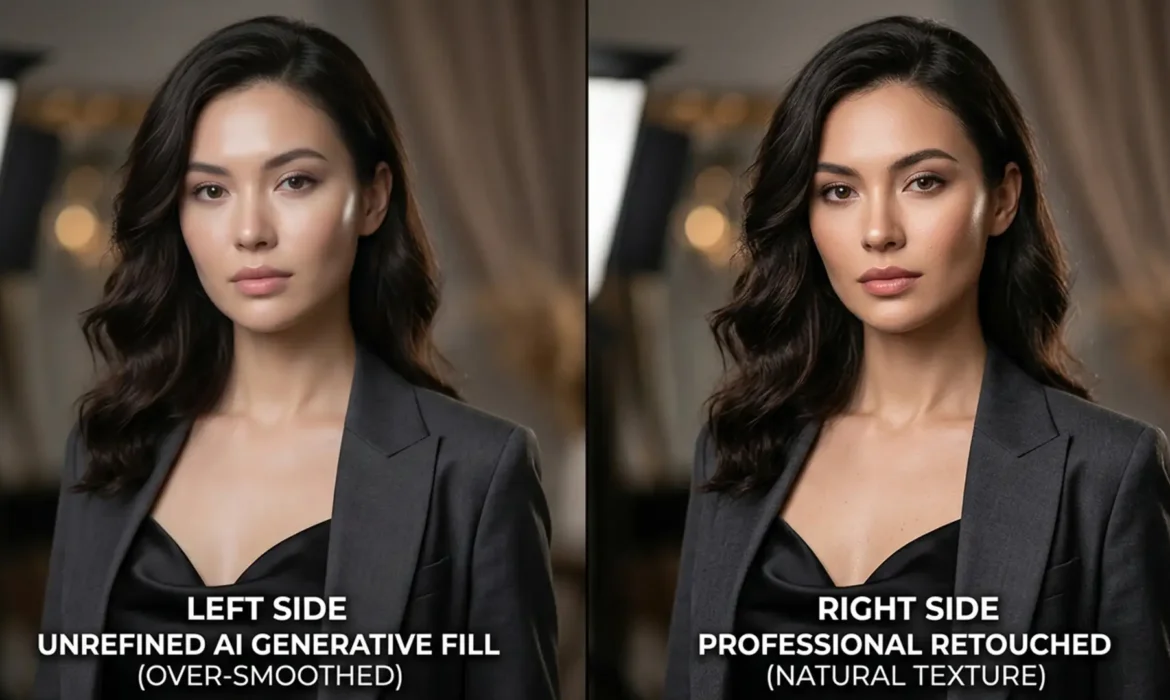
Fix Plastic AI Skin: Restore Texture in Fashion Retouching
Adobe’s latest updates to Photoshop (v25.x – v27.x) have introduced incredibly powerful tools, but they come with a frustrating flaw for high-end beauty retouchers. When using Generative Fill (Firefly) or Neural Filters for skin smoothing, the AI frequently destroys high-frequency skin textures. The result? An overly blurred, ‘plastic’ surface plagued by blocky...
Pro Secrets for Fabric Retouching: Removing Creases Without Losing Material Weight
If you edit fabric crease removal, you know the nightmare of wrinkled garments. The client wants the dress perfectly smooth, but the second you attack those creases with a standard Clone Stamp or Healing Brush, disaster strikes. The fabric loses its natural drape, the delicate warp and weft vanish, and suddenly, luxury silk or satin looks like cheap, flat plastic. You’ve successfully...
Couture Retouching: Fix Generative Fill Embroidery Blurs
You’ve just shot a breathtaking editorial campaign featuring an exquisite haute couture gown. The client wants the background expanded, so you fire up Photoshop’s AI tools. But instead of seamlessly extending the intricate threads and sparkling beads, the AI spits out a muddy, blurred mess or hallucinates unnatural patterns. Sound familiar? When retouching couture embroidery, Generative...
Automating Consistency: Match Color Across a 50-Shot Lookbook
You just wrapped a grueling 50-shot fashion lookbook. The model was fantastic, the styling was sharp, but as you pull the RAW files into your editor, you spot a massive problem: color drift. Due to strobe output variations, modifier shifts, and subtle ambient color temperature changes throughout the day, the exact hex code of your hero garment fluctuates from frame to frame. In e-commerce,...
How to Fix ‘Plastic’ AI Skin: Restoring Natural Texture in the Age of Firefly
Have you ever run a gorgeous beauty portrait through Adobe’s latest tools, only to find your model suddenly looks like a plastic mannequin? You are not alone. While Photoshop v25.0+ and its Generative Fill (Firefly) engine have revolutionized post-production speed, they share a glaring flaw: they destroy natural texture. This “plastic skin” effect ruins vital high-frequency...
Bypass Generative Fill Guidelines Violations Like a Pro
You are finalizing a high-end retouching campaign for a swimwear client. You make your selection, hit generate, and instead of a flawless pixel blend, you are hit with a red roadblock: “The generated images were removed because Guidelines Violation.” For fashion, lingerie, and boudoir retouchers, Adobe’s strict AI safety filters are causing massive workflow bottlenecks. The system...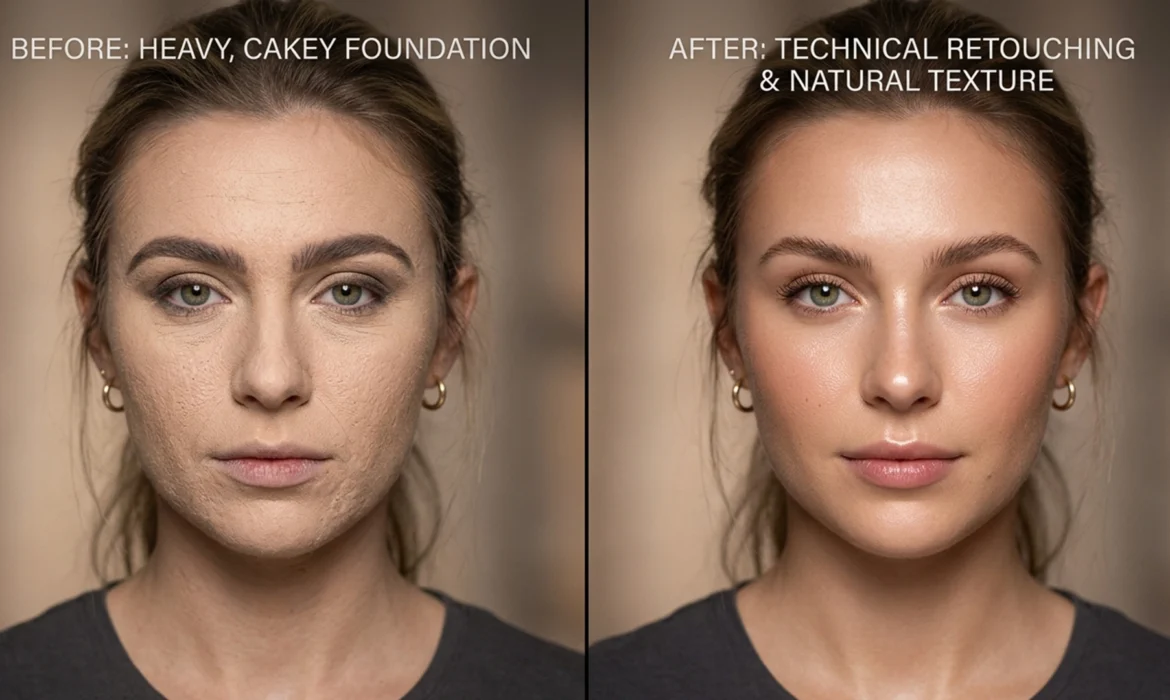
Beauty Retouching 101: How to Fix Cakey Foundation in Photoshop
You just wrapped a high-end editorial shoot, but zooming in reveals a retouching nightmare: the makeup artist went too heavy. Instead of glowing, breathable skin, you’re staring at a chalky, uneven, excessively matte surface where natural specular highlights and pores used to be. Learning how to fix cakey makeup texture in Photoshop is a critical skill for beauty retouchers. When heavy...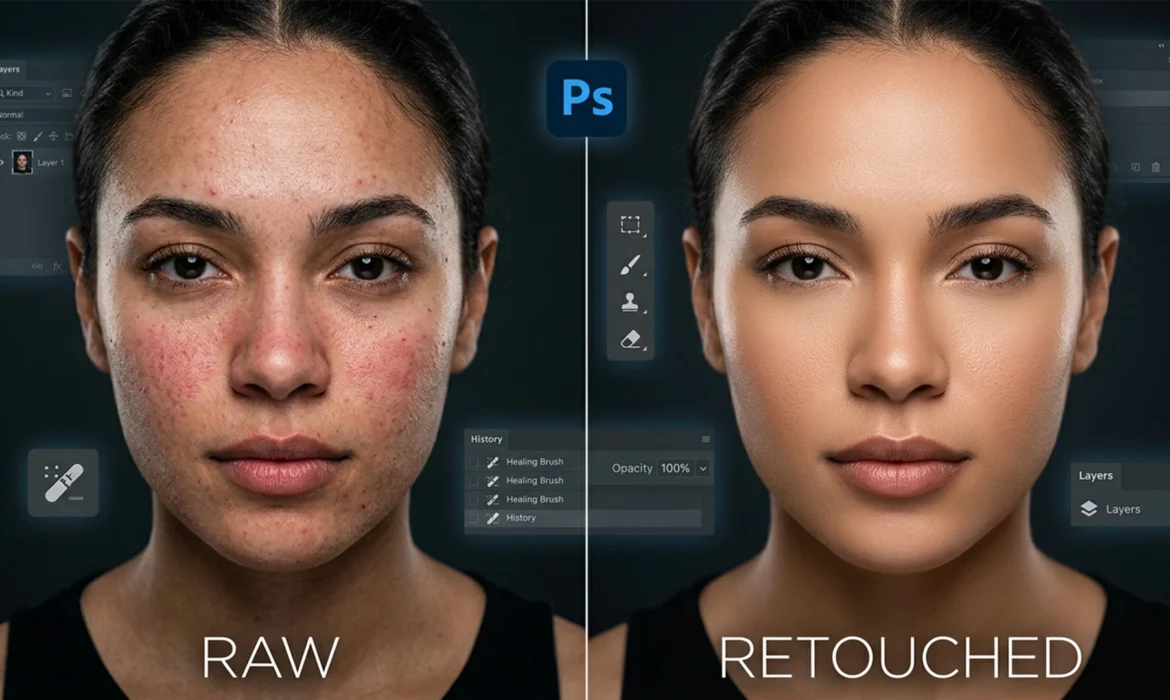
Beyond Frequency Separation: The High-End ‘Dust and Scratches’ Skin Workflow
If you are a professional retoucher, you already know the frustration: traditional Frequency Separation takes too long and, if you misjudge your blur radius, leaves your subject with plastic, mannequin-like skin. You spend hours trying to preserve micro-contrast and edge details, only to end up with flattened tonal transitions. There is a faster, highly targeted alternative hiding in plain...
The Boudoir Fix: How to Bypass Photoshop Generative Fill Skin Violations
You are mid-workflow on a stunning boudoir or high-end portrait shoot. You grab the Lasso tool, circle a minor skin blemish, hit Generative Fill, and BAM—the dreaded Guidelines Violation error stops you dead in your tracks. If you retouch skin professionally, you already know the frustration. In Adobe Photoshop v25.0 and newer, the underlying Adobe Firefly image model utilizes incredibly...