

Imagine launching a multi-million dollar luxury campaign, only for social media platforms to automatically slap a cheapening “Made with AI” watermark across your flagship imagery. With the rollout of the EU AI Act and strict FTC guidelines, AI transparency compliance for luxury retouching is no longer optional—it is a legal and reputational mandate.
Over-reliance on tools like Photoshop v25’s Generative Fill now writes permanent AI tags into your file’s metadata via the C2PA standard. For high-end brands, these automated content tags instantly degrade brand perception, turning bespoke artistry into mass-produced content.
To protect your brand’s prestige, you must pivot back to a human-first retouching workflow. Here is exactly how to achieve flawless aesthetics without triggering mandatory AI watermarks.
The Crisis of the “Made with AI” Watermark
The luxury sector runs on exclusivity and authenticity. However, modern post-production heavily utilizes generative AI to cut corners. When retouchers use tools like Generative Fill or AI-powered Neural Filters, Photoshop embeds this data into the file’s Content Credentials.
When these images are uploaded to platforms like Instagram or LinkedIn, the platforms read the C2PA standard metadata and automatically apply a public “AI-Generated” label. This presents a massive pain point for luxury brands looking to maintain EU AI Act compliance without sacrificing visual perfection. The solution lies in mastering traditional, non-destructive editing techniques and rigorous metadata auditing.
How to Achieve AI Transparency Compliance in Retouching
To bypass automated AI tagging while maintaining a premium look, your retouching team must adopt specific, human-led workflows.
Method 1: The Quick Fix – Reverting to Traditional Healing Tools
The fastest way to avoid writing generative AI metadata into your files is to stop using generative tools for basic cleanup.
While Generative Fill is tempting for removing stray hairs or background distractions, it instantly flags the document. Instead, rely entirely on traditional, non-generative tools in Photoshop v25.x:
- Spot Healing Brush Tool
- Clone Stamp Tool
- Healing Brush Tool
These tools utilize existing pixels rather than generating new ones via Adobe Firefly. Using them ensures your cleanup work remains classified as human-led editing, bypassing AI authenticity tagging entirely.
Method 2: The Pro Workaround – Frequency Separation over Neural Filters
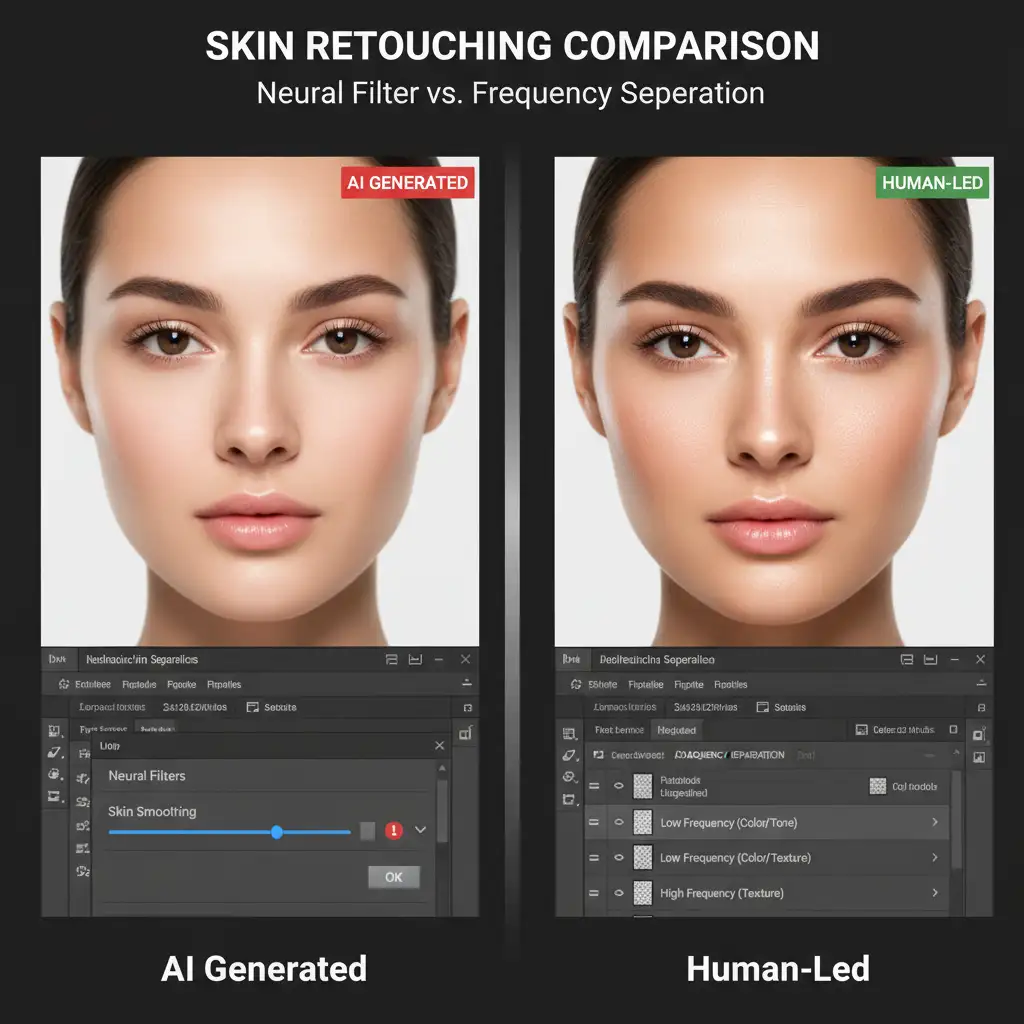
Skin retouching is where many editors rely on AI, specifically Photoshop’s Neural Filters (like Skin Smoothing). This is a critical error for luxury compliance. Neural Filters destroy authentic skin texture and trigger C2PA AI tags.
The professional workaround is Frequency Separation. By separating the image into texture (high frequency) and color/tone (low frequency) layers, retouchers can flawlessly smooth transitions while preserving 100% of the original skin pores and fine details.
Workflow Tip: Always wrap your subject layer in Smart Objects before applying your frequency separation action. This ensures a non-destructive editing environment, allowing you to tweak the effect without permanently altering the base pixels or triggering AI metadata flags.
Method 3: The Technical Deep-Dive – Auditing Content Credentials
Even if your team uses traditional techniques, you must actively manage your file’s metadata to prove authenticity. Metadata auditing is the final step in ensuring AI transparency compliance for luxury retouching.
- Navigate to Window > Content Credentials in Photoshop v25.
- Enable the feature to start tracking your document’s history.
- Review the panel to ensure the “Generative AI” tag is absent. You should only see “Produced with Photoshop” and your specific human-led edits.
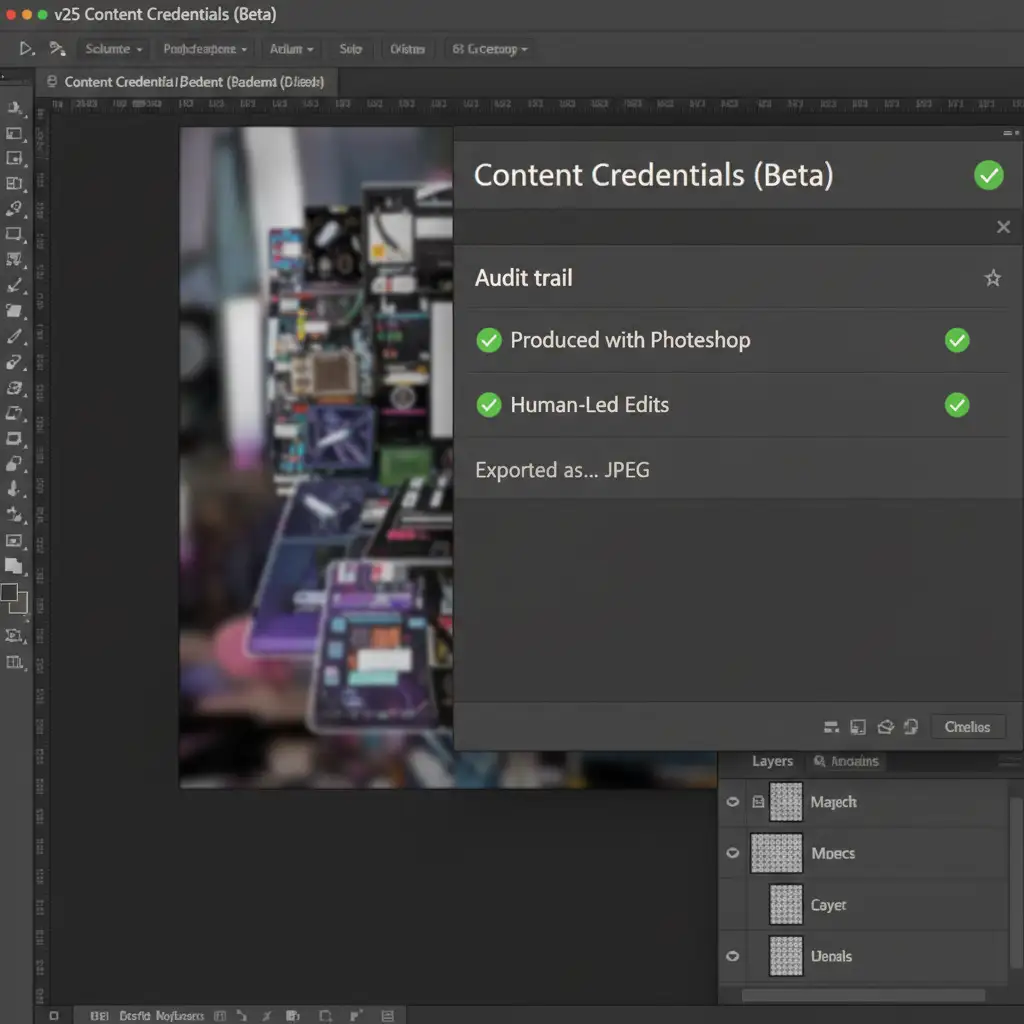
When it is time to deliver the final assets to the client or agency, you must ensure this clean metadata is attached to the file.
- Go to File > Export > Export As.
- Look for the Content Credentials section in the right-hand export column.
- Select Attach to File (or Publish to Content Credentials cloud) to embed your clean, AI-free C2PA standard data directly into the JPEG or TIFF.

Protect Your Brand’s Soul with Human-First Retouching
Navigating AI transparency compliance for luxury retouching requires a delicate balance of technical software knowledge and traditional artistic skill. The EU AI Act and FTC guidelines are only going to become more stringent. Brands that rely on automated generative tools will face fines, public relations crises, and a degraded brand image caused by forced AI watermarks.
You do not have to navigate this metadata minefield alone.
Need to guarantee your campaign’s visual authenticity? Hire Image Work India and Cloud Retouch. Our elite teams specialize in 100 percent human-led, C2PA-compliant high-end retouching. We utilize advanced frequency separation, meticulous non-destructive editing, and rigorous metadata auditing to ensure your imagery remains flawless and legally compliant. Protect your luxury brand prestige—partner with Cloud Retouch today for authentic, human-first visual excellence.



