
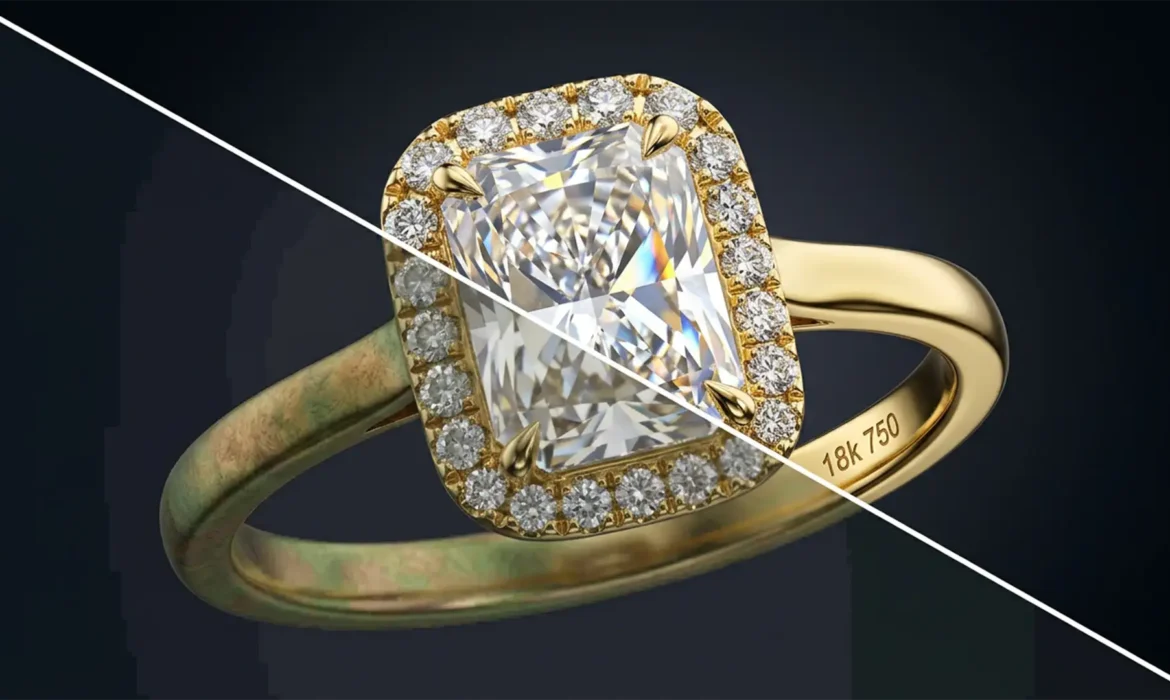
Have you ever photographed a stunning gold ring, only to open it in Photoshop and see a muddy “copper-shift”? Or perhaps the dazzling highlights of a flawless diamond look flat, suffering from severe highlight clipping? If you are editing high-end jewelry in standard 8-bit or even 16-bit color spaces, you are actively destroying valuable image data. In luxury e-commerce, accurate metal representation and gemstone brilliance directly impact consumer trust and sales.
The solution lies in mastering 32-bit color accuracy for high-end jewelry e-commerce. By upgrading your pixel depth, you can eliminate color banding and preserve the extreme dynamic ranges required for professional jewelry retouching.
Here is exactly how to implement a flawless 32-bit workflow in Photoshop v25.x and newer.
The Core Problem: Why 8-Bit Workspaces Fail Luxury Jewelry
Standard 8-bit image processing limits you to 256 tonal values per color channel. When retouching highly reflective surfaces like polished gold, platinum, or faceted diamonds, this limited data pool quickly breaks down.
The two most common symptoms of insufficient pixel depth in jewelry retouching are:
- Copper-Shift: A phenomenon where rich yellows and subtle golds degrade into muddy, reddish-copper tones when contrast or saturation is pushed.
- Highlight Clipping: The brightest facets of a diamond turn into flat, pure-white blocks with zero detail, stripping the stone of its natural brilliance.
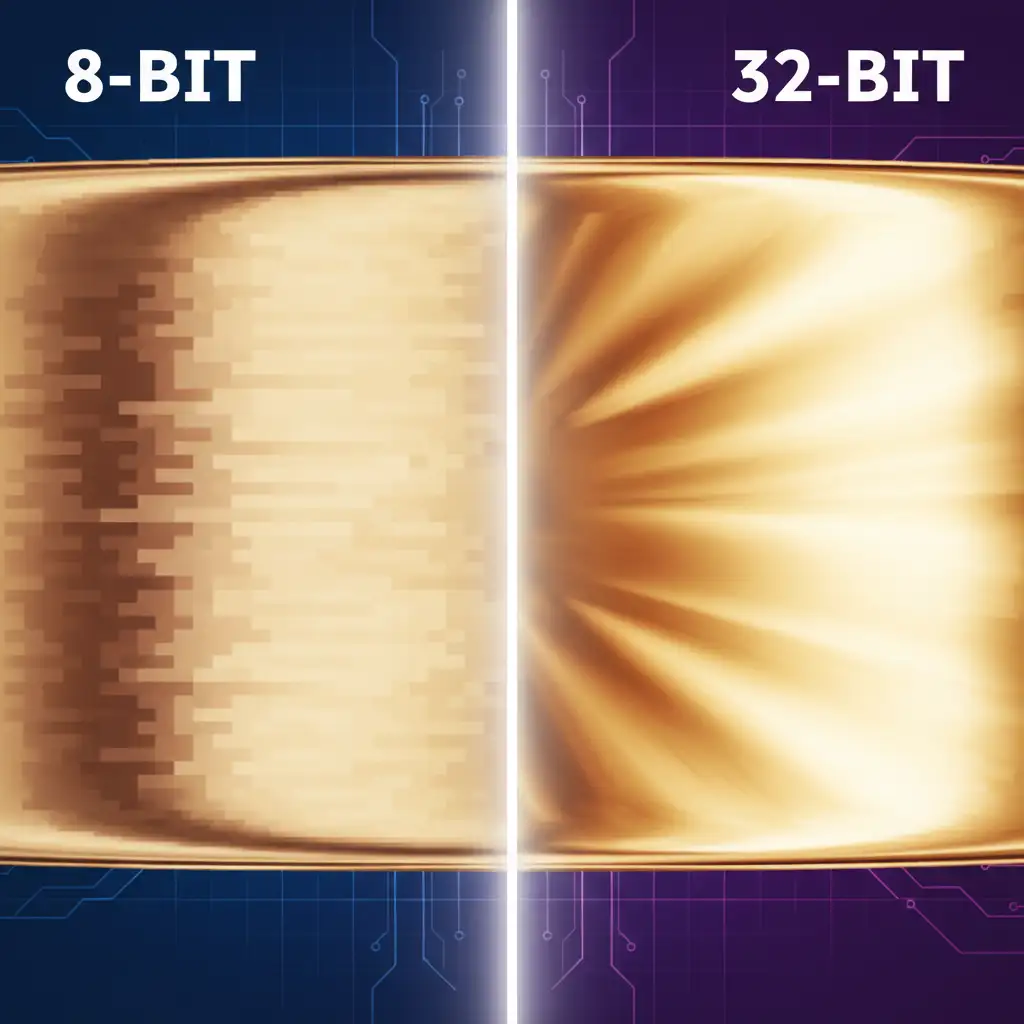
The Solution: Floating-Point Precision
Unlike 8-bit or 16-bit spaces, 32-bit (floating-point) image processing provides near-infinite tonal values. This massive dynamic range allows retouchers to manipulate extreme highlights and deep shadows without losing underlying data. By adopting this standard, you guarantee that metal tones remain pristine and diamonds retain every facet of light.
Step-by-Step: The 32-Bit Retouching Workflow in Photoshop
There are three primary methods to integrate 32-bit color accuracy into your high-end jewelry e-commerce pipeline.
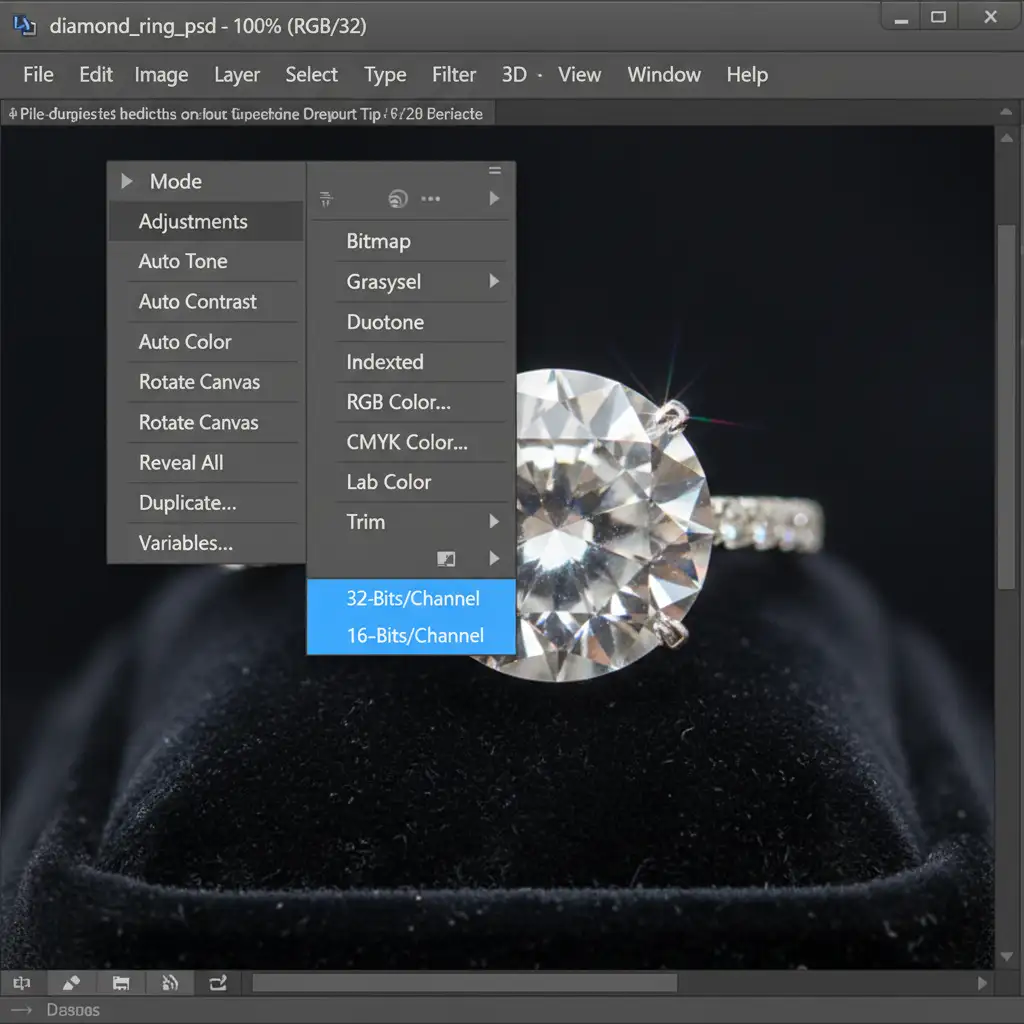
Method A: The Quick Fix (Workspace Conversion)
If you already have a document open and need to prevent color degradation before applying heavy color grading, you can instantly convert your workspace.
- Navigate to the top menu bar.
- Go to Image > Mode.
- Select 32-Bits/Channel.
This immediately converts the document to a floating-point workspace, ensuring that any subsequent curves, levels, or color balance adjustments process with maximum fidelity.
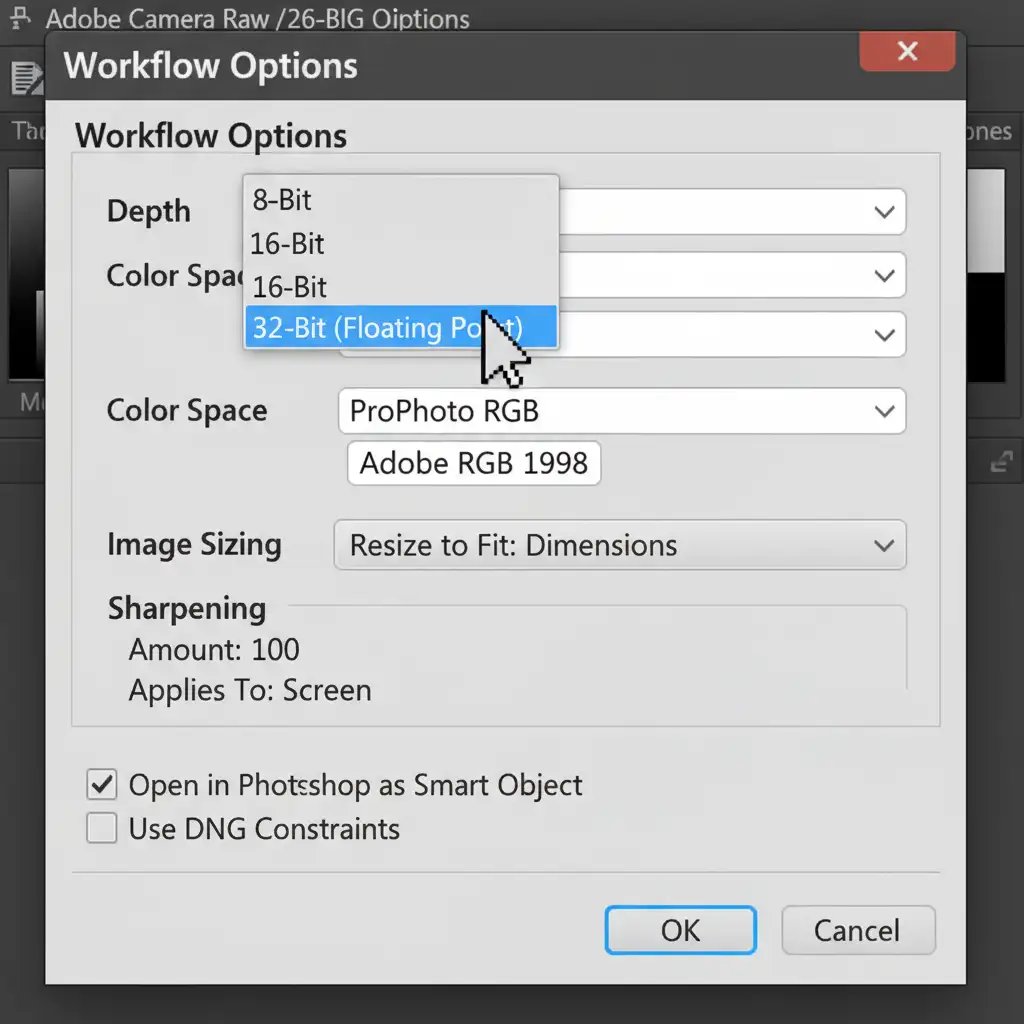
Method B: The Pro Workaround (Camera Raw Integration)
For the highest quality results, your 32-bit workflow should begin the moment you process the raw file.
- Open your raw jewelry file via Adobe Camera Raw.
- Click the Workflow Options link at the bottom of the ACR window.
- In the dialog box, change the Depth dropdown to 32-Bit.
- Check the box to Open in Photoshop as Smart Objects.
By opening the file as a Smart Object, you retain non-destructive, full dynamic range adjustments. You can double-click the layer at any time to recover blown-out diamond highlights that would have been permanently lost in an 8-bit workspace.
Method C: The Technical Deep-Dive (Web Exporting)
Web browsers and e-commerce platforms cannot display native 32-bit files. To publish your images, you must compress the 32-bit file down to a web-safe 16-bit or 8-bit format while preserving the visual benefits of the floating-point edits.
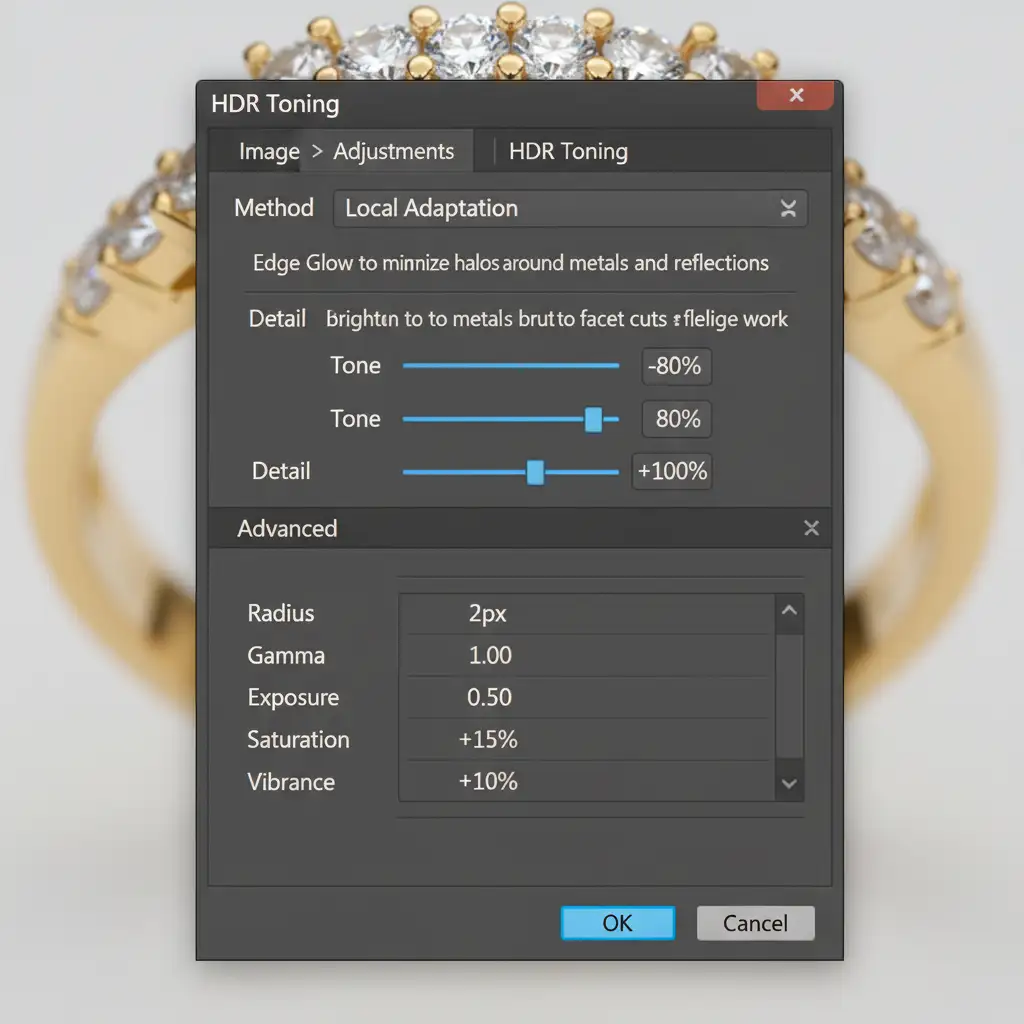
- Navigate to Image > Adjustments > HDR Toning.
- Set the Method to Local Adaptation. This algorithm intelligently compresses the dynamic range, keeping your diamond highlights crisp and your gold gradients smooth.
- Adjust the Edge Glow and Tone sliders specifically for your jewelry piece, then click OK to convert.
Crucial Final Step: Pair this conversion with the Display P3 color profile during export. Display P3 offers a significantly wider color gamut than sRGB, ensuring your perfect metal tones render beautifully on modern, high-end smartphone displays where the majority of luxury e-commerce shopping occurs.
Guarantee Flawless Results with Image Work India and Cloud Retouch
Achieving true 32-bit color accuracy for high-end jewelry e-commerce is a highly technical process. Managing floating-point precision, avoiding copper-shift, and mastering HDR Toning requires hours of meticulous work per image—time you could be spending growing your luxury brand.
You don’t have to navigate these complex workflows alone.
Partner with Image Work India and Cloud Retouch. Our expert retouching teams specialize in high-fidelity jewelry editing. We utilize advanced 32-bit workflows and wide-gamut color profiling to guarantee perfect metal tones and unparalleled diamond brilliance for your product catalogs.
Contact us today to elevate your e-commerce visuals and give your luxury jewelry the flawless presentation it deserves.



