

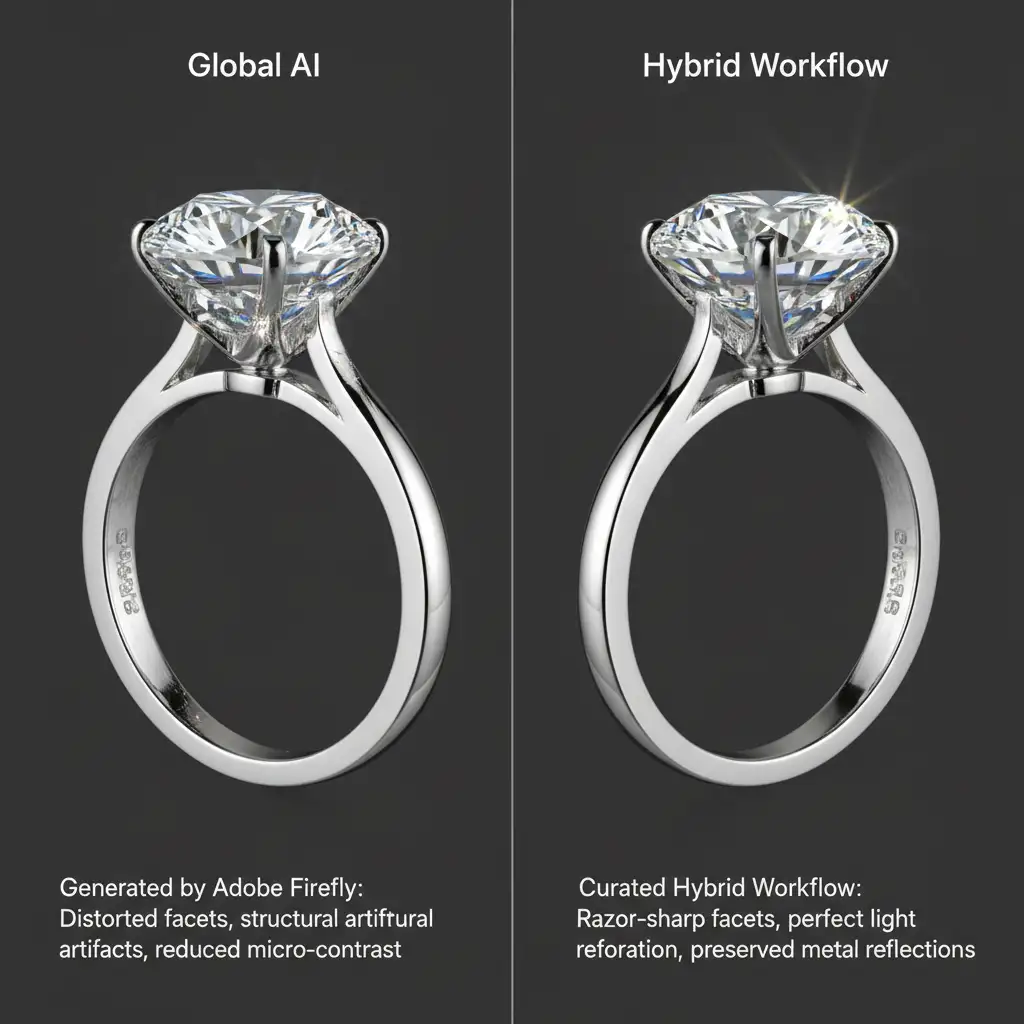
You try to speed up your production using Photoshop v25+ AI tools, but one click of Generative Fill just ruined your diamond facets. The metal reflections look warped, the micro-contrast is completely gone, and unwanted artifacting has destroyed the gemstone’s clarity. AI is incredibly fast, but when applied globally to fine jewelry, Adobe Firefly models often introduce structural distortion that ruins product accuracy. You shouldn’t have to choose between speed and realism. The solution is a hybrid AI jewelry retouching workflow—a methodical approach that isolates your product to protect its fidelity while leveraging AI to instantly clean and generate backgrounds. Here is how to master it.
Why Global AI Fails Fine Jewelry Retouching
Fine jewelry photography relies on absolute precision. E-commerce customers need to see the exact cut of a gemstone and the true finish of the metal. When you apply global AI tools like Generative Fill or Neural Filters across an entire image, the AI interprets complex diamond facets and specular highlights as noise or unwanted elements, attempting to “smooth” or “reconstruct” them.
This results in a devastating loss of micro-contrast and introduces severe artifacting. To maintain 100 percent product accuracy, professional retouchers must adopt a hybrid approach: isolating the jewelry using precise layer masking, applying AI strictly for background or prop generation, and utilizing traditional manual techniques for the product itself.
The Hybrid AI Jewelry Retouching Workflow: 3 Methods
Depending on your volume and the complexity of the piece, there are three distinct ways to implement this hybrid workflow in Photoshop.
Method 1: The Quick Fix for High-Volume E-Commerce
If you are processing hundreds of simple pieces like plain bands or pendants, you need a workflow that balances speed with basic isolation.
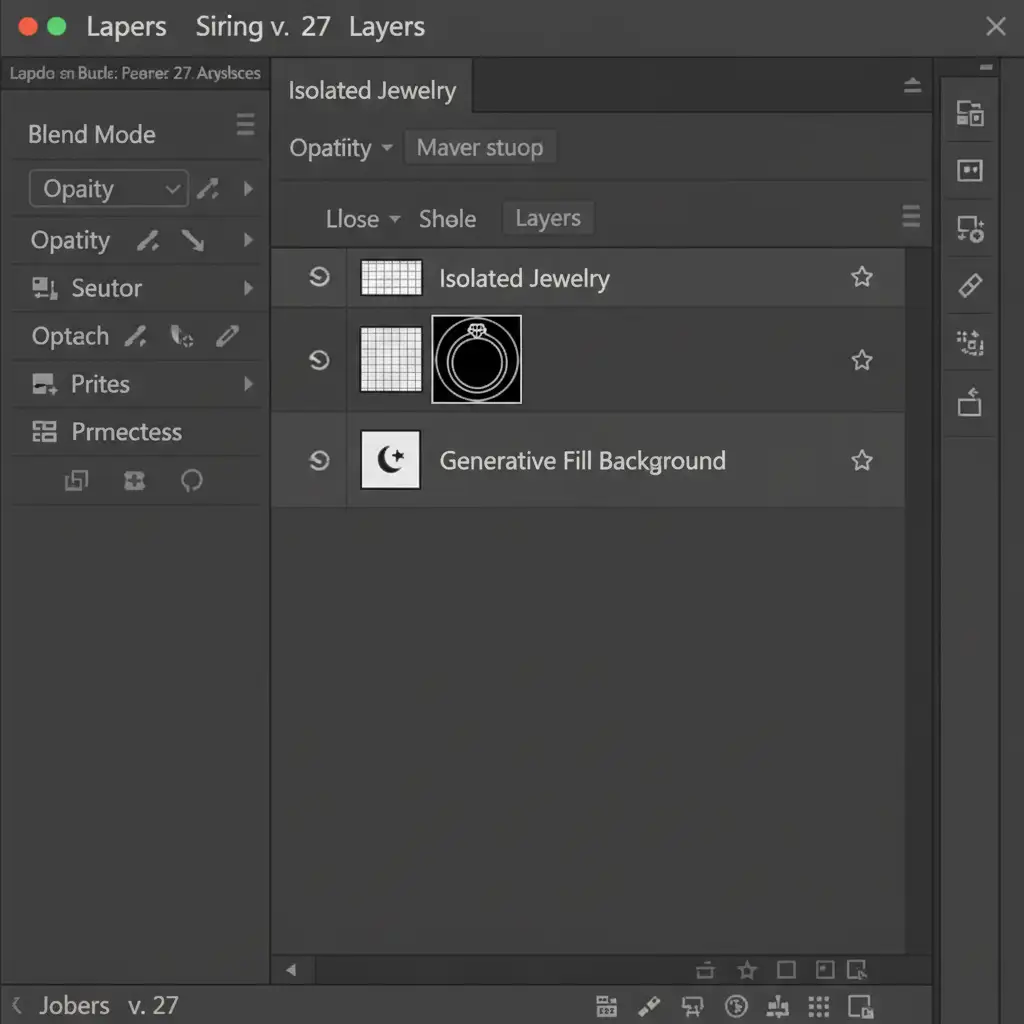
- Isolate the Product: Use the Select Subject tool to automatically grab the jewelry.
- Invert the Selection: Press Shift + Ctrl + I (Windows) or Shift + Cmd + I (Mac) to select the background.
- Apply AI Generation: Trigger Generative Fill exclusively on the background to remove props, stands, or dust.
- Result: The AI alters the background, but the jewelry remains untouched.
Method 2: The Pro Workaround for Complex Pieces
For high-end e-commerce, automated selections aren’t enough. Soft edges and complex settings require absolute precision.
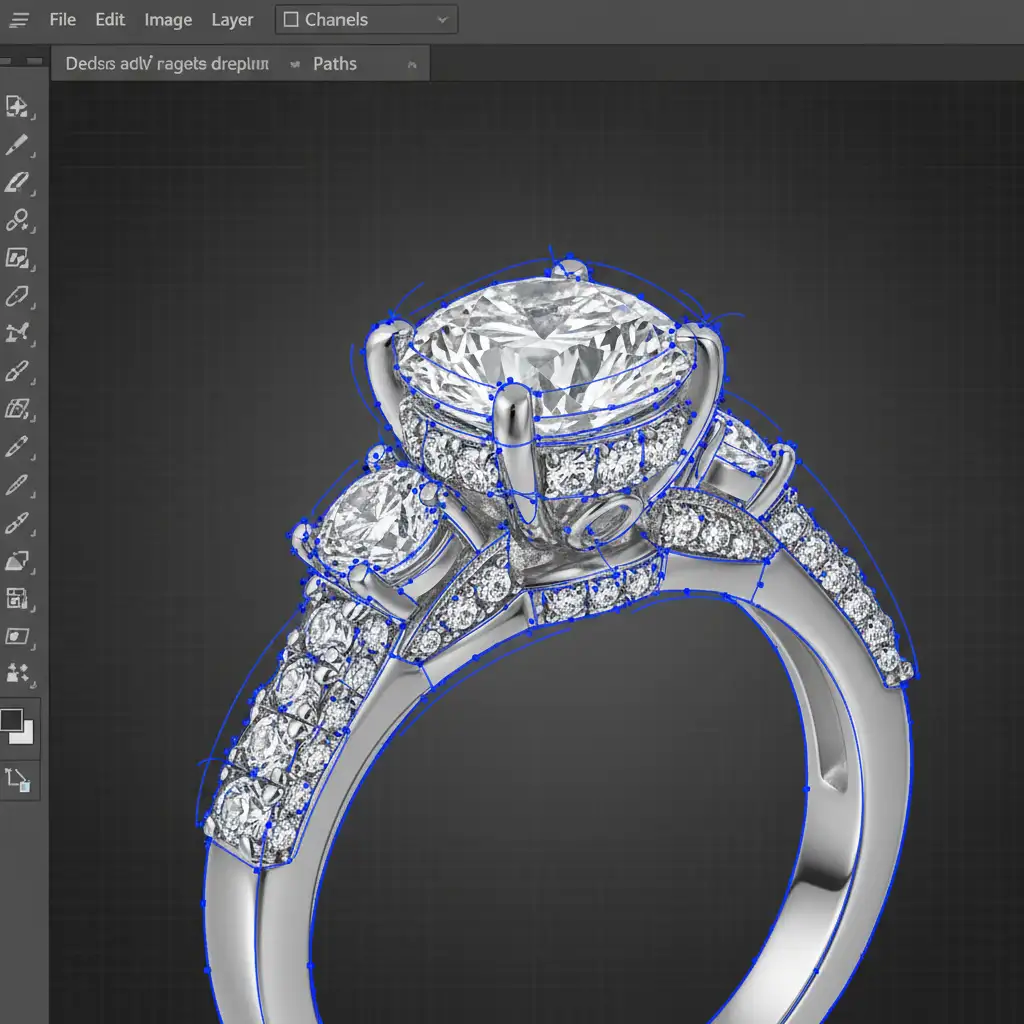
- Create a Precise Clipping Path: Use the Pen Tool to draw a meticulous clipping path around the jewelry, ensuring every prong and curve is captured perfectly.
- Convert to Smart Objects: Turn your isolated jewelry layer into a Smart Object. This protects the original pixels.
- Generate the Background: Apply your AI generation on the underlying layers, completely separate from the product.
- Manual Refinement: On the actual jewelry layer, use Frequency Separation to manually clean up dust, scratches, and fingerprints. This preserves the metal’s texture and the gem’s micro-contrast without introducing AI artifacting.
Method 3: The Technical Deep-Dive for High-End Editorial
When working with luxury editorial shots, the interaction between light, shadows, and the background is highly complex. This requires an advanced multi-layered masking system.
- Channels Masking: Utilize Channels Masking to create luminosity masks. This allows you to protect delicate diamond highlights and deep metal shadows that standard paths might miss.
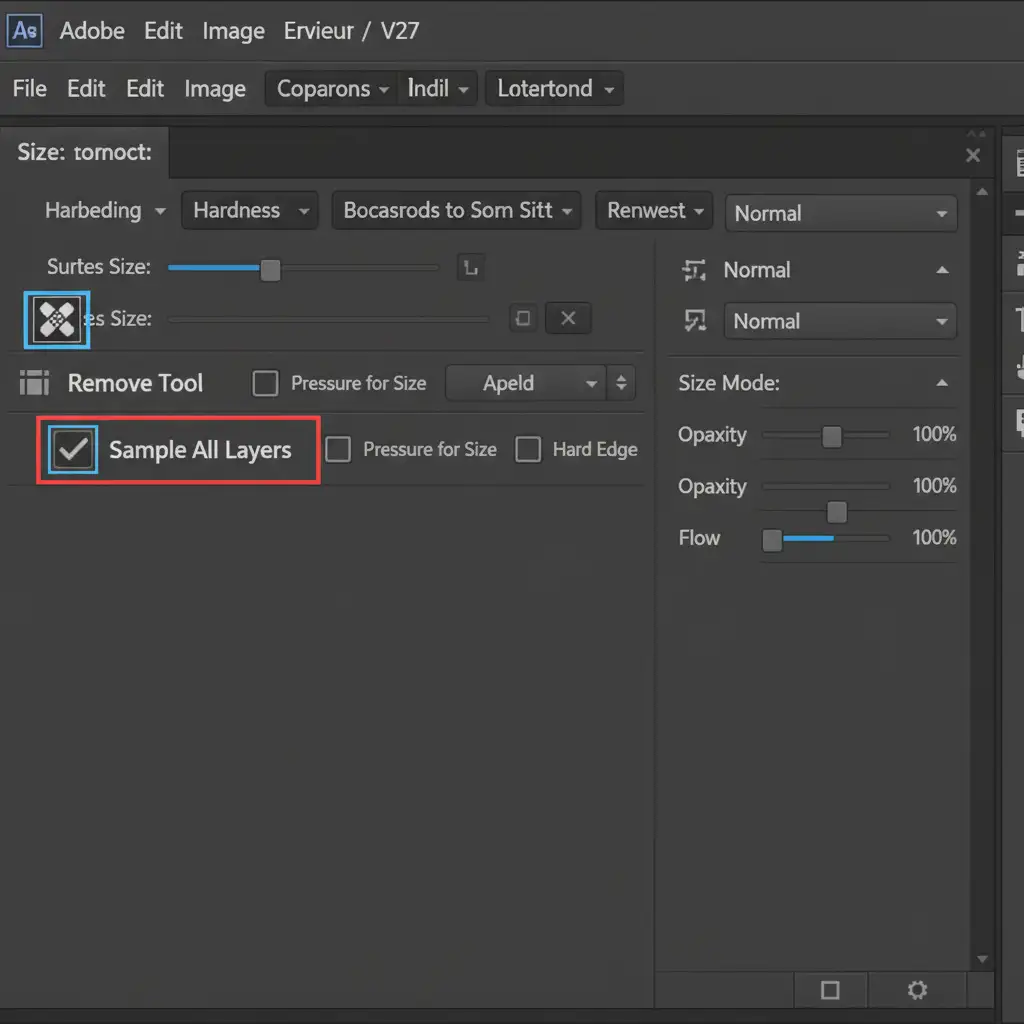
- Restrict AI Interference: When cleaning the gems manually, select the Remove Tool. Crucial Step: Ensure that Sample All Layers is unchecked in the top toolbar. This prevents the tool from pulling pixel data from your AI-generated background layers, guaranteeing zero computational interference.
- Targeted Noise Reduction: If the original file is noisy, apply Adobe Camera Raw AI Denoise strictly to the background mask. Keep the high-fidelity jewelry pixels completely raw and untouched by computational algorithms.
Scale Your E-Commerce Output Without Compromise
Implementing a hybrid AI jewelry retouching workflow allows your studio to leverage the incredible speed of Adobe Firefly for mundane tasks like background cleanup, while reserving your meticulous manual skills for the product itself.
By mastering clipping paths, smart objects, and targeted layer masking, you eliminate the risk of structural distortion and ensure your clients receive the 100 percent product accuracy they demand.
Let the Experts Handle Your Jewelry Retouching
Building and executing a flawless hybrid workflow takes time, highly trained staff, and rigorous quality control. If you need to scale your high-volume e-commerce output but cannot afford a drop in quality, we can help.
Image Work India or Cloud Retouch specialize in high-end, high-volume jewelry photo editing. Our expert retouchers utilize advanced hybrid AI workflows that combine lightning-fast AI background generation with meticulous, manual precision for perfect gemstones and metals.
Stop struggling with AI artifacts and lost details. Contact Image Work India and Cloud Retouch today to get a free trial and see how we can perfectly scale your jewelry retouching pipeline.



