
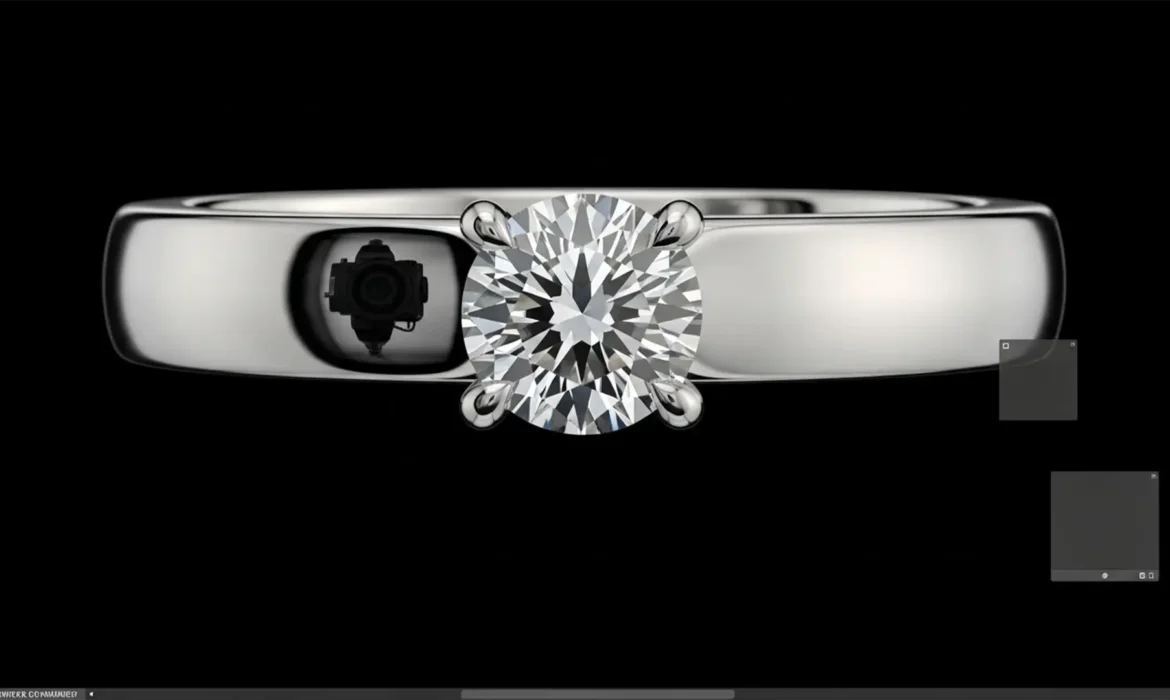
In high-end jewelry photography, high-polish metals like silver, platinum, and rhodium act as perfect mirrors. It is a frustrating reality: you set up the perfect lighting, but that flawless curved metal reflects your camera lens or dark studio surroundings as harsh, distracting black spots.
Removing black spots from high-polish jewelry without destroying the natural metallic gradient and micro-texture is one of the toughest challenges retouchers face in Adobe Photoshop v24.x and v25.x. If you simply paint over the spot, the piece immediately looks plastic, flat, and over-edited. The core technical secret lies in manipulating luminance values while preserving high-frequency texture data.
In this guide, we will walk you through three professional techniques to banish those dark reflections and restore a premium, flawless finish.
The Challenge of High-Polish Jewelry Retouching
When working with reflective metals, the goal is never to make the surface a single, flat color. A true metallic gradient relies on a natural light-to-dark transition. When a stark black reflection interrupts this gradient, it ruins the illusion of depth. The challenge is replacing that dark contamination without losing the tiny scratches, grain, and micro-textures that make the metal look real.
Here are the three best methods to fix this issue, ranging from a quick touch-up to a complete surface rebuild.
Method A: The Quick Fix (Luminance Targeting)
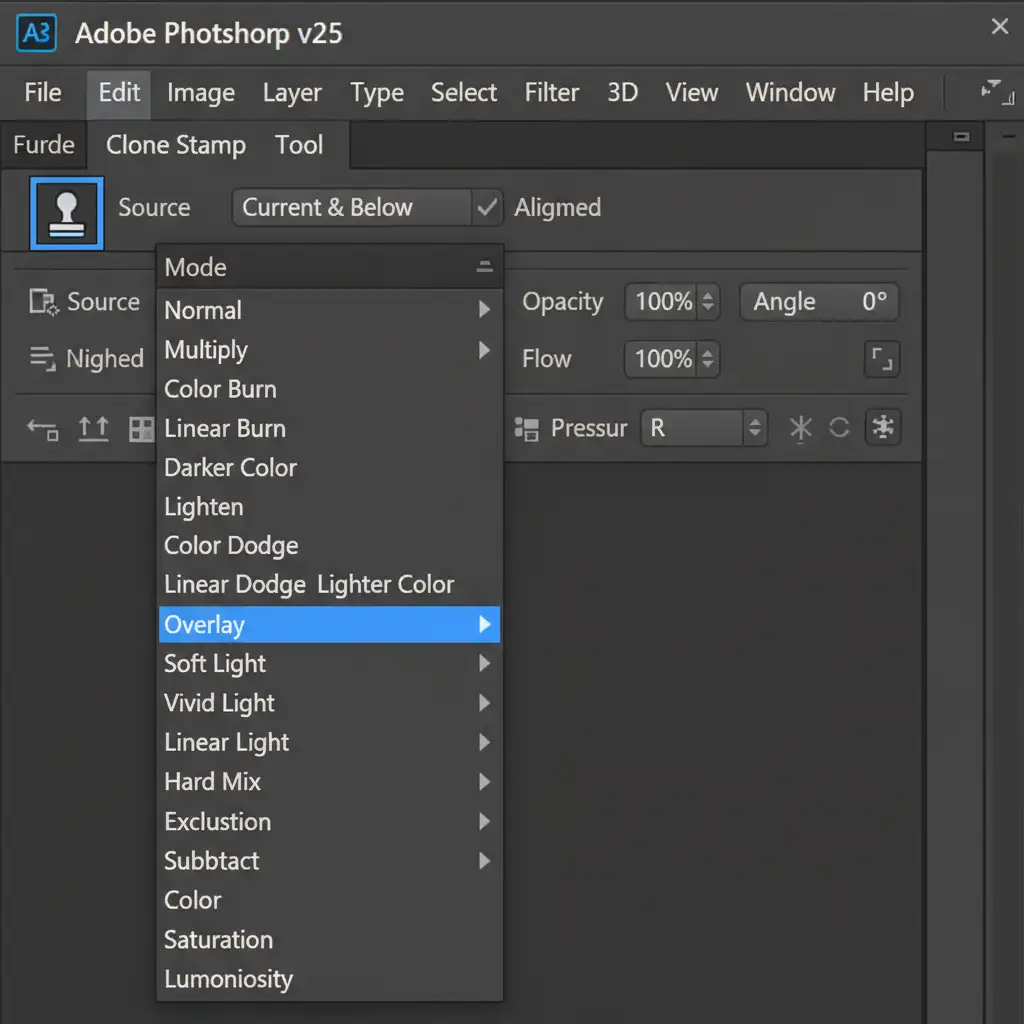
For minor reflections and small dark spots, you don’t always need a complex layer stack. You can target the dark pixels specifically using the Clone Stamp Tool paired with the right blend mode.
Step-by-Step Workflow:
- Create a new blank layer above your base image.
- Select the Clone Stamp Tool (S).
- In the top toolbar, change the blend mode from Normal to the Lighten Blend Mode.
- Sample a bright, clean area of the adjacent metal.
- Gently paint over the black spot.
Because the tool is set to Lighten, it will only replace pixels that are darker than your sampled area, leaving the surrounding highlights completely intact.
Method B: The Pro Workaround (Frequency Separation)
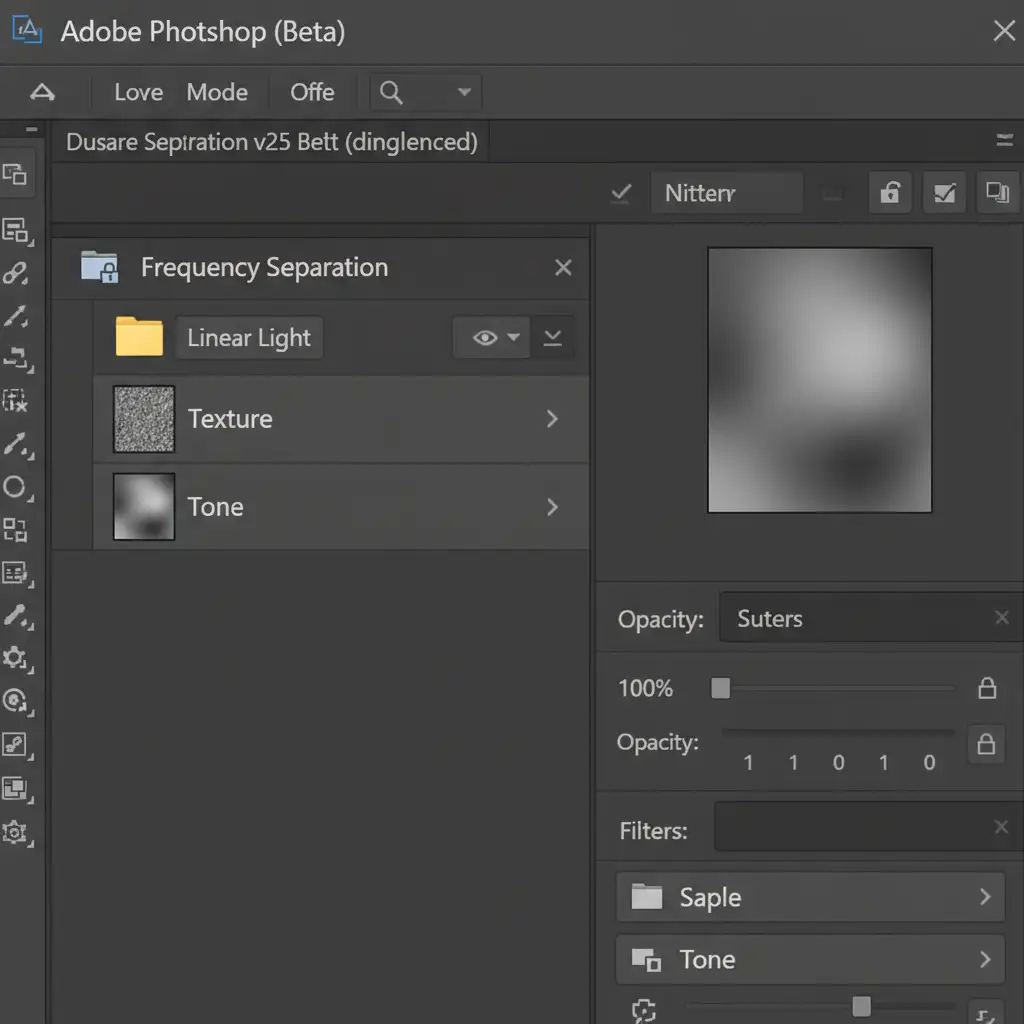
When dealing with moderate reflections that sit underneath distinct metal textures, Frequency Separation is the industry standard. This technique separates your image into two layers: one for color/luminance (Tone) and one for detail (Texture).
Step-by-Step Workflow:
- Duplicate your base layer twice and group them into a folder. Name the bottom layer “Tone” and the top layer “Texture”.
- Select the Tone layer and apply a Gaussian Blur just until the black spot softens and blends into the surrounding area.
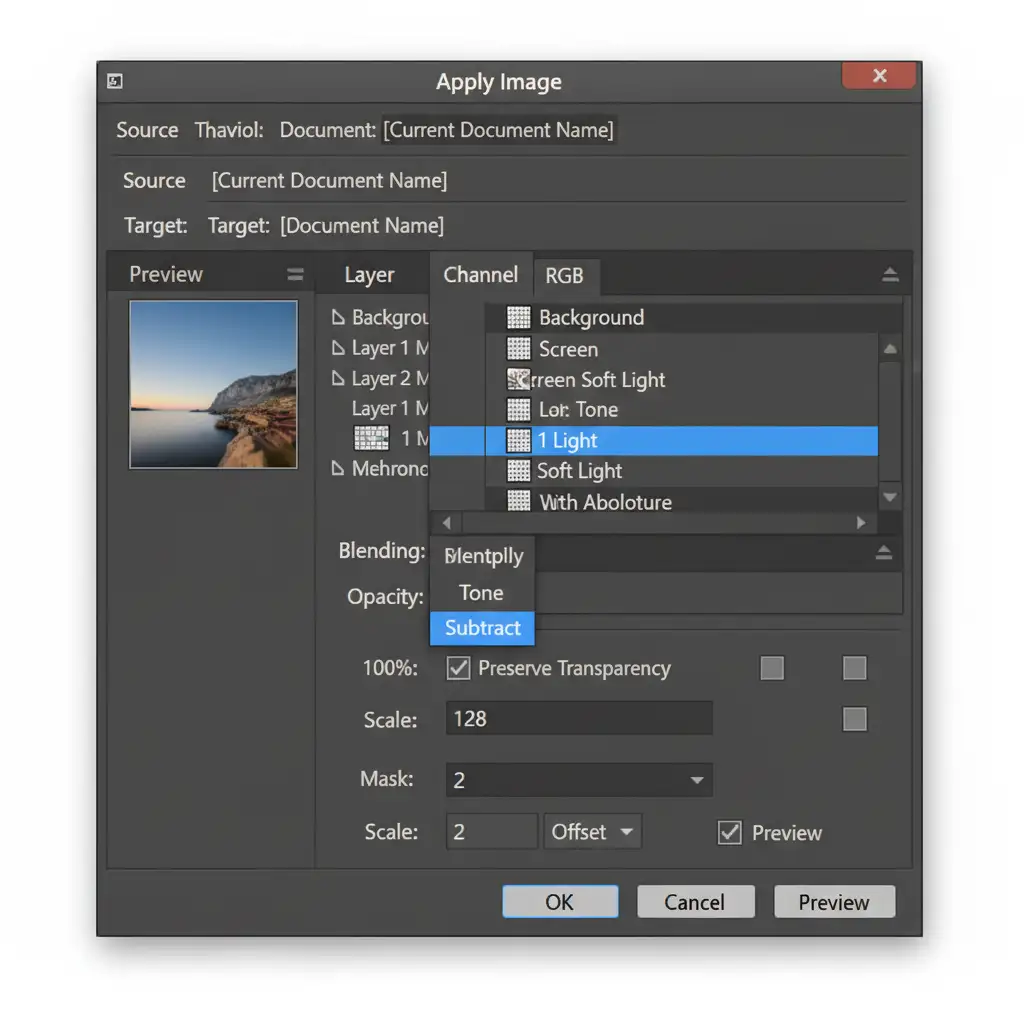
- Select the Texture layer. Go to Image > Apply Image.
- In the dialog box, set the Layer to “Tone”, Blending to “Subtract”, Scale to 2, and Offset to 128 (for an 8-bit workflow).
- Change the Texture layer’s blend mode to Linear Light Blend Mode.
- Finally, select the Mixer Brush Tool on the Tone layer. Gently blend the dark spot into the surrounding natural metal colors. The texture remains perfectly intact on the layer above!
Method C: The Technical Deep-Dive (Surface Rebuilding)
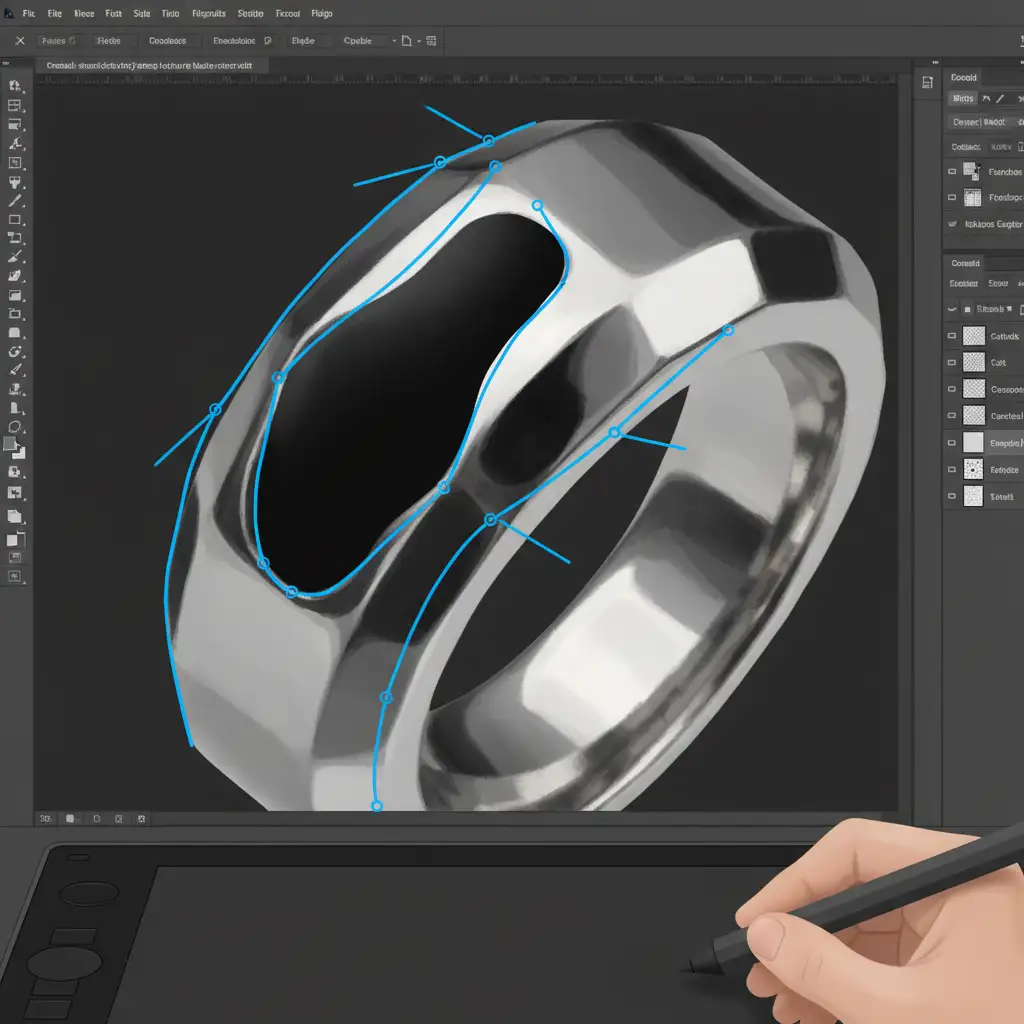
Sometimes, the camera reflection is so massive that it covers an entire facet of the jewelry. In these cases, cloning or blending won’t work. You must manually rebuild the metal surface using a Vector Path and custom gradients.
Step-by-Step Workflow:
- Select the Pen Tool (P) and accurately trace the affected jewelry facet.
- Convert the path to a selection.
- Create a new Gradient Fill layer. Customize the gradient to mimic the natural light-to-dark transition of the surrounding metal.
- Use a Clipping Mask if necessary to constrain the gradient to specific boundaries.
- Add a subtle Gaussian blur to the layer mask to soften harsh edges, effectively replacing the contaminated reflection entirely.
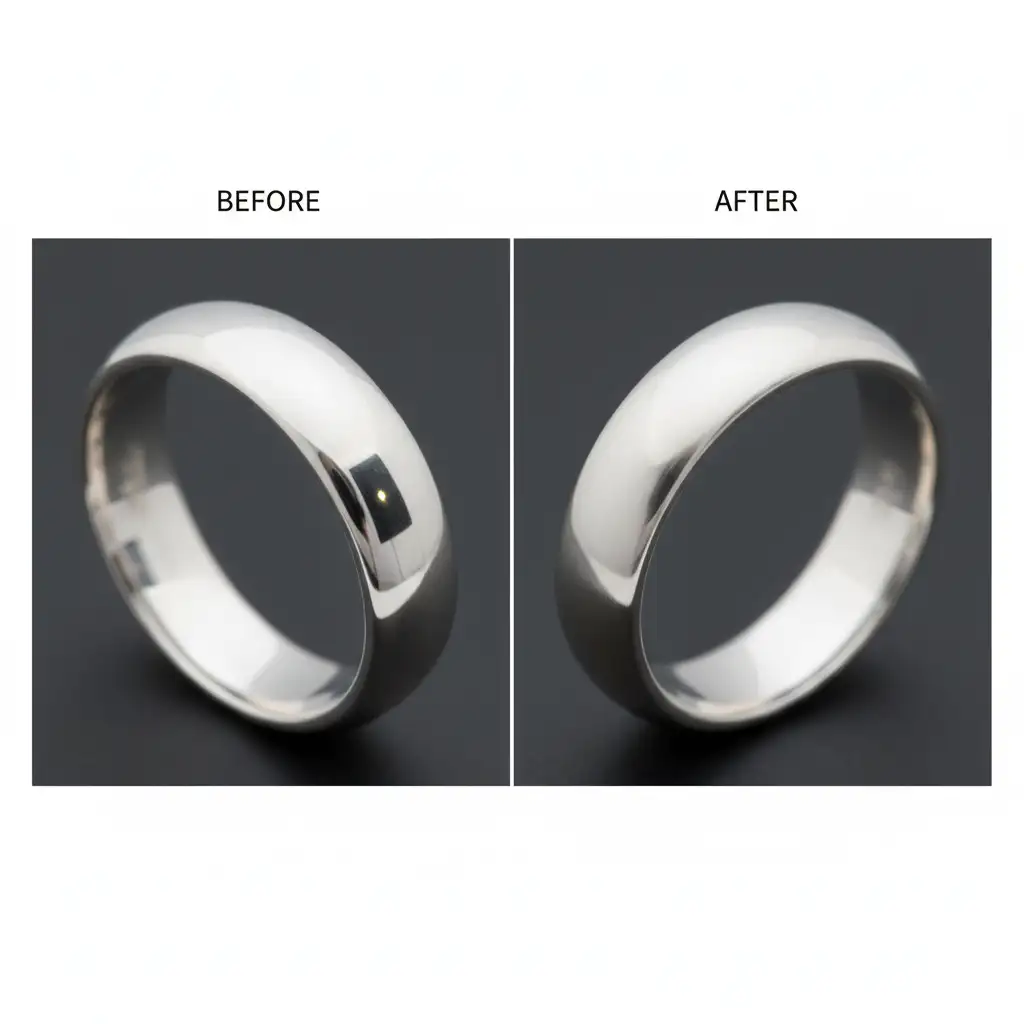
The Final Result: Flawless High-Polish Metal
By mastering these three techniques, you can tackle any dark reflection thrown your way. The difference between a raw, unedited jewelry photo and a professionally retouched piece is night and day.
Stop Fighting Reflections. Let the Experts Handle It.
High-end jewelry retouching requires pixel-perfect precision and a deep understanding of how light behaves on curved, reflective metals. Removing black spots from high-polish jewelry is incredibly time-consuming, and a single mistake can leave your luxury products looking cheap and artificial.
If you want to save hours of frustrating editing and ensure your e-commerce catalog looks absolutely flawless, outsource your high-end jewelry retouching to the dedicated experts at Image Work India or Cloud Retouch.
Our team specializes in advanced frequency separation, complex pathing, and metallic gradient restoration. Contact us today for a free trial and let us make your jewelry shine exactly the way it was meant to!



