
If you work with product photos, portraits, fashion images, or any kind of visual content, you already know one thing: color can make or break a photo. Maybe your images look too dull, your whites are slightly yellow, or your skin tones never look quite right. Or maybe each batch of photos looks a little different, and it’s driving you crazy when you try to keep your brand consistent. That’s exactly where a Professional Photoshop Color Correction Service becomes essential.
In this article, I’m going to walk you through what a Photoshop Color Correction Service really does, why it matters for your business, and how Cloud Retouch can help you get reliable, studio-quality results without the stress. Think of this as a friendly chat where we unpack everything you need to know before choosing the right partner to handle your color work.
At Cloud Retouch, we’ve seen countless brands struggle with the same problems: inconsistent colors across product lines, skin tones that look off, photos that don’t match what customers see in real life, and images that simply don’t “pop” on websites, marketplaces, or social media. The good news is that all of these issues can be fixed with the right Photoshop Color Correction Service, handled by professionals who understand both the technical side and the creative side of color.
By the time you finish reading, you’ll have a clear idea of how a professional Photoshop Color Correction Service works, what to look for when comparing providers, and why Cloud Retouch is a strong option if you’re serious about improving your visual brand.

What Is a Professional Photoshop Color Correction Service?
A Photoshop Color Correction Service is a specialized image editing solution focused on fixing and enhancing the colors in your photos. Instead of just “adding a filter,” it goes much deeper into the technical aspects of color, light, and contrast.
Professionals use Adobe Photoshop to correct exposure, fix white balance, adjust color tones, and ensure your images look natural, accurate, and attractive. A good Photoshop Color Correction Service will:
- Balance the overall color temperature so photos don’t look too blue, too orange, or too green.
- Correct exposure so the image isn’t too dark or too washed out.
- Fix color casts caused by mixed lighting or poor camera settings.
- Match colors across a full batch of images so they look consistent together.
- Enhance specific colors to match your brand style or creative direction.
At Cloud Retouch, our Photoshop Color Correction Service is designed to be flexible. Whether you need simple, realistic color correction for product photos or more stylized color grading for fashion, beauty, or lifestyle images, we can adapt to your needs. You’re not getting a one-click preset-you’re getting human-driven, professional editing tailored to your images.
Why Color Correction Matters for Your Brand
Color is one of the first things people notice-often without realizing it. When your photos are well-balanced and visually pleasing, customers are more likely to trust both the image and the product or service behind it. When colors are wrong, something feels “off,” even if viewers can’t explain why.
For example, in e-commerce, your product photos need to show accurate colors so customers know exactly what they’re buying. If your red dress looks orange or your beige sofa looks gray, customers may feel misled, which increases returns and decreases trust. A consistent Photoshop Color Correction Service makes sure your product images look true to life from batch to batch.
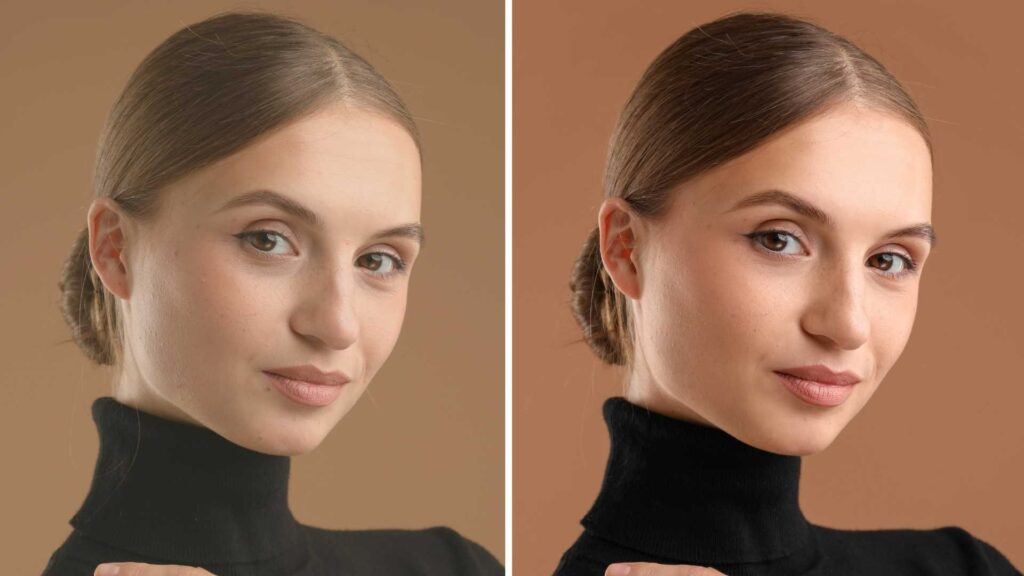
For portrait photographers, creators, and brands, skin tones are incredibly important. If faces look too pale, too red, or too flat, people won’t feel confident about their images. Professional Photoshop Color Correction Service helps maintain natural, flattering skin tones while still keeping an artistic look when needed.
And if you’re building a visual brand identity-whether on your website, social media, ads, or catalogs-you want your images to share the same feel. That “brand look” is often built through careful color choices. A dedicated provider like Cloud Retouch can help maintain that across hundreds or thousands of images.

Who Can Benefit from a Photoshop Color Correction Service?
A lot of different professionals and businesses rely on this kind of service, including:
E-commerce Stores and Online Retailers
If you run an online store, marketplace shop, or catalog-based business, you’re probably dealing with large volumes of product images. Each product category needs to look uniform, and new product photos should blend seamlessly with your existing images.
A consistent Photoshop Color Correction Service from Cloud Retouch can keep all of your product images aligned-same brightness, same background tone, same color style-so your website looks professional and trustworthy. You can have separate internal links for category-specific support on pages such as:
cloudretouch.com/ecommerce-photo-editing
cloudretouch.com/photoshop-color-correction-service
Photographers and Studios
Wedding photographers, portrait studios, fashion photographers, and event shooters often handle hundreds of images per client. Doing all the color correction yourself can be extremely time-consuming.
With a dedicated Photoshop Color Correction Service, you can offload that work and focus more on shooting, client communication, and growing your business. You still have full creative control over the style; Cloud Retouch simply takes on the heavy lifting of translating that style across entire galleries.
Creative Agencies and Marketers
If you’re managing visual campaigns, ads, or branding projects, you need images that look polished and unified. A professional Photoshop Color Correction Service ensures that every visual asset you publish-across social platforms, banners, landing pages, and print-maintains the quality your clients expect.
How Photoshop Color Correction Service Works at Cloud Retouch
Let’s walk through how a typical project runs when you choose Cloud Retouch as your provider.
Step 1: Understanding Your Requirements
Before we touch a single pixel, we first seek to understand your needs.
You share:
- Sample images
- Reference photos or brand color guidelines
- Notes on how you want the final images to look (natural, vibrant, warm, cool, moody, bright, etc.)
You can send your brief directly through our website contact page:
cloudretouch.com/contact
or via project-specific pages like:
cloudretouch.com/request-quote
This initial step ensures that the Photoshop Color Correction Service we deliver is aligned with your brand and your expectations.
Step 2: Technical Color Balancing
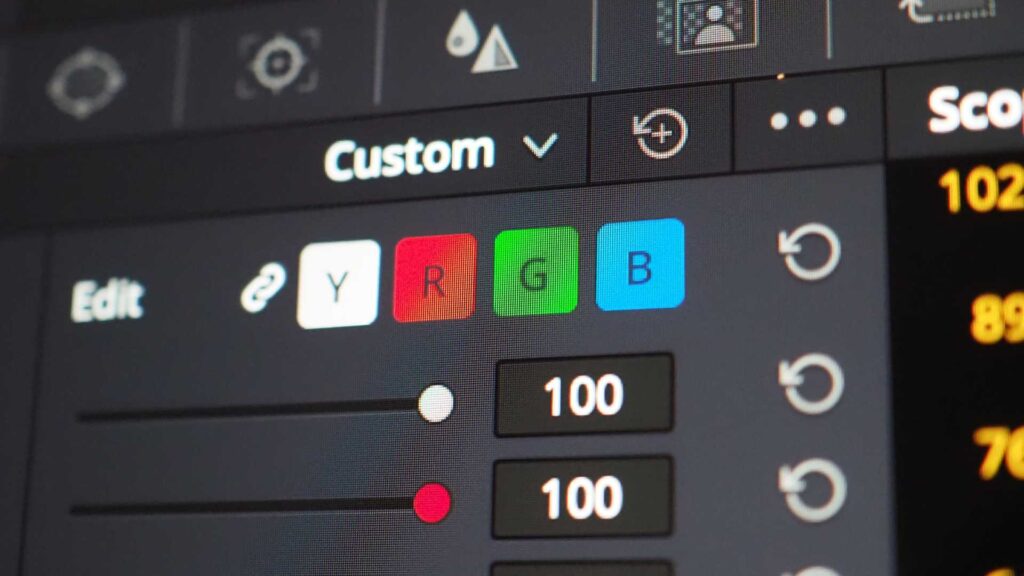
Once we’re clear on your goals, our editors open your files in Photoshop and start with the technical foundation:
- Adjusting white balance
- Correcting exposure and contrast
- Fixing color casts
- Ensuring highlight and shadow details are preserved
This creates a clean, accurate base. No matter how creative we get later, the underlying colors must be correct. This is where a professional Photoshop Color Correction Service stands apart from quick filters or automated tools.
Step 3: Creative Color Grading
After your images are technically balanced, we move into creative color grading based on your brand or project style. This might include:
- Making colors more vibrant or more muted
- Enhancing specific tones like blues, greens, or skin tones
- Creating a warm, cozy feel or a cool, modern look
- Matching the style of your previous campaigns
If you want a certain “look” applied across all of your images, we build that look into our Photoshop workflow so your entire set has a unified feel.
Step 4: Consistency and Quality Control
At Cloud Retouch, we know that consistency is everything when it comes to Photoshop Color Correction Service. That’s why we check your images as a set-not just one by one.
We compare images side by side to ensure:
- Similar products have matching colors
- Backgrounds look consistent
- Skin tones stay natural from photo to photo
Before delivery, a senior editor performs final quality checks, especially for large batches.
Step 5: Delivery in the Formats You Need
Once color correction is complete, we export the files in the formats and sizes you prefer:
- Web-ready JPGs
- High-resolution TIFF or PSD files
- Specific resolutions for marketplaces or print
You receive your photos ready to upload, publish, or send to clients. And because this entire process is handled by a dedicated Photoshop Color Correction Service team, you get predictable, repeatable results.

Why Not Just Do Color Correction Yourself?
You might be wondering, “Why do I need a Photoshop Color Correction Service when I can just tweak the colors myself?” It’s a fair question.
The truth is, doing color correction manually for a few images is fine-but it quickly becomes a problem when you’re dealing with tens, hundreds, or thousands of photos. That’s where a partner like Cloud Retouch becomes more than just helpful; it becomes essential.
Here are some practical reasons:
- Time: Every minute you spend fixing colors is time you’re not spending shooting, marketing, or serving clients.
- Consistency: It’s surprisingly hard to maintain the same color look across large batches when you’re doing everything manually.
- Expertise: Professional editors work with Photoshop all day and understand its tools, color spaces, and techniques deeply.
- Scalability: As your project grows, a dedicated Photoshop Color Correction Service team can handle increased volume without sacrificing quality.
Instead of being stuck in endless editing, you get to focus on the creative, strategic, and income-generating parts of your business while Cloud Retouch takes care of the technical work behind the scenes.
Comparing Different Photoshop Color Correction Service Providers
If you’re reading this, you’re probably comparing different options. That’s smart. When choosing a Photoshop Color Correction Service, pay attention to a few key factors:
Portfolio and Before/After Examples
Look for real examples of work-especially similar to your niche. For instance, if you run a fashion store, see how the provider handles fabric textures and skin tones. You can often find sample work pages on sites like:
cloudretouch.com/portfolio
cloudretouch.com/before-after
Turnaround Time
Ask about standard turnaround times and rush options. A good Photoshop Color Correction Service should be fast but not rushed, balancing speed with quality.
Communication and Instructions
You should be able to send detailed briefs, notes, and references-and feel confident that the team actually reads and applies them. At Cloud Retouch, we encourage clients to share reference images or links to their existing photos so we can match the style accurately.
Pricing and Scalability
Cheap is not always better if it means sacrificing quality or spending more time explaining and redoing work. Look for a provider whose pricing matches the level of service, quality, and consistency you need. Make sure they can handle your current volume and grow with you.

Why Choose Cloud Retouch for Photoshop Color Correction Service?
Cloud Retouch is built specifically to support brands, photographers, agencies, and online sellers who need reliable, professional image editing. Our Photoshop Color Correction Service focuses on three main pillars: quality, consistency, and communication.
- Quality: Every image is edited manually by trained professionals. No one-click filters, no careless shortcuts.
- Consistency: We use structured workflows and internal checklists so a batch of 500 photos looks just as cohesive as a batch of 10.
- Communication: We listen carefully to your instructions, offer suggestions when needed, and adjust according to your feedback.
We also provide a range of related services-like background removal, retouching, and image masking-so you can keep all your editing under one roof instead of juggling multiple providers. You can see our full list of services here:
cloudretouch.com/services
When you combine a strong Photoshop Color Correction Service with other retouching solutions, your entire image pipeline becomes faster, smoother, and more professional.
How to Prepare Your Files for Best Results
To get the most out of any Photoshop Color Correction Service, including Cloud Retouch, it helps to prepare your files properly:
- Send the highest-quality files you have (RAW or high-resolution JPG/TIFF).
- Group images by category if possible (e.g., dresses together, shoes together, portraits together).
- Share any existing images whose style you want us to match.
- Include notes about your preferred color style: natural, bright, muted, warm, cool, etc.
This makes it much easier for our editors to deliver exactly what you have in mind.

How Cloud Retouch Supports Long-Term Partnerships
Many of our clients don’t just use our Photoshop Color Correction Service once; they stay with us as an ongoing editing partner. For recurring customers, we can:
- Build a custom style profile for your brand.
- Create preset-like workflows that match your preferred look.
- Maintain a consistent feel across multiple seasons or campaigns.
Because we keep records of your previous projects, each new batch becomes faster to process and easier to align with your established style. This is especially important if you regularly update your catalog, shoot new collections, or publish new content.
Getting Started with Cloud Retouch’s Photoshop Color Correction Service
If you’re ready to take your images to the next level, getting started with Cloud Retouch is simple.
You can:
- Visit our main site: cloudretouch.com
- Explore our image editing services: cloudretouch.com/image-editing-service
- Request a custom quote: cloudretouch.com/request-quote
- Contact us directly: cloudretouch.com/contact
Share a sample set of images, tell us what you’re looking for, and we’ll walk you through the best way to use our Photoshop Color Correction Service for your specific needs.
Final Thoughts: Let Cloud Retouch Handle the Color Work for You
In a world where visuals heavily influence buying decisions, you can’t afford to publish images that look dull, off-color, or inconsistent. A professional Photoshop Color Correction Service helps you maintain accurate, attractive, and brand-consistent photos without getting buried in editing tasks.
Cloud Retouch is here to be your behind-the-scenes partner. We combine technical expertise in Photoshop with a practical understanding of what brands, photographers, and agencies actually need. Whether you’re managing a small studio or a large e-commerce operation, our team can take on the color correction workload so you can focus on what you do best.
If you’re serious about improving the look and performance of your images, now is a great time to try Cloud Retouch. Visit cloudretouch.com today, send us your sample photos, and let our Photoshop Color Correction Service show you just how powerful professionally edited images can be for your business.



