
You just imported a stunning batch of macro product photos, but there is a harsh glare on a gold band. You reach for the new AI tools, expecting magic. Instead, attempting to fix lightroom generative remove jewelry reflections leaves you with a smudged, matte mess that destroys the structural geometry of the piece.
If you are struggling with AI artifacting on high-end jewelry, you are not alone. While Adobe’s Firefly AI is a powerful tool for organic landscapes, it frequently fails on the precise, reflective surfaces required for professional e-commerce retouching.
Here is exactly why Lightroom’s AI struggles with metallic gradients, and the step-by-step hybrid workflows you need to achieve flawless, pixel-perfect results.
Why Firefly AI Fails on Specular Highlights
Lightroom Classic (v13.3+) and Lightroom CC introduced the Firefly-powered Generative Remove tool to much fanfare. However, jewelry retouching is a highly specialized discipline.
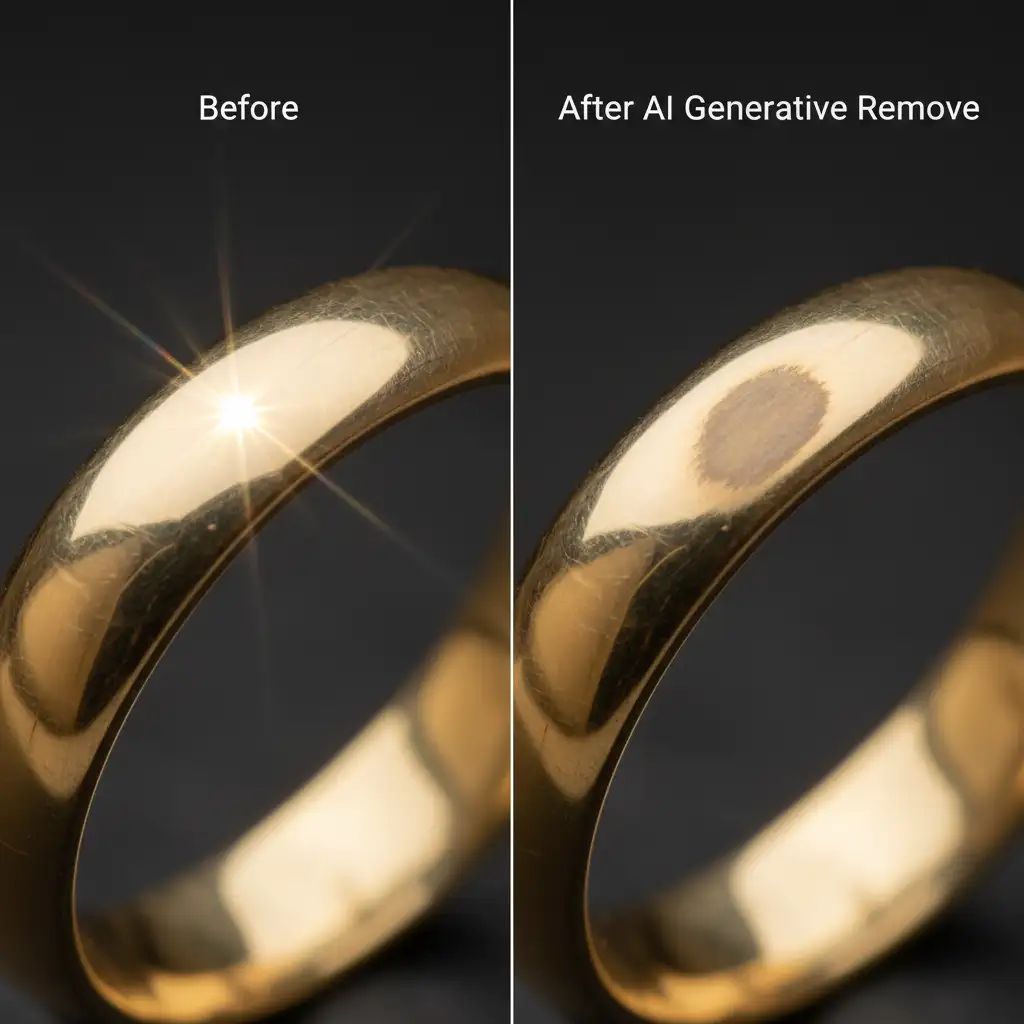
The underlying Firefly training model prioritizes organic background generation and lacks the deep context required for high-end macro product photography. When the AI encounters hard specular highlights, complex gemstone facets, or intricate metallic gradients, it misinterprets these hard directional light reflections as structural flaws.
Instead of cleanly removing a softbox reflection, the AI hallucinates matte textures, smears the metallic sheen, and ruins the structural integrity of the ring or chain.
3 Methods to Fix Lightroom Generative Remove Jewelry Reflections
To get professional results, you must stop relying entirely on the AI and adopt a hybrid workflow. Here are three methods, ranging from a quick panel adjustment to a high-end retouching deep-dive.
Method 1: The Quick Fix (Micro-Brushing & Object Aware)
The most common mistake retouchers make is using a large brush and letting the AI guess the edges. You need to restrict the AI’s sampling area.
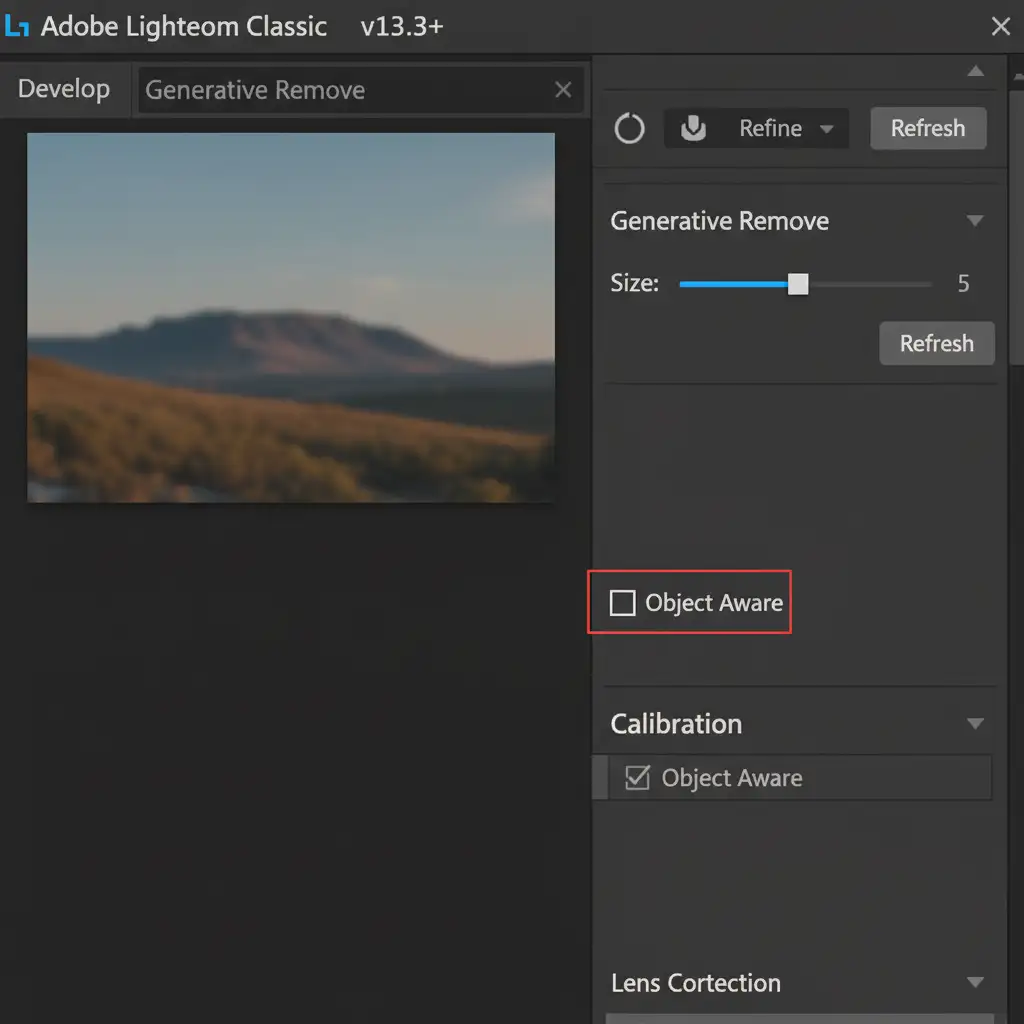
- Open the Generative Remove panel in Lightroom.
- Turn off Object Aware. When checked, the AI aggressively grabs adjacent contrasting pixels (like the dark background behind the ring), causing edge smearing.
- Reduce your brush size to the absolute minimum needed to cover the reflection.
- Carefully paint only the exact reflection, strictly avoiding the structural edges of the jewelry.
- Cycle through the three AI variations provided to find the one that best matches the metallic grain.
Method 2: The Pro Workaround (Hybrid Cloning Workflow)
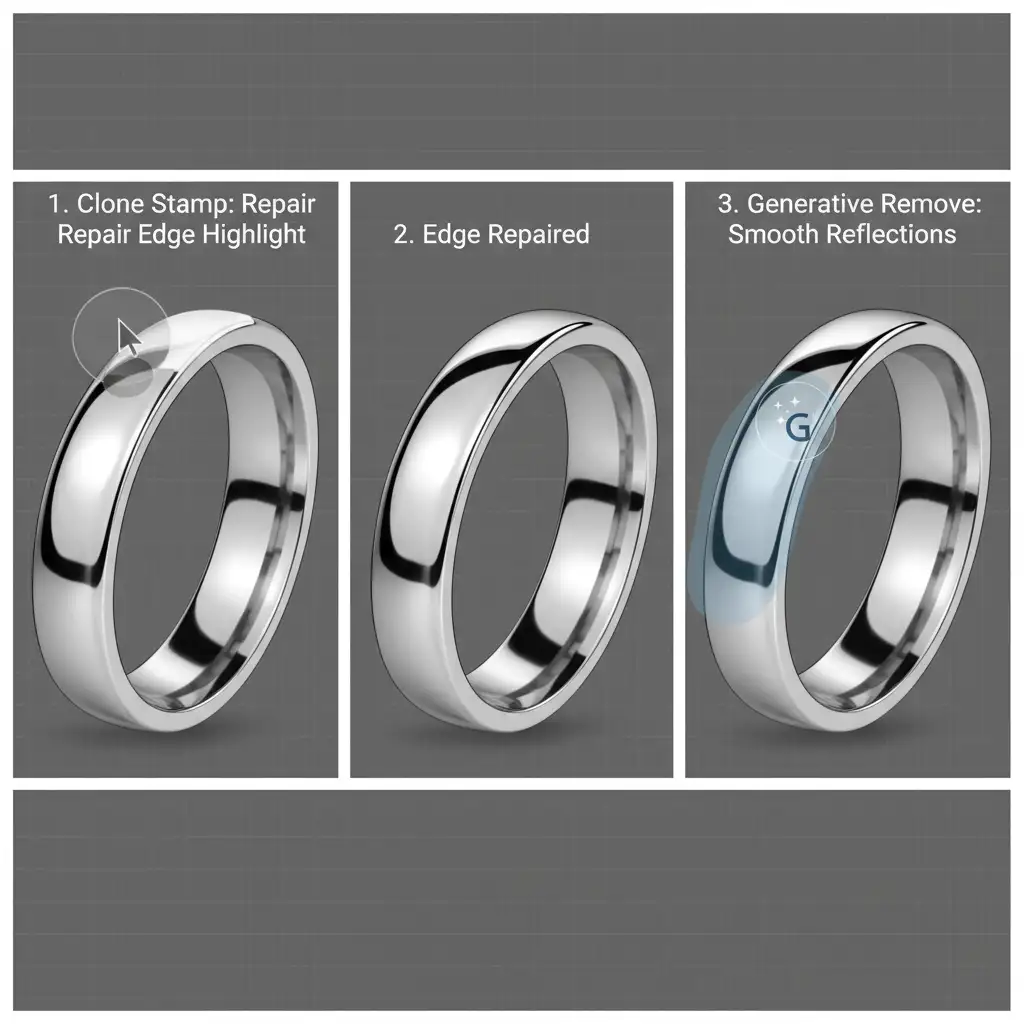
When a reflection crosses the edge of a ring or pendant, Generative Remove will almost always destroy the geometry. The solution is a hybrid manual-AI approach.
- Rebuild the Edge: Select the standard Clone Stamp tool. Sample a clean edge of the jewelry and carefully rebuild the structural boundary through the reflection.
- Protect the Geometry: By establishing this hard line manually, you create a barrier that protects the shape of the product.
- Smooth the Surface: Switch back to Generative Remove. Paint strictly inside the flat metallic surface you just protected. The AI will now blend the texture without destroying the edge.
Method 3: The Technical Deep-Dive (Photoshop Smart Object Round-Trip)
For high-end e-commerce clients, Lightroom’s lack of layer masking and opacity control for AI generation is a dealbreaker. To preserve every metallic gradient, you need to utilize frequency separation in Photoshop.
- Right-click your image in Lightroom and select Edit In > Open as Smart Object in Photoshop.
- Use the Pen Tool to precisely isolate the jewelry piece from the background.
- Run a Frequency Separation action to separate the color/tone data from the texture data.
- Use the standard Spot Healing Brush or Clone Stamp on the low-frequency (color) layer to blend out the harsh light reflections. This removes the glare while perfectly preserving the metallic grain and texture on the high-frequency layer.
- Save the file (Ctrl/Cmd + S) to instantly return the perfectly edited, non-destructive TIFF back to your Lightroom catalog.

Stop Fighting AI Artifacts-Scale Your Jewelry Retouching
Mastering lightroom generative removal jewelry reflections requires patience, technical skill, and a deep understanding of light and geometry. While these hybrid workflows will save your images, they are incredibly time-consuming-especially if you are processing hundreds of SKUs for an e-commerce catalog.
You don’t have to battle AI artifacting on your own.
Partner with Image Work India and Cloud Retouch for flawless, pixel-perfect jewelry retouching. Our expert team specializes in high-end macro product editing, ensuring that every gemstone facet is crisp, every structural edge is preserved, and every metallic gradient is flawlessly blended. We utilize advanced frequency separation and manual compositing techniques that AI simply cannot replicate.
Focus on shooting stunning campaigns, and let us handle the pixels. Contact Image Work India and Cloud Retouch today to elevate your jewelry photography to the highest industry standards.



