GoPro Video Editing: Transforming Adventure Footage into Stories
In the age of adventure and exploration, GoPro cameras have become synonymous with capturing breathtaking moments in the great outdoors. From mountain peaks to deep-sea dives, GoPro footage allows enthusiasts to relive and share their adventures. However, the true magic lies in the editing process, where raw clips are transformed into compelling stories. In this comprehensive guide, we’ll explore the art of GoPro video editing, offering valuable insights, techniques, and answering frequently asked questions (FAQs) to help you turn your adventure footage into captivating narratives.
Capturing Adventure with GoPro: A Visual Journey
Choosing the Right GoPro Settings
Before diving into the editing realm, ensuring you capture high-quality footage is paramount. Familiarize yourself with the settings of your GoPro, considering factors such as resolution, frame rate, and field of view. Adjusting these settings based on the nature of your adventure ensures that your footage is crisp, immersive, and ready for the editing process.
Utilizing GoPro Accessories for Dynamic Shots
GoPro’s ecosystem includes a range of accessories designed to enhance your shooting capabilities. Experiment with mounts, stabilizers, and filters to capture dynamic and steady shots. Whether you’re biking down a trail, surfing a wave, or soaring through the sky, the right accessories can elevate your footage and provide a professional touch.

GoPro Video Editing Techniques: Crafting Cinematic Stories
Choosing the Right Editing Software
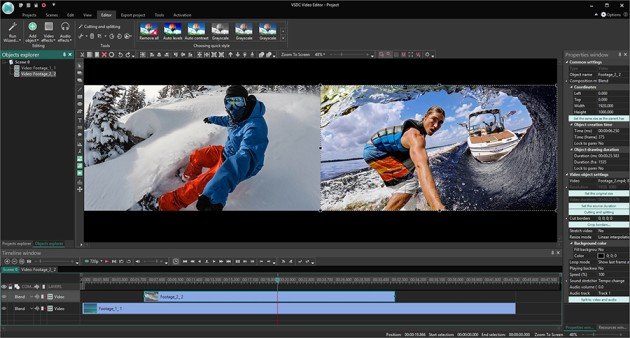
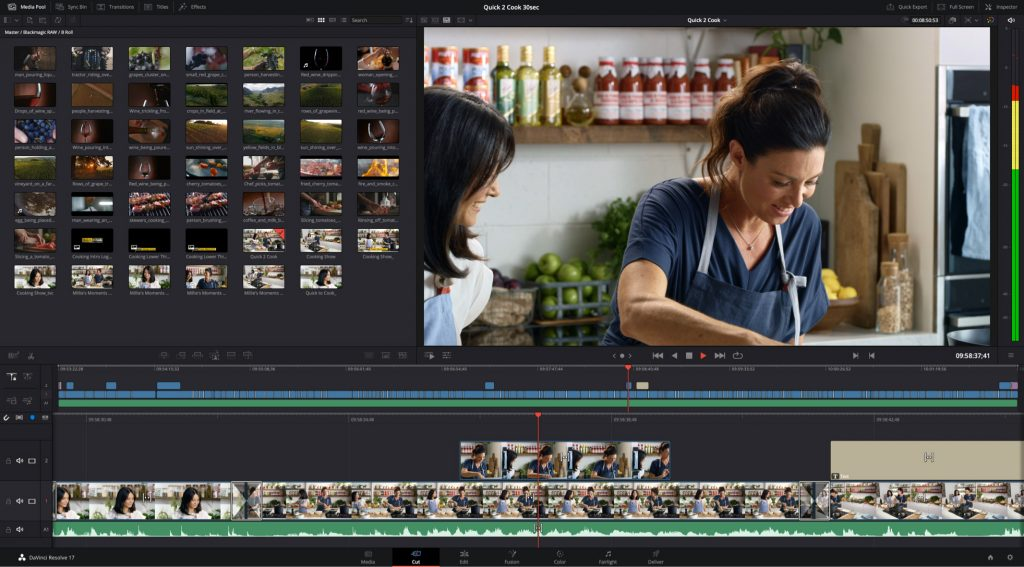
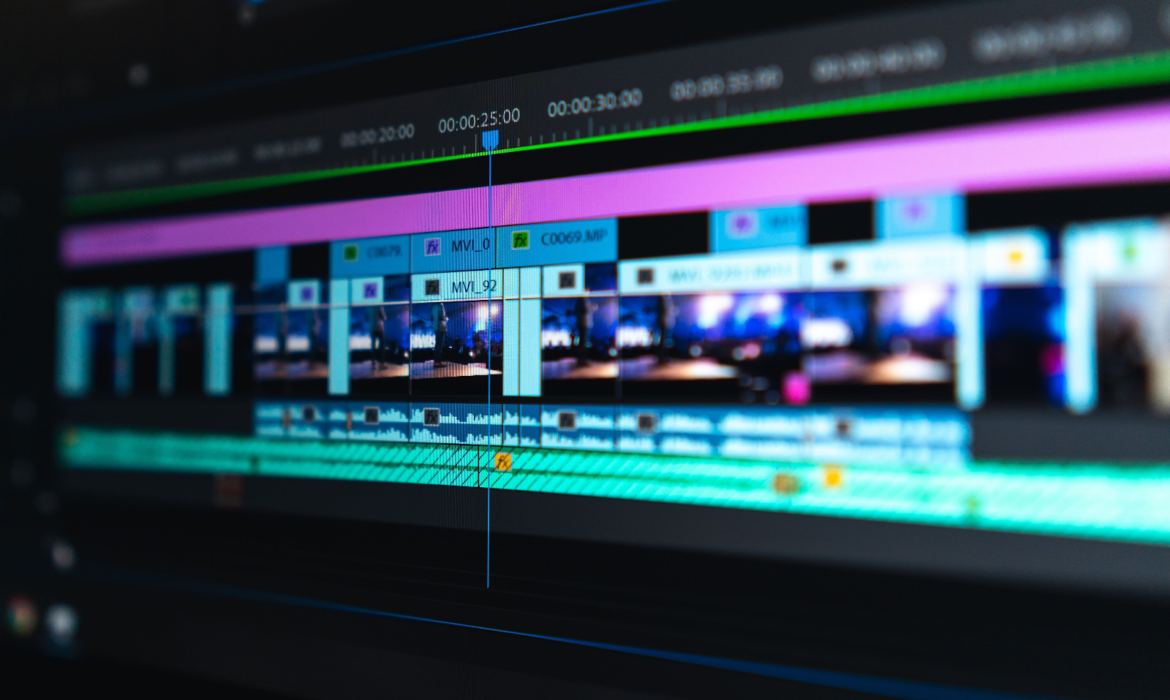
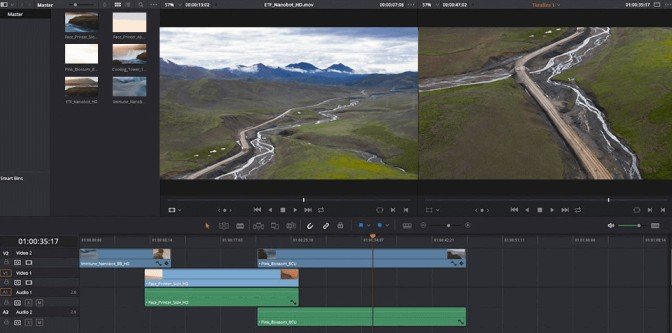
GoPro footage is diverse and dynamic, requiring software that can handle its unique characteristics. Popular editing programs like Adobe Premiere Pro and GoPro’s own Quik app provide comprehensive tools for editing and enhancing your videos. Familiarize yourself with the features of your chosen software to maximize your editing capabilities.
Highlighting Key Moments with Cutting and Transitions
Adventure footage often contains a plethora of exhilarating moments. Effective storytelling involves cutting unnecessary segments and seamlessly transitioning between scenes. Experiment with cuts and transitions to maintain a fast-paced and engaging narrative. This enhances the overall viewing experience, keeping your audience captivated from start to finish.
Enhancing Visual Appeal with Color Correction
GoPro footage may sometimes require color correction to bring out the vibrancy of the surroundings. Experiment with color grading tools to enhance the natural beauty of landscapes, underwater scenes, or high-altitude adventures. Balancing exposure, saturation, and contrast can transform your footage, giving it a cinematic quality.
Adding Depth with Music and Sound Effects
Audio is a crucial element in storytelling. Enhance the emotional impact of your adventure videos by carefully selecting background music that complements the mood of each scene. Additionally, incorporate natural sounds or GoPro’s unique audio captures to add depth and authenticity to your videos.

Conclusion: Share Your Adventure Stories
In conclusion, GoPro video editing is not just about stitching clips together; it’s about crafting immersive stories that transport viewers into your adventures. By understanding your GoPro settings, utilizing accessories, and mastering editing techniques, you can transform raw footage into cinematic narratives that captivate your audience.
Embark on your video editing journey with confidence, experiment with different styles, and let your creativity flow. Whether you’re an adrenaline junkie capturing extreme sports or a nature lover documenting scenic landscapes, GoPro video editing empowers you to share your unique perspective with the world.
Take the next step and turn your adventure footage into stories that resonate. With the right techniques and a passion for storytelling, you’ll not only relive your experiences but also inspire others to embark on their own exciting journeys. Happy editing!

FAQs: Answering Your GoPro Video Editing Queries
Q: Can I edit GoPro videos on my smartphone?
A: Yes, GoPro offers a user-friendly mobile app called Quik that allows you to edit videos directly on your smartphone. Additionally, you can use other third-party editing apps for more advanced editing capabilities.
Q: How do I create time-lapse videos with my GoPro?
A: Most GoPro models have a built-in time-lapse feature. You can access this feature in the settings and customize the interval between shots. During editing, you can compile these images into a time-lapse sequence using your chosen editing software.
Q: What is the best way to stabilize shaky GoPro footage?
A: GoPro’s HyperSmooth technology, available in newer models, is an excellent built-in stabilization feature. If you still experience slight shakes, consider using software stabilization tools during the editing process, such as Adobe Premiere Pro’s Warp Stabilizer.
Q: Can I add text overlays to my GoPro videos?
A: Yes, most video editing software allows you to add text overlays. Look for the “Titles” or “Text” feature and customize the appearance of your text to complement your adventure theme.
Q: How can I showcase my GoPro videos on social media?
A: Export your edited videos in a social media-friendly format and resolution. Most editing software provides export settings tailored for platforms like Instagram, Facebook, or YouTube. Use relevant hashtags and captions to increase visibility.
Craft Personal Videos: Home Video Editing Tips | Pro Touch
In an age dominated by visual storytelling and social media, the ability to craft compelling personal videos has become a valuable skill. Home video editing allows individuals to transform their raw footage into polished, engaging content with a professional touch. Whether you’re documenting family moments, creating vlogs, or showcasing your creative endeavors, understanding the fundamentals of video editing is essential. In this comprehensive guide, we will delve into the intricacies of home video editing, providing practical tips, insights, and answering frequently asked questions (FAQs) to help you master the art of crafting visually stunning videos
Understanding the Basics of Home Video Editing
Creating a Foundation with Quality Footage
Capturing high-quality footage is the first step towards creating visually appealing videos. Modern smartphones and digital cameras offer advanced video capabilities, allowing you to record in high resolution. Pay attention to factors such as lighting, composition, and framing during recording to ensure your footage serves as a solid foundation for the editing process.
Choosing the Right Editing Software
Selecting the appropriate video editing software is crucial for achieving a professional touch in your videos. There are various options available, catering to different skill levels and project complexities. For beginners, user-friendly tools like iMovie (for Mac users) or Adobe Premiere Elements are excellent starting points. As you advance, consider transitioning to more robust software such as Adobe Premiere Pro or Final Cut Pro for enhanced editing capabilities.
Organizing Your Footage
Before delving into the editing process, take the time to organize your footage systematically. Create folders for different events or projects and label your files appropriately. This organizational step not only saves time but also streamlines your workflow, making it easier to locate specific clips during the editing process.

Tips for Effective Home Video Editing
Understanding Basic Editing Techniques
Familiarizing yourself with fundamental editing techniques is essential for creating polished videos. Learn how to cut, trim, and arrange clips on the timeline. Experiment with transitions, effects, and audio adjustments to add depth and professionalism to your videos. Most video editing software provides tutorials for beginners, making it easier to grasp these essential techniques.
Adding Music and Sound Effects
Music is a powerful tool that can significantly enhance the emotional impact of your videos. Choose background music that complements the mood and tone of your footage. Additionally, experiment with sound effects to add layers and depth to your videos. Ensure that the audio levels are balanced to create a harmonious and polished final product.
Color Correction and Enhancement
Video editing software often includes tools for color correction and enhancement. Experiment with brightness, contrast, and saturation adjustments to improve the overall look of your videos. Correcting color inconsistencies and ensuring a cohesive visual style can elevate the professional quality of your content.

Utilizing Advanced Editing Features
As you progress in your video editing journey, explore advanced features offered by your chosen editing software. These may include multi-camera editing, motion tracking, and advanced audio editing. While these features may seem daunting initially, they provide additional tools to enhance the quality and creativity of your videos.
Conclusion: Elevate Your Home Video Editing Skills
In conclusion, home video editing is a skill that empowers individuals to transform their raw footage into captivating visual stories. By understanding the basics, implementing effective editing techniques, and exploring advanced features, you can elevate the quality of your videos to a professional standard.
Remember that video editing is a continuous learning process. Experiment with different styles, stay organized throughout the editing journey, and always seek ways to enhance your skills. Whether you’re creating content for personal enjoyment or sharing it with a wider audience, the world of video editing is rich with possibilities.
Take the first step today and embark on your journey to becoming a proficient home video editor. With dedication, practice, and a passion for storytelling, you’ll be well on your way to creating videos that leave a lasting impact on your audience. Happy editing!

FAQs: Answering Your Home Video Editing Queries
Q: Can I edit videos on my smartphone?
A: Yes, many smartphones come equipped with built-in video editing apps. Additionally, there are numerous third-party apps available for download that provide advanced editing features for on-the-go video editing.
Q: How do I add text to my videos?
A: Most video editing software allows you to add text or captions. Look for the “Titles” or “Text” feature in your chosen editing program and follow the instructions to insert text into your videos. This is an effective way to convey information, tell a story, or add a personal touch to your content.
Q: What file formats are suitable for video editing?
A: Commonly used video file formats for editing include MP4, MOV, and AVI. However, the compatibility may vary depending on the editing software you’re using. It’s advisable to check the supported formats of your chosen software to ensure seamless editing.
Q: How can I improve the lighting in my videos during editing?
A: Video editing software often includes tools for color correction and enhancement. Experiment with brightness, contrast, and saturation adjustments to improve the overall lighting in your videos. Additionally, some software offers specific tools for correcting exposure and balancing lighting conditions.
Q: Can I use copyrighted music in my videos?
A: Using copyrighted music without permission is against the law. To avoid legal issues, look for royalty-free music or obtain the necessary licenses to use copyrighted tracks legally. There are various online platforms that offer a wide range of royalty-free music for video creators.
Product Video Editing: Highlighting Features through Engaging Visuals
In the fast-evolving digital landscape, product video editing has become an indispensable tool for businesses aiming to captivate their audience. With the surge in online marketing, a visually appealing product video can make all the difference in showcasing features and enhancing brand identity. In this comprehensive guide, we delve into the art of product video editing, unraveling tips, tutorials, and strategies to elevate your content and make an impact.
Landscape Photography: A Visual Symphony
Optimizing Landscape Photography for Maximum Impact
Creating stunning landscape photography involves more than just pointing and shooting. To truly stand out, landscape photography enthusiasts need to master the delicate balance between technical skill and creative expression. Employing the right landscape photography tips can significantly enhance the visual appeal of your shots. From understanding composition principles to harnessing the power of natural light, each element contributes to the overall masterpiece.
Elevating Your Landscape Photography with Editing
Taking your landscape photography to the next level requires not just a keen eye behind the lens but also finesse in the digital realm. Our landscape photo editing session walks you through the nuances of post-processing, providing a step-by-step guide on refining your images using tools like Lightroom. Learn how to bring out the vivid colors of a sunset seascape or emphasize the intricate details of a mountainous landscape.

Aerial Photography: Soaring to New Heights
Unleashing the Power of Aerial Photography
As technology advances, so do the possibilities in visual storytelling. Aerial photography opens up a whole new dimension, allowing you to capture landscapes from breathtaking angles. Our aerial photography guide explores the equipment, techniques, and editing processes to create awe-inspiring visuals. From editing aerial shots in Lightroom to adding dynamic elements, discover how to make your aerial photography truly soar.
Making a Living from Landscape Photography
Monetizing Your Passion: Turning Landscape Photography into a Career
For those passionate about landscape photography, the dream of making a living doing what you love is not far-fetched. Our guide on making a living from landscape photography outlines practical steps to monetize your skills. From selling prints to conducting workshops, explore avenues that align with your passion while ensuring a sustainable income.

Key Takeaways
In conclusion, mastering the art of landscape photography and aerial photography involves a combination of technical expertise and creative flair. By optimizing your editing skills, you can transform ordinary shots into captivating visual stories. Whether you aspire to make a living from your passion or simply want to enhance your photography skills, the key lies in continuous learning and experimentation.
Frequently Asked Questions (FAQ)
Q: How can I monetize my landscape photography?
A: Explore various avenues such as selling prints, conducting workshops, or licensing your work for commercial use.
Q: What are the essential tips for editing landscape photos in Lightroom?
A: Focus on adjusting exposure, enhancing colors, and fine-tuning details to bring out the best in your landscape shots.
Q: Can I use aerial photography for commercial purposes?
A: Yes, but be aware of regulations and obtain necessary permits before using aerial shots for commercial projects.
Real Estate Video Editing: Showcasing Properties in Cinematic Brilliance
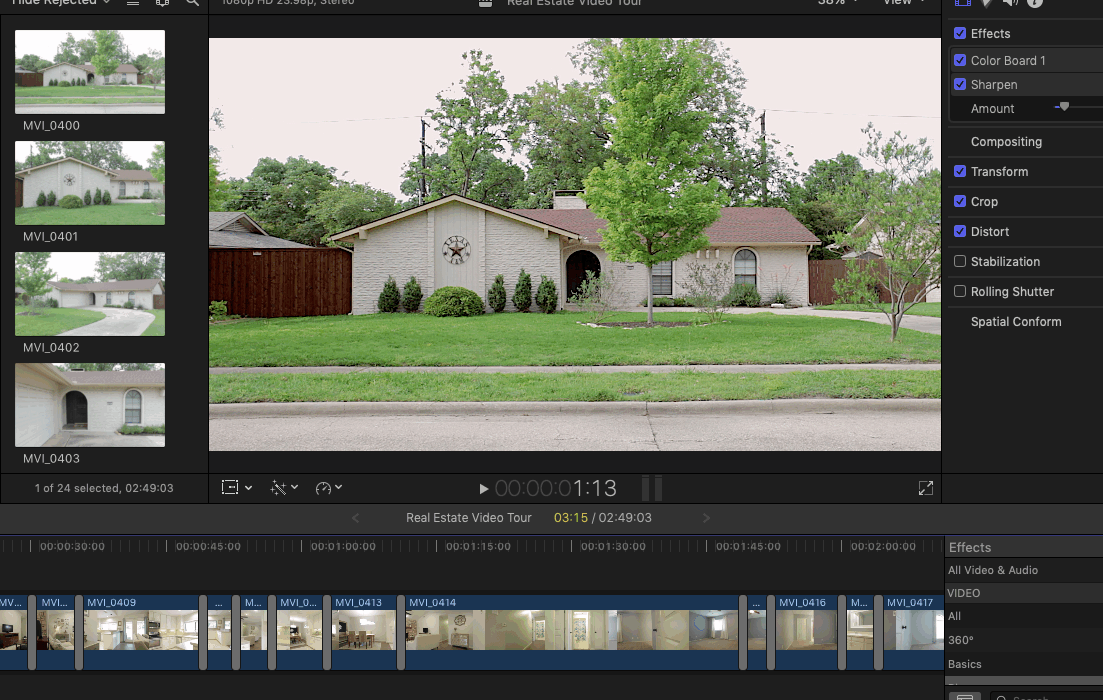
In the dynamic world of real estate, where first impressions matter the most, the art of showcasing properties has evolved with the advent of technology. One powerful tool that has taken the industry by storm is real estate video editing. In this comprehensive guide, we will explore the intricacies of this art form, providing valuable insights and tips to elevate your property presentations to cinematic brilliance.
The Impact of Landscape Photography in Real Estate Videos
When it comes to real estate, visuals speak louder than words. Incorporating stunning landscape photography in your videos can significantly enhance the overall appeal of the property. Landscape photography tips play a pivotal role in capturing the essence of a location. From choosing the right angles to mastering the use of natural light, these tips can transform a mundane video into a captivating visual experience.
Crafting Compelling Aerial Shots for Maximum Impact
In the realm of real estate video editing, aerial photography adds a new dimension to property showcases. Aerial shots provide a unique perspective, giving potential buyers a comprehensive view of the property and its surroundings. This section will delve into the nuances of aerial photography and how to seamlessly integrate it into your real estate videos.

Mastering Photo Editing for a Professional Finish
An essential aspect of real estate video editing is the mastery of photo editing techniques. From adjusting colors to enhancing details, the process can be intricate yet rewarding. This guide will provide a step-by-step tutorial on landscape photo editing sessions using popular tools like Lightroom. Learn the art of transforming ordinary shots into extraordinary visual masterpieces that leave a lasting impression.
Turning Passion into Profit: Earning a Living from Landscape Photography
For those with a keen interest in photography, the prospect of making a living from landscape photography is an enticing one. This section will explore various avenues for making money from landscape photography, whether through selling prints, conducting workshops, or collaborating with real estate agencies. Discover how your passion can become a lucrative profession.
Conclusion: Elevate Your Real Estate Game with Cinematic Video Editing
In conclusion, real estate video editing is a game-changer in the industry. By incorporating landscape photography, aerial shots, and mastering photo editing, you can create visually stunning presentations that captivate potential buyers. Whether you’re looking to enhance your property listings or turn your passion into a profession, this guide has equipped you with the tools and knowledge needed to excel in the world of cinematic real estate video editing. Take the first step towards transforming your real estate presentations into works of art. Happy editing!
Addressing FAQs on Real Estate Video Editing
Q1: How can I edit landscape photos in Lightroom?
Editing landscape photos in Lightroom requires a nuanced approach. Begin by adjusting the exposure and contrast, then focus on color correction and sharpening. This FAQ section will provide a detailed walkthrough, catering to both beginners and seasoned photographers.
Q2: Can I create a landscape photography vlog to showcase my work?
Absolutely! Creating a landscape photography vlog is an excellent way to share your creative process and connect with a broader audience. This section will guide you through the steps of starting your vlog, from content planning to video editing.
Unlock Your Creativity: Video Editing Freebies for Stunning Productions
In the ever-evolving landscape of video content creation, the right tools can make a significant difference in the quality and appeal of your productions. Fortunately, there is a plethora of free resources available that can take your video editing skills to the next level. This comprehensive guide explores the world of video editing freebies, providing insights into how you can enhance your productions without breaking the bank.

Leveraging Landscape Photography for Dynamic Edits
Landscape Photography Tips: A Visual Feast for Your Videos
One of the keys to creating visually stunning videos is incorporating landscape photography. Learn how landscape photography tips can be seamlessly integrated into your video editing process. From capturing breathtaking scenes to implementing effective editing techniques, discover how to elevate the visual appeal of your content.
Aerial Photography: Free Resources for Elevated Perspectives
Aerial photography adds a unique dimension to your videos, offering captivating perspectives. Explore free resources for aerial photography, including drone footage and stock imagery. Uncover the potential of incorporating these resources into your edits, transforming your videos into cinematic masterpieces.

Unveiling Free Landscape Editing Tools
Landscape Photo Editing Session: Unlocking Creative Possibilities
Discover free landscape editing tools that rival their premium counterparts. Dive into a step-by-step landscape photo editing session using these tools, exploring features such as color correction, exposure adjustments, and artistic filters. Unleash your creativity without the constraints of expensive software.
Editing Sunset Seascape Photos: Free Techniques for Professional Results
Sunset and seascape photos are popular in video content, creating a serene and visually appealing atmosphere. Learn free techniques for editing sunset seascape photos, ensuring your videos capture the beauty of these natural settings. Elevate your storytelling with the magic of a stunning sunset backdrop.
Making the Most of Free Video Editing Resources
Free Video Editing Software: A Comprehensive Guide
Explore a variety of free video editing software options available for both beginners and experienced editors. From user-friendly interfaces to advanced features, find the right tool that suits your editing needs. Uncover hidden gems that can rival even the most premium editing suites.
Royalty-Free Music and Sound Effects: Elevating Your Audio
Audio is a crucial element of video production. Discover websites offering royalty-free music and sound effects to enhance your videos. Elevate the emotional impact of your content with a carefully curated audio backdrop, without worrying about copyright issues.
Conclusion
Embrace the world of video editing freebies and unlock a wealth of creative possibilities for your productions. Whether you’re a seasoned editor or just starting, these resources empower you to enhance your videos without the burden of high costs. Dive into landscape photography tips, leverage aerial perspectives, explore free editing tools, and elevate your audio with royalty-free music. The possibilities are vast, and the tools are within reach. Take the leap, experiment with these free resources, and witness the transformative impact they can have on your video editing journey. Start enhancing your productions today – the world of free video editing awaits your creative touch!

Frequently Asked Questions (FAQ)
Q1: Can free video editing software handle professional-level projects?
Yes, many free video editing software options, such as DaVinci Resolve and HitFilm Express, offer advanced features suitable for professional-level projects. They provide a cost-effective alternative without compromising on quality.
Q2: Where can I find high-quality free stock footage for my videos?
Websites like Pexels, Pixabay, and Unsplash offer a vast collection of high-quality free stock footage that you can use in your video projects without worrying about licensing issues.
Q3: Are there any limitations to using free landscape editing tools?
While free landscape editing tools may not have all the advanced features of premium software, they are powerful enough for most editing tasks. Users may find limitations in terms of specific filters or advanced editing options.
Q4: How can I ensure the music and sound effects I use are royalty-free?
Choose reputable platforms that explicitly state their content is royalty-free. Websites like YouTube Audio Library, Free Music Archive, and Epidemic Sound offer a wide range of royalty-free music and sound effects.
Master Video Editing: Essential Steps for Beginners
In the dynamic world of digital content creation, video post-production stands as the final and transformative stage where raw footage evolves into a polished and captivating narrative. Professional editing is the key to crafting seamless stories that resonate with audiences and leave a lasting impact. In this comprehensive guide, we’ll explore the intricacies of video post-production, highlighting essential techniques, tools, and tips to elevate your content to new heights.
The Art of Landscape Photography Integration
Enhancing Visual Appeal with Landscape Shots
Integrating landscape photography into your videos can add depth and visual richness. Learn how to seamlessly weave landscape shots into your narrative to create a cohesive and engaging story. Utilize landscape photography tips and tutorials to capture breathtaking scenes that enhance the overall visual appeal of your video content.
Aerial Photography: Elevating Perspectives
Take your storytelling to new heights by incorporating aerial photography. Drones have revolutionized the way filmmakers capture landscapes, providing stunning aerial perspectives. Dive into aerial photography techniques, ensuring your post-production skills can seamlessly integrate these shots for a cinematic and immersive viewing experience.

Mastering Lightroom for Landscape Photography Vlogs
Landscape Photo Editing Session: Step-by-Step Tutorial
Navigate the landscape photo editing process in Adobe Lightroom with a comprehensive tutorial. From color correction to exposure adjustments, discover how to enhance your landscape shots and ensure they seamlessly fit into your video narrative. Uncover the nuances of editing sunset seascape photos to evoke the desired emotions and atmospheres in your vlogs.
Earning a Living from Landscape Photography: Monetization Strategies
Explore the business side of landscape photography in the context of video post-production. Learn how to monetize your content by leveraging your unique visual style. Whether it’s selling prints, collaborating with brands, or conducting workshops, discover ways to turn your passion into a sustainable source of income.

Video Post-Production Essentials: Professional Editing Techniques
Landscape Editing Tutorial: Creating Impactful Sequences
Delve into the specifics of video post-production with a landscape editing tutorial. Explore professional editing techniques that can elevate your storytelling. From seamless transitions to effective pacing, master the art of crafting a compelling visual narrative that keeps your audience engaged.
Balancing Audio and Visual Elements: The Importance of Soundscapes
While visuals are essential, audio plays a pivotal role in post-production. Understand how to create immersive soundscapes that complement your landscape shots. Explore the world of audio editing to ensure your videos deliver a complete sensory experience.

Conclusion
In the realm of video post-production, the synergy between landscape photography and professional editing is the secret sauce that transforms ordinary content into extraordinary stories. By mastering the art of seamlessly integrating landscapes, leveraging aerial perspectives, and honing your editing skills, you can craft videos that captivate, inspire, and resonate with your audience. Elevate your storytelling game, embark on a journey of creative exploration, and transform your passion for video post-production into a rewarding and fulfilling endeavor. Take the leap, embrace the tools and techniques outlined in this guide, and witness your content soar to new heights. Your journey to crafting seamless stories with professional editing begins now—happy creating!
Frequently Asked Questions (FAQ)
Q1: How can I improve the flow of my edited videos?
Ensure a smooth flow by focusing on proper pacing, seamless transitions, and a cohesive storyline. Experiment with different editing styles to find what suits your content best.
Q2: Are there free video editing tools available for beginners?
Yes, there are several free video editing tools like Shotcut, DaVinci Resolve, and HitFilm Express. These tools offer powerful features for aspiring editors without a hefty price tag.
Q3: What role does color grading play in video post-production?
Color grading enhances the visual appeal of your videos by adjusting colors to achieve a desired mood or style. Experiment with color grading to add a professional touch to your content.
Q4: How can I make money from my edited videos?
Explore monetization avenues such as YouTube ad revenue, sponsored content, and affiliate marketing. Building a loyal audience is key to attracting potential sponsors and collaborators.
Virtual Renovation Ideas to Transform Your Home
In an era dominated by technological advancements, the marriage of creativity and digital innovation has given rise to virtual renovation—an exciting frontier that allows us to reimagine spaces through digital redesign. This revolutionary approach goes beyond traditional renovations, offering a glimpse into the potential of a digitally enhanced world. From interior spaces to expansive landscapes, virtual renovation empowers individuals to explore, experiment, and transform their surroundings like never before.
Unveiling the World of Virtual Renovation
What is Virtual Renovation?
Virtual renovation is a process that involves leveraging advanced digital tools and technologies to visualize and redesign spaces virtually. Unlike traditional renovations that necessitate physical alterations, virtual renovation enables individuals to experiment with various design elements in a digital environment. This not only streamlines the planning phase but also opens up new creative possibilities for architects, designers, and homeowners.
Applications Beyond Physical Spaces
The scope of virtual renovation extends far beyond the confines of physical structures. In the realm of landscape design and photography, virtual renovation has become a game-changer. It allows photographers and enthusiasts to transcend traditional editing techniques, introducing a digital dimension to the creative process. This fusion of landscape photography and virtual renovation has given birth to a new wave of artistic expression, enabling individuals to push the boundaries of imagination.

Transforming Landscapes Through a Digital Lens
Revolutionizing Landscape Photography
Landscape photography has long been a captivating art form, capturing the beauty of nature in a single frame. With virtual renovation, photographers can take their craft to new heights. Aerial photography, a key component of this transformation, offers a unique perspective, allowing photographers to capture landscapes from angles previously unattainable. This, coupled with advanced photo editing techniques, provides a toolkit for creating surreal and captivating scenes.
Digital Landscape Editing: A Tutorial
For those venturing into the exciting world of landscape photography and virtual renovation, mastering digital landscape editing is crucial. Popular tools like Adobe Lightroom offer a plethora of features to enhance your photographs. From adjusting colors and exposure to creating a cohesive composition, digital landscape editing tutorials provide valuable insights into the intricacies of the process.
Monetizing Landscape Photography Skills
Aspiring to turn your passion for landscape photography into a career? Virtual renovation opens up new avenues for making a living from this artistic pursuit. Selling prints, conducting workshops, and offering photography services are just a few ways to monetize your skills. The digital landscape presents a myriad of opportunities for those who can seamlessly blend technical expertise with artistic vision.

Enhancing Your Photography Journey: Tips and Tutorials
1. Mastering Landscape Photography Techniques
Begin your journey into landscape photography by mastering the fundamentals. Learn the art of composition, the nuances of lighting, and the importance of framing. A well-composed photograph forms the foundation for any virtual renovation endeavor.
2. Digital Landscape Editing in Lightroom
Delve into the world of photo editing with tutorials on landscape editing using Adobe Lightroom. Explore techniques to enhance colors, correct exposure, and bring out the best in your photographs. Understanding the capabilities of editing tools is key to realizing the full potential of virtual renovation.
3. Making a Living from Landscape Photography
Transitioning from a hobbyist to a professional photographer requires strategic planning. Explore various avenues for making a living from landscape photography, from selling prints online to offering photography services for events and projects.

Conclusion: Explore the Boundless Creativity of Virtual Renovation
As we navigate the dynamic intersection of landscape photography and virtual renovation, a new era of creative expression unfolds. The fusion of technology and artistic vision empowers photographers and enthusiasts to explore, experiment, and redefine the limits of what’s possible in the visual realm.
Take the leap into the world of virtual renovation, where your imagination knows no bounds. Unleash the full potential of your creativity and watch as landscapes transform into extraordinary works of digital art. It’s time to reimagine, redesign, and rediscover the art of photography in the digital age.
In this digital landscape, where pixels meet creativity, the possibilities are endless. Embrace the transformative power of virtual renovation and embark on a journey that transcends the ordinary. Whether you’re a seasoned photographer or a novice enthusiast, let the synergy of technology and imagination elevate your craft to unprecedented heights. The canvas is yours—paint it with the vibrant strokes of virtual renovation.
FAQs: Navigating the Virtual Renovation Landscape
Q1: What is virtual renovation, and how does it differ from traditional renovation?
A1: Virtual renovation involves digitally visualizing and redesigning spaces, providing a preview of potential changes without physically altering the space. Unlike traditional renovation, it offers a platform for creative exploration and experimentation.
Q2: Can virtual renovation be applied to outdoor spaces and landscapes?
A2: Absolutely. Virtual renovation is not limited to indoor spaces; it can be applied to outdoor landscapes, providing a digital preview of potential changes and enhancements.
Q3: How can virtual renovation benefit landscape photographers?
A3: Virtual renovation introduces new creative possibilities for landscape photographers. It allows them to experiment with various design elements, enhance images digitally, and push the boundaries of imagination, resulting in truly unique and captivating photographs.
Master YouTube Branding: Your Ultimate Guide
In the expansive realm of online content creation, vlogging has emerged as a powerful medium for self-expression and storytelling. As a vlogger, creating a strong visual identity for your channel is crucial to captivate your audience and leave a lasting impression. One key aspect of this visual identity is video editing, which plays a pivotal role in enhancing the overall quality and appeal of your vlog content.
The Importance of Landscape Photography in Vlogging
Leveraging Landscape Photography for Visual Appeal
Landscape photography serves as a dynamic element in vlogs, providing breathtaking visuals that immerse viewers in your narrative. Incorporating landscape shots can significantly elevate the production value of your videos, making them more engaging and visually appealing. To achieve this, vloggers often seek landscape photography tips and tutorials to enhance their skills in capturing and editing compelling outdoor scenes.
Aerial Photography for a Unique Perspective
Incorporating aerial photography into your vlogs offers a fresh and unique perspective. Drones have become increasingly accessible, enabling vloggers to capture stunning aerial shots that showcase landscapes from a bird’s eye view. Learning the art of aerial photography and seamlessly integrating it into your vlogs can set your content apart and attract a wider audience.

Mastering Landscape Photo Editing in Lightroom
Landscape Photo Editing Session: Step-by-Step Tutorial
Once you’ve captured captivating landscape shots, the next step is mastering the art of landscape photo editing. Adobe Lightroom has become a go-to tool for many vloggers, providing a user-friendly interface and powerful features for enhancing images. This section will provide a step-by-step tutorial on landscape photo editing in Lightroom, covering aspects like color correction, exposure adjustments, and adding artistic filters.
Editing Sunset Seascape Photos: A Detailed Guide
Sunsets and seascapes are popular subjects in landscape photography, offering a rich palette of colors and textures. Learn how to edit sunset seascape photos in Lightroom to evoke the right mood and atmosphere in your vlogs. This guide will explore techniques for enhancing the vibrant hues of the sunset, adjusting the water’s reflections, and creating a visually stunning seascape.

Making a Living from Landscape Photography: Turning Passion into Profit
Earning a Living from Landscape Photography: Challenges and Rewards
For many vloggers, the dream is not only to create captivating content but also to make a living from their passion. This section will delve into the challenges and rewards of making a living from landscape photography. Explore different avenues such as selling prints, collaborating with brands, or conducting photography workshops to monetize your skills and turn your vlogging journey into a sustainable career.
How to Edit Landscape Photos for Maximum Impact: A Monetization Strategy
Beyond the creative aspect, understanding how to edit landscape photos in a way that resonates with your audience is crucial for monetization. Discover strategies for creating visually appealing content that attracts sponsorships, brand partnerships, and a loyal following. Learn how to leverage your unique visual identity to stand out in the competitive landscape of online content creation.

Conclusion
Building a strong visual identity for your vlog through landscape photography and effective video editing is a journey that combines creativity, technical skill, and a deep understanding of your audience. By mastering these aspects, you can create content that not only captivates viewers but also opens doors to monetization opportunities. Embrace the art of landscape photography, refine your editing techniques, and embark on a vlogging adventure that resonates with your audience and leaves a lasting impact. Elevate your vlog to new heights by infusing it with the beauty of landscapes and the artistry of thoughtful video editing.
Frequently Asked Questions (FAQ)
Q1: Can I use free photo editing software for landscape photography?
Yes, there are free alternatives to Adobe Lightroom, such as GIMP and Darktable. While they may have fewer features, they can still be powerful tools for basic landscape photo editing.
Q2: How do I choose the right drone for aerial photography in vlogging?
Consider factors like camera quality, flight time, and portability. DJI drones, such as the Mavic series, are popular choices for vloggers due to their compact design and advanced features.
Q3: What are some essential tips for monetizing landscape photography on a vlog?
Build a strong online presence, engage with your audience through social media, and explore multiple revenue streams like selling prints, affiliate marketing, and sponsored content.
Q4: Are there specific copyright considerations for using landscape photos in vlogs?
It’s essential to obtain the necessary permissions or use royalty-free images to avoid copyright issues. Be aware of licensing agreements and give proper attribution when required.
Wedding Video Editing Services: Reliving the Moments in Cinematic Glory
In the vast realm of wedding videography, the art of capturing and editing precious moments holds unparalleled significance. Beyond mere documentation, it involves transforming raw footage into a cinematic masterpiece that immortalizes the emotions, joy, and love shared on that unique day. Professional wedding video editing services play a pivotal role in ensuring that every frame tells a compelling story, allowing couples to relive their wedding day in all its glory.
The Art of Wedding Video Editing
Crafting Cinematic Narratives
Wedding video editing is a nuanced art form that extends beyond the mere compilation of footage. It involves the meticulous crafting of a cinematic narrative that encapsulates the essence of the day. From the exchange of vows to heartfelt speeches, from the laughter on the dance floor to stolen glances, each moment is carefully curated to tell a story that resonates with the couple and their unique journey.
The key lies in understanding the emotional arcs of the day and translating them into a seamless visual experience. This storytelling approach ensures that the final video is not just a chronological sequence of events but a dynamic and emotionally resonant narrative.

Enhancing Visual Appeal
In the digital age, visual appeal is paramount. Skilled wedding video editors employ cutting-edge techniques to enhance colors, adjust lighting, and ensure a seamless flow from one scene to another. Through the art of color correction, they bring out the vibrancy of the surroundings, making every frame visually stunning.
Moreover, adept editors use advanced editing techniques to create a cohesive visual experience. This includes adjusting the pacing of the video, incorporating creative transitions, and using special effects where appropriate. The result is not just a documentation of the day but a visual journey that captivates the viewer.
Customization for Individuality
Every wedding is a unique celebration of love, and so should be the wedding video. Professional editors understand the importance of tailoring the editing process to reflect the couple’s preferences, style, and theme. This level of customization ensures that the final product feels personal and authentic.
From the choice of music to the overall tone of the video, every aspect is carefully considered to align with the couple’s vision. This attention to detail not only creates a more meaningful video for the couple but also sets the professional wedding video editing service apart.

Conclusion
In the intricate tapestry of wedding videography, professional video editing services play a central role in transforming moments into timeless memories. From crafting cinematic narratives to enhancing visual appeal and ensuring customization for individuality, these services are the architects of a couple’s journey through the lens of a camera.
Reliving the moments in cinematic glory is not just a promise; it’s the commitment that professional wedding video editing services deliver. As couples embark on the journey of matrimonial bliss, entrusting their memories to skilled editors ensures that their love story is immortalized in a visual masterpiece that stands the test of time.
Take the step towards preserving your special day in cinematic brilliance – explore the world of professional wedding video editing services and transform your wedding memories into an everlasting work of art. Your love story deserves nothing less than a cinematic celebration that transcends time and captures the essence of your unique journey together.

Frequently Asked Questions (FAQ)
1. Why is professional wedding video editing necessary?
The significance of professional wedding video editing lies in its ability to elevate the final product from a mere compilation of footage to a cinematic masterpiece. It adds a storytelling dimension, enhances visual appeal, and ensures that the video reflects the unique essence of the day. In essence, it turns a wedding video into a cherished keepsake that stands the test of time.
2. How long does the wedding video editing process take?
The duration of the wedding video editing process varies based on several factors. The length of the raw footage, the complexity of the editing required, and any specific requests from the couple all contribute to the timeline. However, a professional service typically provides a clear timeline during the initial consultation, ensuring transparency and managing expectations.
3. Can I provide input during the editing process?
Absolutely! Reputable wedding video editing services encourage client input as it ensures that the final product aligns with the couple’s vision and expectations. Communication is key throughout the editing process, with regular updates and opportunities for the couple to provide feedback.
4. What software is used for wedding video editing?
Professional editors often utilize advanced software like Adobe Premiere Pro, Final Cut Pro, or DaVinci Resolve. These tools offer a wide range of features for color grading, special effects, and seamless editing, ensuring a polished and professional final product.
5. How can I choose the right wedding video editing service?
Choosing the right wedding video editing service is a crucial decision. Factors such as experience, portfolio, client reviews, and communication should all be considered. A reputable service provider should be able to showcase their skills through past projects and be open to discussing the couple’s vision for the wedding video.
10-Minute Ultra-Fast Retouching Turnaround: Scaling Efficiency in Image Editing
In the fast-paced world of digital content creation, efficiency is the key to success. Whether you are a professional photographer, graphic designer, or content creator, the ability to deliver high-quality images quickly is crucial. In this article, we explore the concept of a 10-minute ultra-fast retouching turnaround and how it can revolutionize the way we approach image editing, allowing for scalability and increased productivity.
The Need for Speed in Image Editing
In an era where visual content dominates online platforms, the demand for captivating images is higher than ever. Photographers and designers often find themselves under pressure to deliver polished, eye-catching visuals in record time. Traditional retouching processes can be time-consuming, leading to missed deadlines and potential opportunities.
Recognizing the need for speed, industry professionals are turning to innovative solutions to streamline their workflow. The 10-minute ultra-fast retouching turnaround has emerged as a game-changer, allowing for efficient editing without compromising on quality.
Leveraging Technology for Speed and Precision
The advent of advanced image editing software and artificial intelligence has paved the way for unprecedented speed and precision in retouching. Automation tools, smart algorithms, and machine learning have significantly reduced the time required for tasks that were once painstakingly manual.
One notable example is the use of AI-powered retouching tools that can automatically enhance skin tones, remove blemishes, and adjust lighting in a matter of minutes. These tools analyze the image, identify imperfections, and apply corrections with remarkable accuracy. By harnessing the power of technology, professionals can achieve flawless results in a fraction of the time it would traditionally take.

The Importance of Scalability
Efficiency in image editing is not only about speed but also about scalability. As the demand for high-quality visuals continues to rise, professionals need to be able to scale their operations without compromising on the quality of their work. The 10-minute ultra-fast retouching turnaround is not just a time-saving technique; it is a scalable solution that allows for the rapid processing of large volumes of images.
Imagine a scenario where a photographer needs to edit hundreds of images from a recent photoshoot for a client’s advertising campaign. With traditional retouching methods, this could take days, if not weeks. However, by implementing a streamlined process that leverages technology and automation, the same task can be completed in a matter of hours, if not minutes. This level of scalability is invaluable in today’s fast-paced digital landscape.
Enhancing Creativity Through Efficiency
Contrary to the misconception that speed compromises creativity, the 10-minute ultra-fast retouching turnaround can enhance the creative process. By eliminating the tedious and time-consuming aspects of manual retouching, professionals can allocate more time to the artistic and conceptual aspects of their work.
With the burden of repetitive tasks lifted, photographers and designers can focus on experimenting with different creative approaches, exploring unique styles, and pushing the boundaries of their artistic expression. The newfound efficiency not only accelerates the delivery of projects but also opens up space for innovation and creative exploration.

Overcoming Challenges with a Systematic Approach
Implementing a 10-minute ultra-fast retouching turnaround requires a systematic approach that combines technology, expertise, and a well-defined workflow. Here are some key steps to achieve efficient and scalable image editing:
Selecting the Right Tools:
Invest in advanced image editing software and AI-powered retouching tools that align with your specific needs. Choose tools that offer a balance between automation and manual control to ensure flexibility and precision.
Customizing Workflows:
Develop customized workflows that cater to your unique requirements. Identify repetitive tasks that can be automated and create a systematic process for handling different types of edits. This ensures consistency and accelerates the overall editing process.
Training and Skill Development:
Provide training to your team to familiarize them with the selected tools and workflows. Developing expertise in utilizing technology for retouching is crucial for maximizing efficiency. Continuous skill development ensures that your team stays ahead of industry trends and advancements.
Quality Assurance:
Despite the speed, quality should never be compromised. Implement robust quality assurance measures to ensure that the edited images meet the highest standards. This may involve manual reviews, feedback loops, and fine-tuning automated processes to align with specific project requirements.
Scalability Planning:
Anticipate future scalability needs and plan accordingly. Ensure that your systems can handle increased workloads without sacrificing efficiency or quality. Scalability planning involves both technological infrastructure and human resources.

The Future of Image Editing
The 10-minute ultra-fast retouching turnaround represents a paradigm shift in the way we approach image editing. As technology continues to evolve, we can expect even more advanced tools and techniques that further enhance speed, precision, and scalability.
The integration of artificial intelligence, machine learning, and automation into image editing processes is likely to become more sophisticated, allowing for a seamless blend of human creativity and technological efficiency. The future holds exciting possibilities for professionals in the visual content creation industry, where the rapid turnaround of high-quality images becomes the new standard.
Conclusion
The 10-minute ultra-fast retouching turnaround is not just a time-saving strategy; it is a strategic approach to scaling efficiency in image editing. By leveraging technology, streamlining workflows, and fostering a creative environment, professionals can meet the growing demand for captivating visuals while pushing the boundaries of their artistic expression. Embracing this transformative approach is not just about keeping up with the pace of the industry; it’s about leading the way into a future where efficiency and creativity go hand in hand.